334
uuAudio System Basic OperationuWi-Fi Connection
Wi-Fi Connection
You can connect the audio system to the Internet using Wi-Fi and browse websites
or use online services on the audio/information screen. If your phone has cell
hotspot capabilities, the system can be tethered to the phone. Use the following
steps to setup.
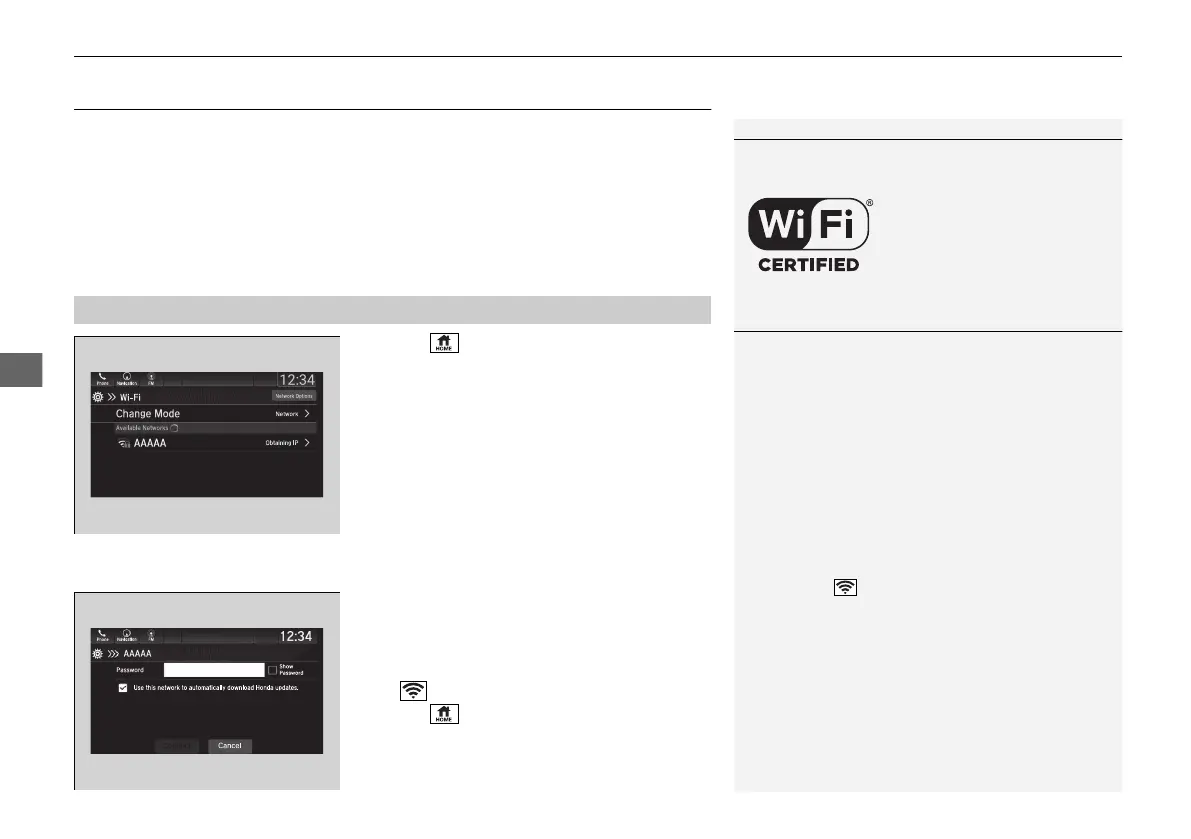
1. Select .
2. Select Settings.
3. Select Connections.
4. Select Wi-Fi.
5. Select Change Mode.
6. Select Network or HotSpot, then Save.
u To change the Wi-Fi settings, select
Network Options or HotSpot
Options.
u Select the access point you want to
connect to the system.
7. Select Connect.
u Enter a password for the access point,
and select OK.
u When the connection is successful, the
icon is displayed on the list.
8. Select to go back to the home screen.
■
Wi-Fi mode (setting for the first time)
1Wi-Fi Connection
Wi-Fi and Wi-Fi Direct a registered trademark of Wi-Fi
Alliance®.
1Wi-Fi mode (setting for the first time)
You cannot go through the setting procedure while a
vehicle is moving. Park in a safe place to setup the
Wi-Fi connection.
Some cell phone carriers charge for tethering and
smartphone data use. Check your phone’s data
subscription package.
Check your phone manual to find out if the phone
has Wi-Fi connectivity.
You can confirm whether Wi-Fi connection is on or
off with the icon on the Wi-Fi network list.
Transmission speed and others will not be displayed
on this screen.
In case of Wi-Fi connection with your phone, make
sure your phone’s Wi-Fi setting is in access point
(tethering) mode.
21 PILOT-31TG76500.book 334 ページ 2020年3月18日 水曜日 午後4時38分



 To Next Page