376
uuBlu-ray/DVD Rear Entertainment System
*
uWireless Headphones
Wireless Headphones
The rear seat passengers can listen to audio from the Blu-ray/DVD rear
entertainment system by a wireless headphone that comes with your vehicle.
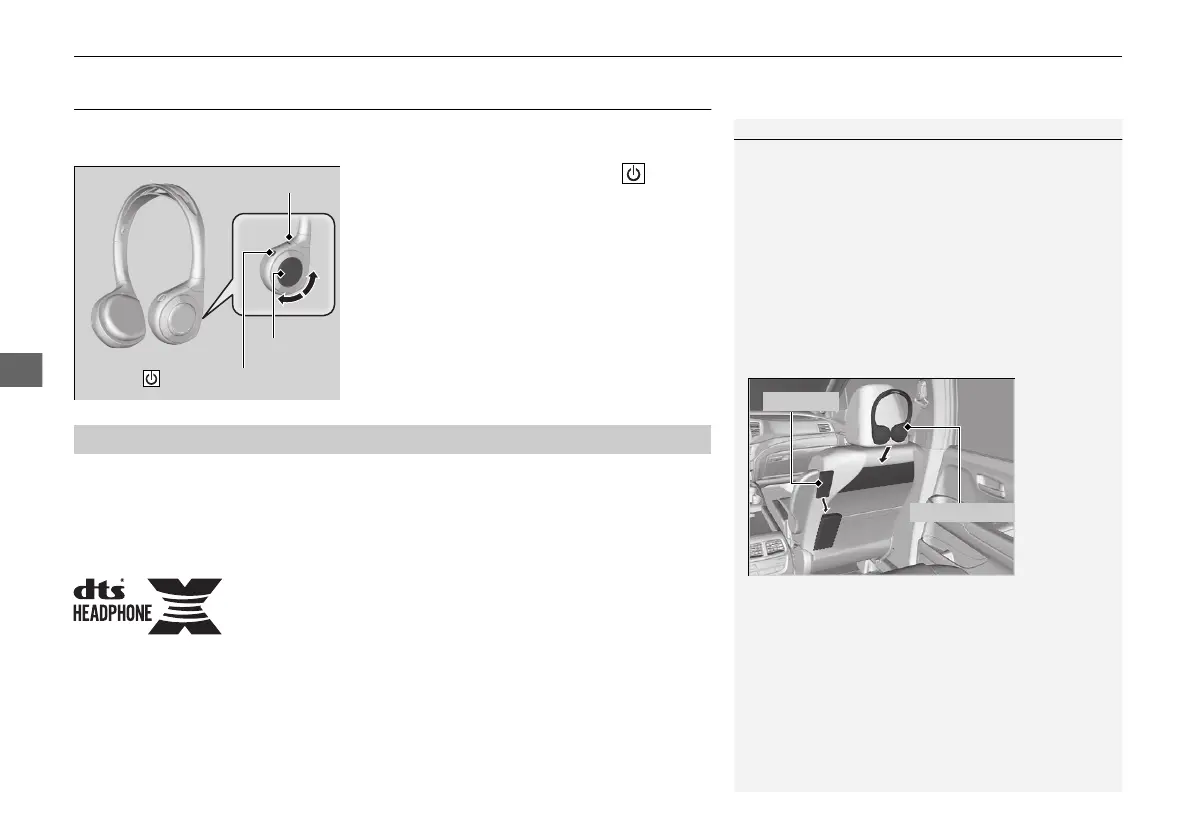
To turn on the switch: Press the (power)
button at the right earpiece. The indicator
comes on.
To adjust the volume: Turn the dial at the
right earpiece.
For DTS patents, see http://patents.dts.com. Manufactured under license from DTS
Licensing Limited. DTS, the Symbol, & DTS and the Symbol together are registered
trademarks, and DTS Headphone:X is a trademark of DTS, Inc. © DTS, Inc. All Rights
Reserved.
1Wireless Headphones
Your vehicle comes with two wireless headphones.
Wear the headphone correctly with the earpiece
marked with L goes to your left ear and R goes to
your right ear.
Wearing the headphone backward may affect the
audio reception.
You can put the headphones into the front seat-back
upper pockets, and the remote into the front
passenger’s seat-back lower pocket as shown below.
Indicator
(Power) Button
Volume
■
DTS Headphone:X
TM
21 PILOT-31TG76500.book 376 ページ 2020年3月18日 水曜日 午後4時38分



 To Next Page