388
uuBlu-ray/DVD Rear Entertainment System
*
uFront Control Panel Operation
Front Control Panel Operation
You can operate the Blu-ray/DVD Rear Entertainment System (RES) from the audio/
information screen.
1. Select .
2. Select Rear Entertainment.
3. Select Rear if the power is off.
u If you select this icon while the system is
operating, the system is turned off.
4. Select Rear Apps.
5. Select the app you want to use.
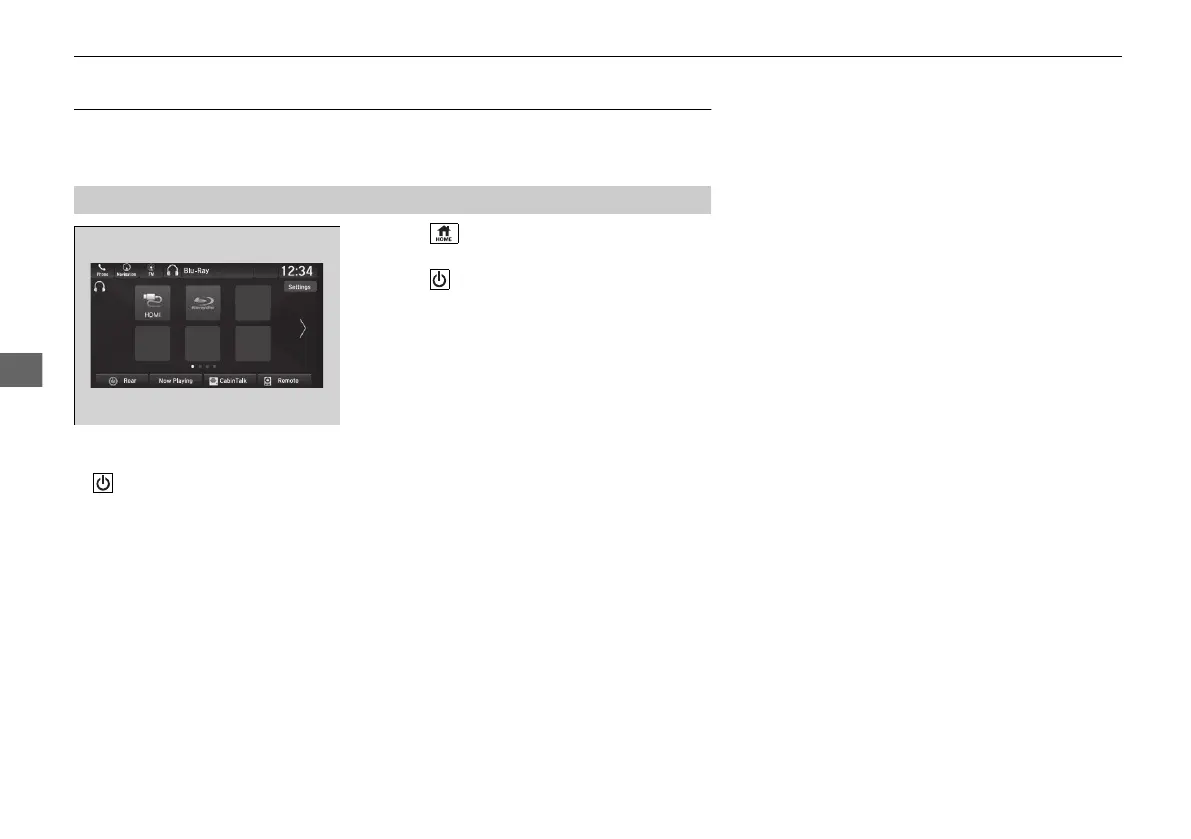
The following items are available on the audio/information screen:
• Rear: Turns the system on or off.
• Now Playing: Displays the current playing app.
• Rear Apps: Displays the home screen.
• CabinTalk: Displays the CabinTalk screen.
2 CabinTalk
TM *
P. 503
• Remote: Disables controls from the remote.
• Settings: Changes the system settings.
2 Rear System Setup P. 389
■
Selecting the App using Front Control Panel
* Not available on all models
21 PILOT-31TG76500.book 388 ページ 2020年3月18日 水曜日 午後4時38分



 To Next Page