555
uuWhen DrivinguLaneWatch
TM
*
■
Customizing the LaneWatch settings
You can customize the following items using the audio/information screen.
• Show with Turn Signal: Selects whether LaneWatch monitor comes on when
you operate the turn signal lever.
• Show Reference Line: Selects whether the reference lines appear on the
LaneWatch monitor.
• Display: Adjusts display settings.
2 Customized Features P. 430
■
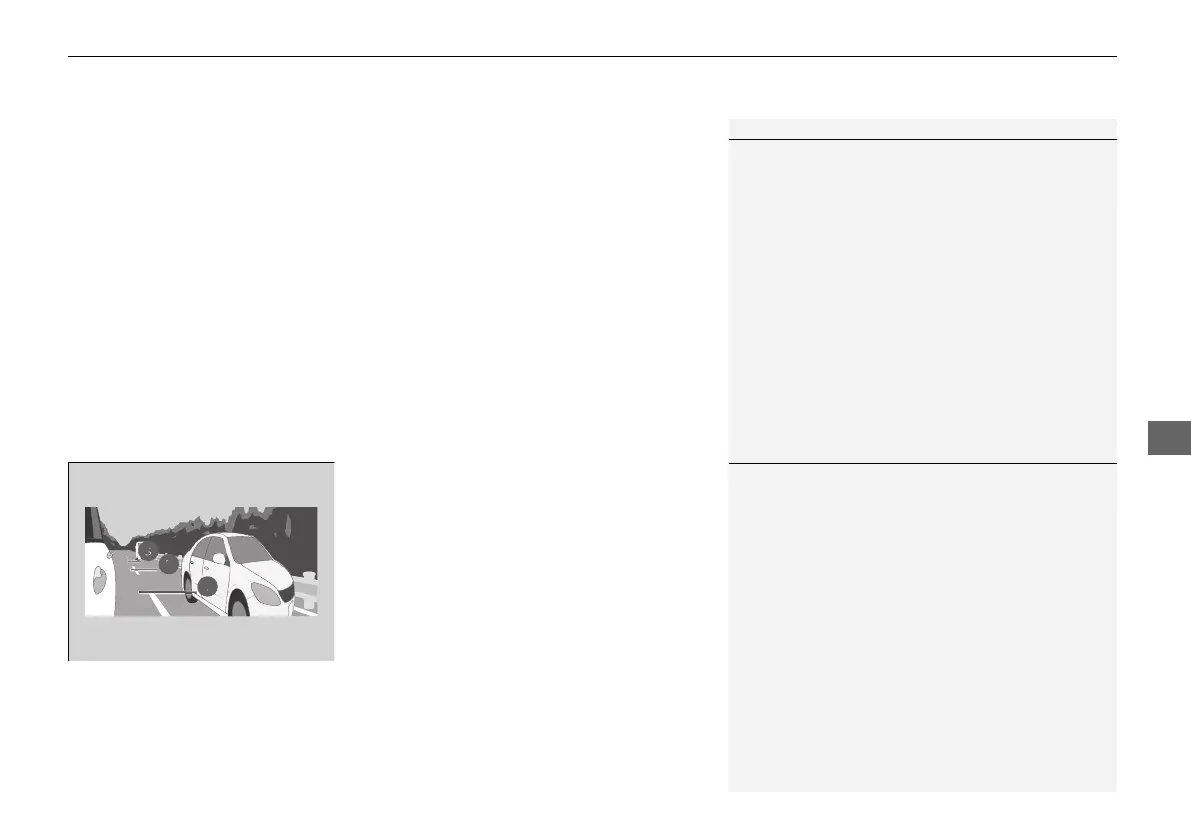
Reference Lines
Three lines that appear on the screen can give
an idea of how far the vehicles or objects on
the screen are from your vehicle, respectively.
If an object is near line 1 (in red), it indicates
that it is close to your vehicle whereas an
object near line 3 is farther away.
1LaneWatch
TM
*
The LaneWatch camera view is restricted. Its unique
lens makes objects on the screen slightly look
different from what they are.
LaneWatch display does not come on when the gear
position is in
(R.
For proper LaneWatch operation:
• The camera is located in the passenger side door
mirror. Always keep this area clean. If the camera
lens is covered with dirt or moisture, use a soft,
moist cloth to keep the lens clean and free of debris.
• Do not cover the camera lens with labels or stickers
of any kind.
• Do not touch the camera lens.
1Reference Lines
The area around the reference line 1 (red) is very close to
your vehicle. As always, make sure to visually confirm
the safety of a lane change before changing lanes.
The distance between your vehicle and lines 1, 2 and
3 on the screen vary depending on road conditions
and vehicle loading. For example, the reference lines
on the screen may seem to appear closer than the
actual distances when the rear of your vehicle is more
heavily loaded.
Consult a dealer if:
• The passenger side door mirror, or area around it is
severely impacted, resulting in changing the
camera angle.
• The LaneWatch display does not come on at all.
* Not available on all models
21 PILOT-31TG76500.book 555 ページ 2020年3月18日 水曜日 午後4時38分



 To Next Page