EasyManua.ls Logo

Honda tourer - Page 8

Honda tourer
581 pages
Print Icon
To Next Page IconTo Next Page
To Previous Page IconTo Previous Page
Loading...
*
*
*
*
*
*
*
*
*
*
*
* Refer to the Navigation System Owner’s Manual.
1:
2:
3:
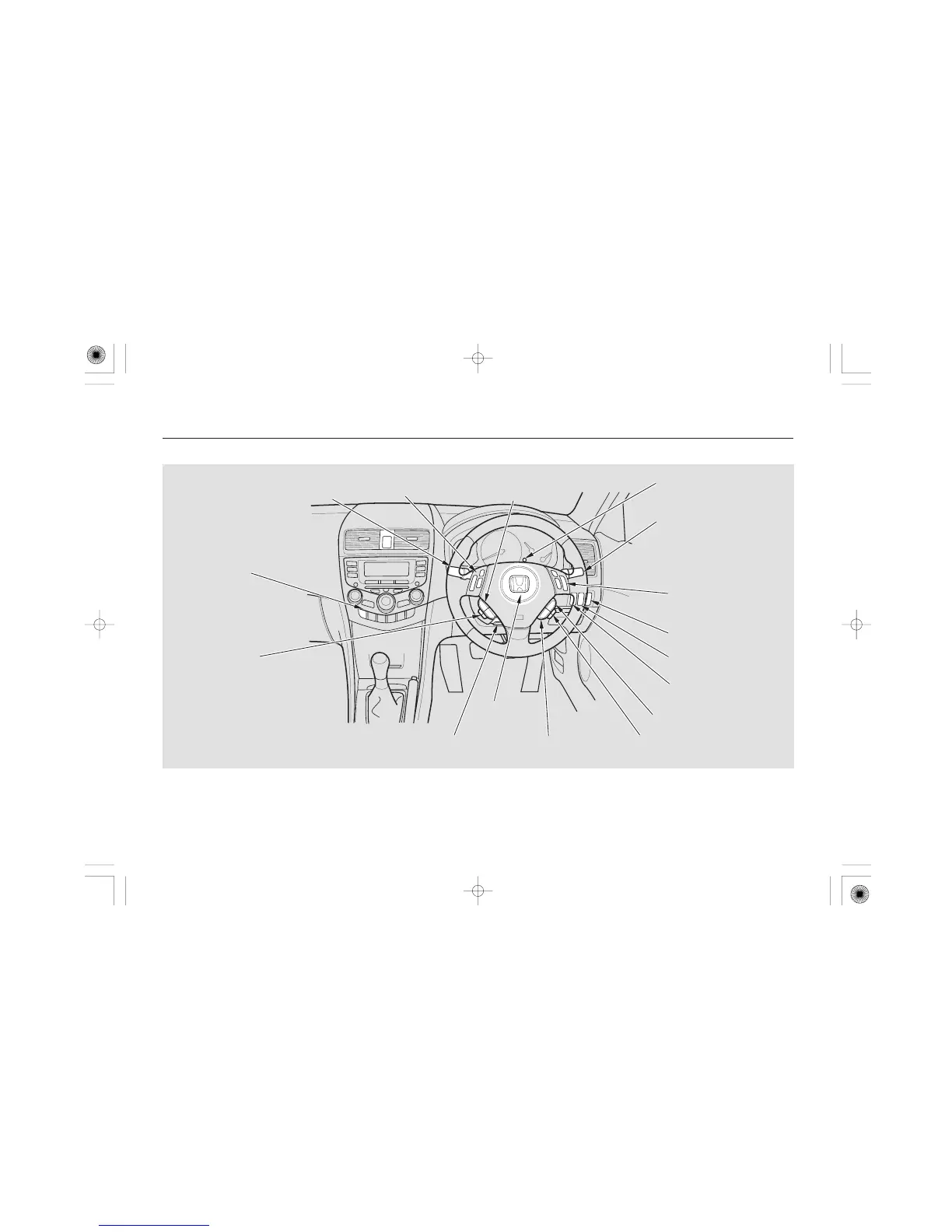
To use the horn, press the centre pad of the steering wheel.
For some types
Your Vehicle at a Glance
5
Right-hand drive type
(P.116/118/119/122)
(P.122)
(P.123)
(P.127)
MULTI-INFORMATION
BUTTONS
(P.93)
CRUISE CONTROL
BUTTONS
HEADLIGHT ADJUSTER
LKAS BUTTON
INSTRUMENT PANEL
BRIGHTNESS
REMOTE AUDIO
CONTROLS
DISTANCE BUTTON
HORN
(P.128)
(P.130)
(P.298)
(P.146)
(P.388)
(P.168)
(P.295)
(P.291)
HANDS-FREE TELEPHONE
SYSTEM BUTTONS
VOICE CONTROL
BUTTONS
REAR WINDOW
DEMISTER
TILT/TELESCOPIC ADJUSTMENT
POWER TAILGATE
DASHBOARD SWITCH
(P.317)
WINDSCREEN WIPERS
WINDSCREEN WASHERS
VSA OFF SWITCH
HEADLIGHTS/REAR FOG LIGHT/
FRONT FOG LIGHTS/
TURN SIGNALS
(P.325)
2
2
2
2
1
2
2
2
2
06/09/21 09:53:55 32SED640_008

Table of Contents