COOLING SYSTEM
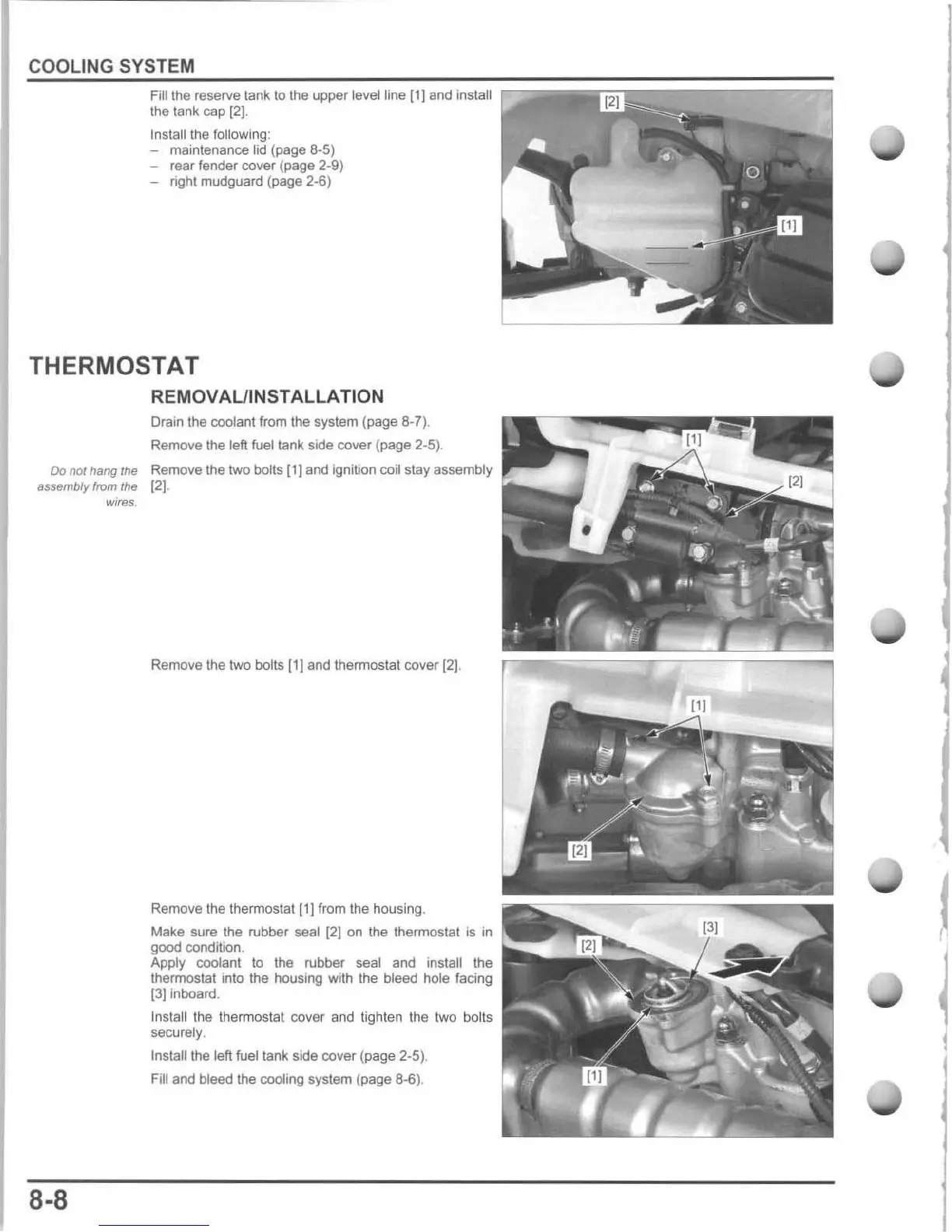
Fill the reserve
lank
to
the
upper
level line [1)
and
install
the tank cap
[2J.
Inslallthe following :
- maintenance tid
(page
8-5)
-
rear
fender
cover (page 2·9)
- right mudguard (page 2-6)
THERMOSTAT
REMOVAUINSTALLATION
Drain the coolant from Ihe system (page 8-7).
Remove the
left fuel tank side
cover
(page 2-5).
Do
not
hang the Remove
Ihe
two bolts (1]
and
ignition coil stay
assembly
assembly from the
12)
.
wires.
8-8
Remove the two bolts (1] and thermostat
cover
[2
1.
Remove the thermostat [1] from the housing.
Make sure the rubber seal
[2)
on the thermostat is in
good
condition.
Apply coolant to the rubber seal and install Ihe
thermostat into the housing with the bleed hole facing
[3]
inboard.
Install the thermostat cover and lighten Ihe two bolts
securely,
Inslalithe
left fuel tank side
cover
(page 2-5).
Fill and bleed the cooling system (page
8-6)
.






 To Next Page