Contents [ hide
1 How do I fix a blank display on my series 2000 thermostat?
2 How do I bypass the schedule on the series 2000 thermostat?
3 How do I turn on/off my heating/cooling on my 2000 series thermostat?
4 How do I program the schedule on my rth2510/rth2410/rth2300/rth221 thermostat?
5 Where do I wire my c wire on the series 2000 thermostat?
6 How do I set the time/date on a series 2000 thermostat?
7 Where do I wire my c wire on the series 2000 thermostat?
8 How do I access the installer setup (isu) on a series 2000 thermostat?
9 How do I set the time/date on a series 2000 thermostat?
10 How do I bypass the schedule on the series 2000 thermostat?
11 How do I access the installer setup (isu) on a series 2000 thermostat?
12 How do I turn on/off my heating/cooling on my 2000 series thermostat?
13 How do I set the time/date on a series 2000 thermostat?
14 How do I fix a blank display on my series 2000 thermostat?
15 How do I program the schedule on my rth2510/rth2410/rth2300/rth221
thermostat?
16 How do I fix a blank display on my series 2000 thermostat?
17 Downloads
17.1 Related Manuals
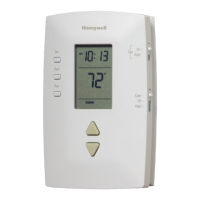
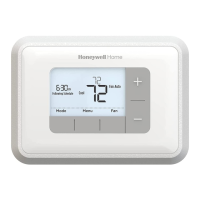
How do I fix a blank display on my series 2000 thermostat?
The RTH2300 is battery powered only, there is no C wire option on the RTH230. Check and replace the batteries. If
the unit does not power up, replace it.
How do I bypass the schedule on the series 2000 thermostat?
Press up or down to immediately adjust the temperature. This will temporarily override the temperature setting for the
current time period. “Temporary” will appear on the display and the current program period will flash. The new
temperature will be used until the next period begins.
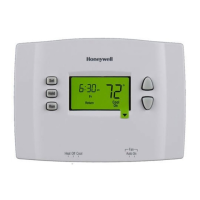
To permanently ignore the schedule, press up or down until the desired temperature is displayed. Then, press the
Hold button to maintain the new temperature indefinitely. The word Hold will appear on the screen.
Press the Run button if you wish to cancel either override and resume the schedule. The word Hold will disappear,
and the thermostat will be set to the temperature programmed for the current period. Also ensure that the heat – off –
cool switch is set to the desired run mode.
Remember, after you set the desired setpoint and select your desired hold the thermostat will change back from
displaying your setpoint to the room temperature. This is normal. Allow your heating or cooling system to reach your
setpoint over time.
How do I turn on/off my heating/cooling on my 2000 series thermostat?
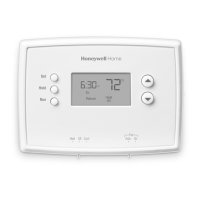
Locate the system Slider Switch labeled Heat Off Cool.
Slide the switch to the desired setting and either manually adjust the arrows to the desired set point and press hold or
establish a schedule for heating and cooling.
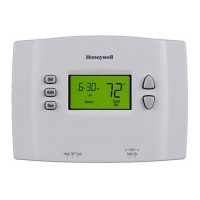
How do I program the schedule on my rth2510/rth2410/rth2300/rth221 thermostat?
Locate the system Slider Switch labeled Heat Off Cool. Slide the switch to the desired setting and either manually
adjust the arrows to the desired set point and press hold or establish a schedule for heating and cooling. Operation
For the 2000 family schedule:
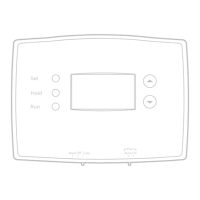
Press the Set button 3 times until Set Schedule appears. The start time of the first period (Wake) of the week



 To Next Page
 Loading...