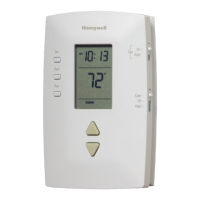
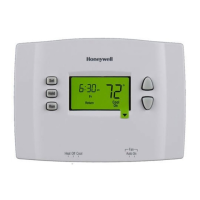
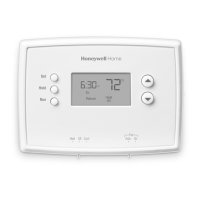
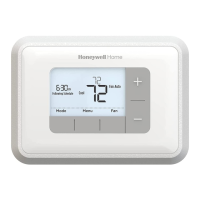
days (Mon-Fri) will flash.
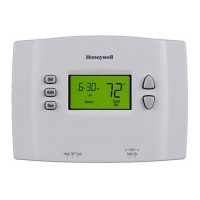
Press the up or down button to set the time.
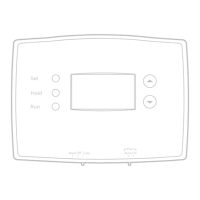
Press the Set button. The temperature setting for that period will flash.
To program the temperature settings for the cooling mode, place the System switch in Cool.
To program the temperature settings for the heating mode, place the switch in Heat.
Press the up or down button to set the temperature.
Press the Set button. The start time of the next period will flash.
Repeat steps 2 through 6 for each of the remaining periods.
Once all adjustments are made, press the Run button to save them and exit. (The changes are also saved if
you do not press any button for 60 seconds.)
To skip a period (except Wake), press the Hold button for 4 sec. while that period is displayed.
To bypass the schedule press the Hold button from the main screen.
Where do I wire my c wire on the series 2000 thermostat?
The RTH2300 series does not allow for a C wire connection and the C wire should not be use. Tape the wire off with
electrical tape and tuck it back in the wall.
How do I set the time/date on a series 2000 thermostat?
Press the SET button, then press up or down arrows to set the clock time.
Press the SET button, then press up or down arrows to select the day of the week.
Press RUN to save & exit.
Where do I wire my c wire on the series 2000 thermostat?
The RTH2300 series does not allow for a C wire connection and the C wire should not be use. Tape the wire off with
electrical tape and tuck it back in the wall.
How do I access the installer setup (isu) on a series 2000 thermostat?
Enter System Setup:
To enter system setup, press and hold both the up and down buttons until the display changes (approximately 5
seconds).
Changing Settings:
1. Press the up or down button to change the setting.
2. Press the up and down buttons simultaneously for one second to advance to the next function.
3. Press the RUN button to exit and save settings. Please note ISU changes when saved are permanently held in
memory and will not be forgotten. If the thermostat is reverting to default programming troubleshoot the
application.
How do I set the time/date on a series 2000 thermostat?
Press the SET button, then press up or down arrows to set the clock time.
Press the SET button, then press up or down arrows to select the day of the week.
Press RUN to save & exit.
How do I bypass the schedule on the series 2000 thermostat?
Press up or down to immediately adjust the temperature. This will temporarily override the temperature setting for the



 To Next Page
 Loading...