EasyManua.ls Logo

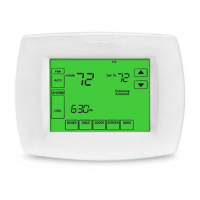
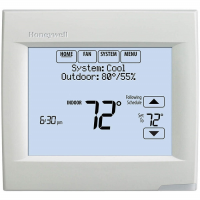
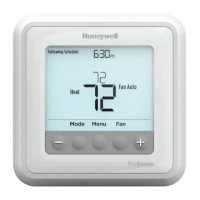
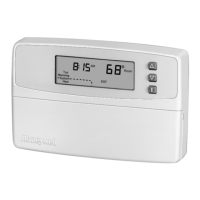
Honeywell 36 - User Manual

Honeywell 36
32 pages
Print Icon
To Next Page IconTo Next Page
Loading...
1 69-0939—1
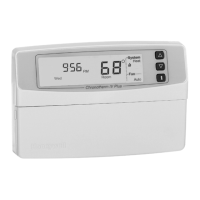
Seven Day
Programmable Heat and/or Cool
Low Voltage (20 to 30 Vac) Thermostat and Wallplate
Model CT3600
OWNER’S GUIDE
Honeywell/36
Programmable Thermostat
Para pedir estas instrucciones en español,
llame al 1-800-468-1502 por 69-0939S.
Pour obtenir ce mode d’emploi en français,
composer le 1-800-468-1502 pour 69-0939F.
69-0939-1

Questions and Answers

  • S
    Susan JonesJul 26, 2025
    How to fix a Honeywell Thermostat when the display won't turn on?
    • K
      Kenneth RodriguezJul 27, 2025
      If your Honeywell Thermostat display isn't turning on, make sure the batteries are correctly installed and fresh. Also, ensure the thermostat is properly mounted and latched onto the wallplate.
  • T
    Thomas JamesJul 31, 2025
    Why is my Honeywell 36 heating not working?
    • C
      Colton AndrewsJul 31, 2025
      If your Honeywell Thermostat isn't heating, ensure the heat setting is higher than the room temperature. Also, check if the circuit breaker has tripped and reset it if needed. Verify the system switch at the equipment is in the On position. Allow five minutes for the system to respond. Finally, confirm the system switch is set to Heat.
  • Q
    qmorganAug 5, 2025
    Why is my Honeywell 36 Thermostat cooling not turning on?
    • J
      Joanna ObrienAug 5, 2025
      If your Honeywell Thermostat cooling isn't working, make sure the cool setting is lower than the room temperature. Check the circuit breaker and reset it if necessary. Ensure the system switch at the equipment is in the On position. Give the system five minutes to respond. Lastly, ensure the system switch is set to Cool.
  • P
    Paul WardAug 10, 2025
    Why does my Honeywell 36 Thermostat display flash when programming?
    • J
      Jason WarrenAug 10, 2025
      If your Honeywell Thermostat display flashes during programming, it means you've reached the temperature setting limit. The heating range is 40°F to 90°F (4.5°C to 32°C), and the cooling range is 45°F to 99°F (7°C to 35°C).
  • C
    Christopher LozanoAug 16, 2025
    Why does my Honeywell 36 change temperature at the wrong times?
    • C
      Courtney RobinsonAug 16, 2025
      If your Honeywell Thermostat temperature changes occur at the wrong times, check the program times for the affected period, ensuring AM and PM settings are correct. Verify the current day and time are accurate. Reprogram if needed. If the thermostat is set for Smart Response, start times may occur before your programmed comfort periods.
  • J
    Julia WilliamsAug 20, 2025
    What to do if Honeywell Thermostat shows heat or cool but no air is coming out?
    • K
      Katie AyalaAug 20, 2025
      If the system on indicator (flame or snowflake) is lit on your Honeywell Thermostat, but you're not getting warm or cool air, wait five minutes after the indicator appears before checking the registers. If there's still no air, refer to the "Heating will not come on" or "Cooling will not come on" troubleshooting steps.

Summary

Honeywell;36 Programmable Thermostat

Installation Guide

Step 1: Prepare for Installation

Check thermostat compatibility with your heating/cooling system before installation.

Step 2: Remove Old Thermostat

Procedures for safely removing the existing thermostat and disconnecting wires.

Step 3: Mount Thermostat Wallplate

Instructions on positioning, drilling, and securing the wallplate to the wall.

Step 4: Wire Wallplate Terminals

Guidance on connecting wires to the correct terminals on the wallplate.

Wiring Diagrams

Visual guides for connecting various system types to the thermostat wallplate.

Smart Response Feature

Understanding Smart Response

Explains how the Smart Response feature calculates optimal heating/cooling start times.

Programming Your Thermostat

Operating Your Thermostat

Setting System Switches

Troubleshooting Guide

Common Troubleshooting Issues

Solutions for common problems like display not working or heating/cooling not coming on.

Troubleshooting Guide: Cooling and Airflow

Addresses issues with cooling not working and no air from registers.

Honeywell 36 Specifications

General IconGeneral
TypeNon-Programmable
ProgrammableNo
Backlit DisplayNo
Hold FunctionYes
Filter Change AlertNo
Battery IndicatorYes
Power SourceBattery
CompatibilitySingle Stage Heating and Cooling Systems

Related product manuals