To Next PageTo Next Page
 Need help?
Do you have a question about the Honeywell C1 and is the answer not in the manual?
 General
| Brand | Honeywell |
|---|---|
| Model | C1 |
| Category | Security Camera |
| Language | English |
Steps to launch the Honeywell Home app and begin the camera setup process.
Instructions for connecting the camera to a power source using the provided power cord.
Guidance on enabling Bluetooth and pairing the camera with your mobile device via the app.
Explanation of the LED indicator states during the Wi-Fi connection process.
Details on configuring Geofencing and Membership options for the camera.
Instructions and considerations for positioning the camera for optimal viewing and recording.
How to detach and reattach the camera's magnetic stand for mounting or SD card access.
Navigating the app's home screen and viewing live video from the camera.
Procedure to test the camera's ability to detect and alert on smoke or CO alarm sounds.
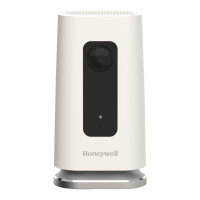
Visual identification of camera components like lens, LED, power port, and reset hole.
Detailed explanation of what each LED color and blinking pattern signifies for device status.
Instructions for resetting Wi-Fi connection or performing a factory reset using the reset hole.
Information about the pre-installed SD card for local storage and replacement options.
Regulatory statements regarding FCC rules, interference, and modifications for compliance.
Questions on testing smoke alarm detection, sensitivity, placement, and detector brand compatibility.
Inquiries about alert timing, notification delivery, false alarms, and multi-floor detection.
Concerns regarding audio playback in clips, recording duration, and cloud service usage.