EasyManua.ls Logo

Honeywell C8600A - User Manual

Honeywell C8600A
40 pages
Print Icon
To Next Page IconTo Next Page
Loading...
69-1513EF-01
OWNER’S GUIDE
RESIDENTIAL USE ONLY
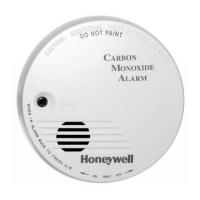
C8600A
CO Alarm

Questions and Answers

  • D
    Douglas BrownJul 30, 2025
    What to do if my Honeywell C8600A keeps chirping?
    • D
      Debra MarshallJul 30, 2025
      If your Honeywell Smoke Alarm is chirping, it signifies a low battery. The alarm will beep once every 30 seconds for at least 7 days, indicating that the battery needs to be replaced.
  • L
    leslie27Aug 14, 2025
    How to silence Honeywell C8600A after it sounds?
    • B
      Brian PriceAug 14, 2025
      To silence your Honeywell Smoke Alarm after it sounds, push and hold the test button for 3 seconds. This will silence the alarm for 4 minutes, after which it will sound again if the unsafe CO concentration is not reduced.

Summary

What You Should Know About Carbon Monoxide (CO)

CO Alarm Placement Guidelines

Developing Your CO Safety Plan

Emergency Alarm Response

Detailed steps to follow when the CO alarm sounds, including silencing, evacuation, and seeking professional help.

CO Safety Plan and Installation

Location Selection and Mounting

Guidance on selecting appropriate locations for CO alarms and recommended mounting spots.

Mounting Location Guidelines

Multi-level Residence Placement

Guidance for CO alarm placement in multi-level residences, referencing Figure 2.

Wall and Ceiling Mounting Specifications

Specifications for mounting the CO alarm on walls or ceilings, including height and distance from walls.

Mounting Your CO Alarm

Mounting Plate Installation Steps

Step-by-step instructions for installing the mounting plate for the CO alarm.

Alarm Attachment and Security

Procedure for attaching the alarm to the mounting plate and using the tamper-resistant locking pin.

Battery Installation

Battery Installation and Orientation

Guidance on correctly installing the battery in the CO alarm unit, ensuring proper orientation.

Alarm Setup and Configuration

Confirming Battery Installation

How to verify correct battery installation by listening for an audible confirmation beep.

Attaching and Securing the Alarm

Steps for attaching the alarm to the mounting plate and securing it with the tamper-resistant pin.

Alarm Testing and Troubleshooting

Battery Replacement

Honeywell C8600A Specifications

General IconGeneral
TypeHardwired
Battery Backup9V battery
Alarm Sound85 dB at 10 feet
Hush FeatureYes
Power Source120 VAC, 60 Hz
Voltage120 VAC
InterconnectableYes
LED IndicatorYes
Operating Temperature40°F (4.4°C) to 100°F (37.8°C)
ComplianceUL 217
Humidity Range10% to 95% relative humidity (non-condensing)

Related product manuals