40
Honeywell 35 Series IP Cameras User Guide
6. Check the check boxes to enable Alarm record and SMTP.
7. Click SAVE.
Intrusion Detection
Intrusion Detection can be used to detect objects entering or leaving a virtual area in the
camera field of view.
The applicable scenarios of this feature can be:
• Detects when a person enters a bank vault or school after the office hours.
• Detects when a person leaves an emergency exit or fire escape, or any place that is
normally forbidden from access.
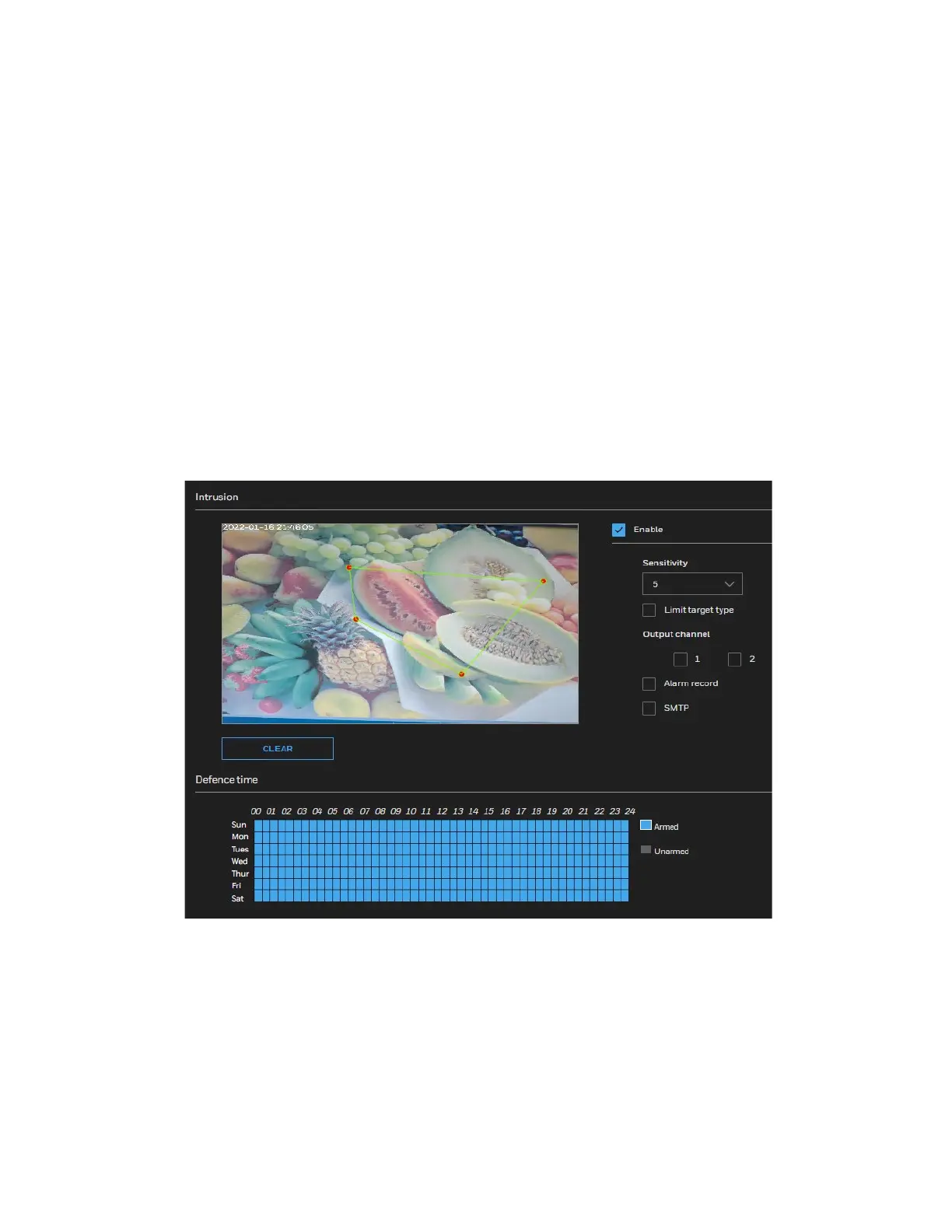
1. Go to Setup > Video Analytics > Intrusion.
Figure 31 Intrusion Detection
2. Check the Enable checkbox to enable intrusion detection.
3. Configure the Sensitivity.
4. Configure the detection area.
• Press and hold the left mouse button, and drag in the video area to draw a
detection area
• Click CLEAR to delete a detection area.



 To Next Page
 Loading...