www.honeywell.com/security
106 | HRGX DVR User Manual
Configuring SNMP Settings
You can use Simple Network Management Protocol (SNMP) to obtain device status and
parameters-related information. You will need to install SNMP software to receive device
information via SNMP.
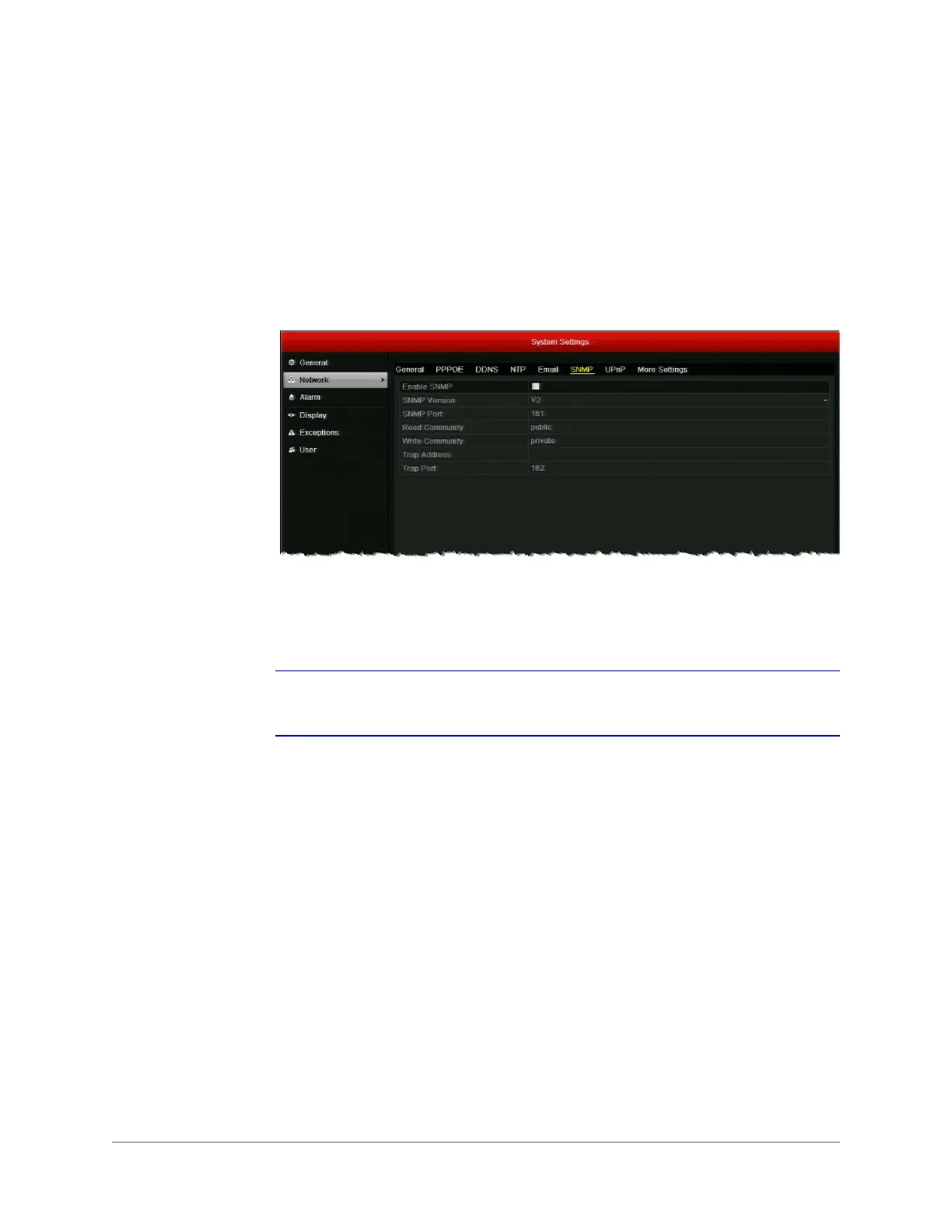
To configure SNMP settings:
1. Go to Menu > Settings > Network > SNMP.
2. Select the Enable SNMP check box to enable this feature.
3. Configure the following settings: SNMP Version, SNMP Port, Read Community, Write
Community, Trap Address, and Trap Port.
Note By setting the trap address, you are allowing the device to send alarm event and
device exception notification messages to the surveillance center.
4. Click Apply to save your settings.



 To Next Page
 Loading...



