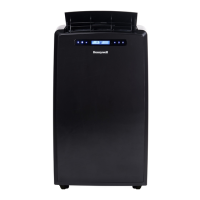
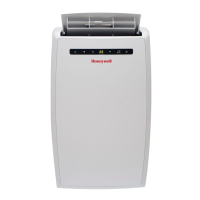
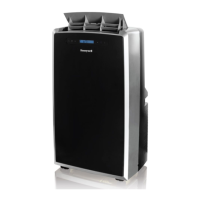
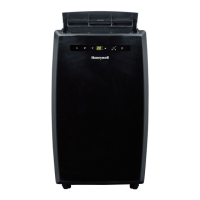
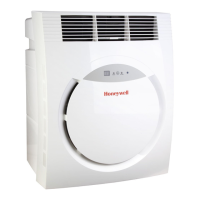
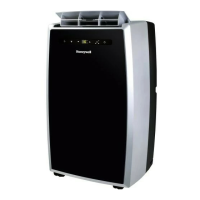
This document describes the Honeywell Portable Air Conditioner, a versatile unit designed for spot cooling in domestic environments. The device integrates a compressor, condenser, and evaporator into a compact unit, filtering, dehumidifying, and cooling the air. A flexible air outlet hose expels heat outside, and the unit includes a window venting kit for easy installation. No permanent installation is required, making it easy to move from room to room for flexible air conditioning.
Function Description:
The Honeywell Portable Air Conditioner offers multiple operating modes:
- Cooling Mode: The unit functions as an air conditioner, allowing users to adjust fan speed and air temperature to their desired comfort level. The temperature setting range is 16°C-32°C (61°F-89°F).
- Heating Mode (Applicable for specific models): When selected, the indicator light illuminates, and heating activates when the ambient temperature is below 25°C (77°F). The desired temperature can be set between 16°C-25°C (61°F-77°F). It's important to note that air exchange hoses must vent outside the room when using this mode.
- Dehumidifying Mode: The unit dehumidifies air without operating in full cooling mode. If the room temperature exceeds 25°C (77°F), the fan speed can be adjusted; otherwise, it defaults to LOW. For optimal efficiency as a dehumidifier, the exhaust hose should not be connected, allowing warm air to return to the room. Continuous drainage is recommended in this mode.
- Fan Mode: This mode provides air circulation without air conditioning or heating, offering three fan speed settings: High, Medium, and Low.
The unit features an Auto Evaporation System, which automatically evaporates condensate through the air outlet hose, reducing the need to frequently empty the drainage tank, except in very high humidity conditions.
Usage Features:
- Control Panel and Remote Control: The device can be operated via a touch screen control panel on the unit itself or through a remote control, which offers access to all key functions.
- Timer Control: Users can set a timer for the unit to automatically turn off after a specified number of hours (1-24 hours) while it's running. Additionally, an auto-on timer can be set for the unit to automatically start running after a specified number of hours when in standby mode.
- Temperature/Timer Set Controls: These controls are used to adjust the timer and thermostat. The default display shows room temperature. In cooling mode, the set temperature can be adjusted and will revert to room temperature after 10 seconds. Temperature is adjustable only in cool mode, while time is adjustable from 1-24 hours. Pressing both set buttons simultaneously toggles the display between Celsius and Fahrenheit.
- Warning Light: A flashing power control light indicates that the internal tank is full of condensed water and needs to be drained before the unit can resume operation.
- Air Vent Adjustment: The air vent located at the top of the unit can be manually adjusted to direct airflow.
- Installation Flexibility: The unit comes with a window venting kit that includes window brackets, a hose connector, and a plastic hose. The window brackets are adjustable to fit various window and balcony door heights or widths. The plastic hose can be extended from 30 cm to 120 cm (12 inches to 47 inches) for venting through an open window or a drilled hole in a wall or window. Proper installation ensures tight connections and prevents blockages in the exhaust hose.
- Restart Delay: After switching the air conditioner off, there is a mandatory 3-minute wait before it can be switched back on.
Maintenance Features:
- Appliance Cleaning: The appliance should be cleaned with a soft dry cloth after disconnecting it from the power supply.
- Air Filter Maintenance: The air filter needs to be cleaned every two weeks. To do this, turn off the appliance, remove the air filter, rinse it in lukewarm water, dry it in a shaded and cool place, and then reinstall it.
- Water Condensation Drainage:
- Manual Draining (AC & Dehumidifier Mode): When the warning light flashes, indicating excess water, the unit needs to be drained. This involves unplugging the unit, placing a shallow pan under the lower drain plug, removing the plug, allowing water to drain, and then firmly replacing the plug.
- Continuous Draining (Dehumidifier Mode): For continuous operation in dehumidifier mode, the upper drain plug can be removed, and a ¼” hose (not included) connected to the drain connector to direct water into a floor drain or sink.
- End of Season Storage: For long-term storage, follow these steps:
- Drain any leftover water condensation from the lower drain plug.
- Run the unit in Fan-only mode for 30 minutes to dry excess moisture.
- Turn off and unplug the air conditioner.
- Remove and clean the air filter, then reinstall it.
- Disconnect the window installation kit components (plastic hose, window bracket, panel adapter, and hose connector). Store these parts, along with the remote control, in a bag with the air conditioner unit. Clean the window kit parts with a damp cloth and water, ensuring they are dry before storage.
- Cover the air conditioner with a cloth or plastic bag to protect it from dust and scratches.
- Coil the power cord and store it away from the floor to prevent bends and creases.
- Remote Control Battery Replacement: The remote control requires two AAA batteries. Ensure proper polarity when inserting them. Remove batteries if the remote control will not be used for a month or longer. Replace all batteries at the same time and do not mix old with new batteries. Dispose of used batteries properly.


 To Next Page
 General