EasyManua.ls Logo

Honeywell MS9520 Voyager - User Manual

Honeywell MS9520 Voyager
2 pages
Print Icon
To Next Page IconTo Next Page
Loading...
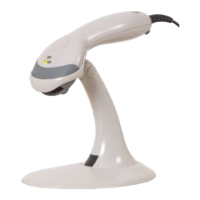
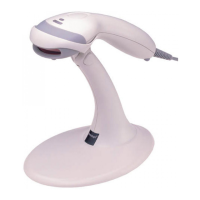
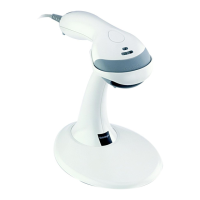
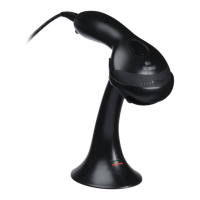
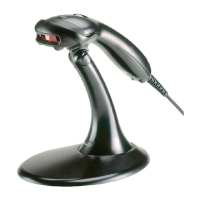
MS9520 Voyager
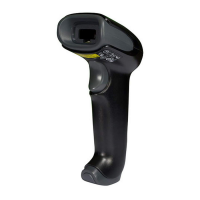
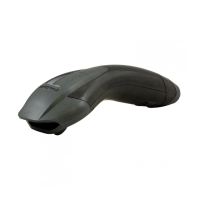
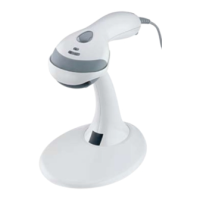
Honeywell’s MS9520 Voyager
®
hand-held, single-line laser scanner
offers aggressive scanning of all standard 1D bar codes.
The Voyager series of hand-held, single-line bar code scanners have
united form with function in becoming the industry benchmark for value
and performance.
This sleek scanner features patented automatic infrared activation and
decodes all standard 1D bar codes, including GS1 DataBar
TM
(formerly
known as RSS codes).
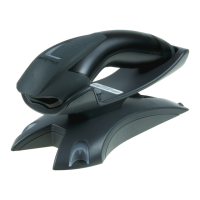
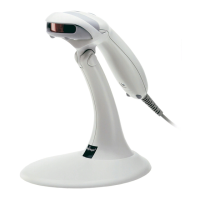
For presentation scanning, Honeywell offers a stand with automatic
in-stand detection technology.
The MS9521 VoyagerHD
TM
is ideal for applications that require high-
density scanning, delivering quick and accurate scanning of 1D bar
codes as small as 3 mil.
Expand scanner functionality by purchasing the MS9524 VoyagerPDF
TM
,
which delivers aggressive scanning of all standard 1D bar codes,
including PDF.
For more information on the MS9520 Voyager single-line laser scanner,
please visit www.honeywell.com/aidc
Single-Line Laser Scanner
Automatic Trigger: • Use scanner as either a hand-held
device or a fixed presentation scanner when mounted in
the stand
650-nanometer laser: • High-visibility laser allows user to
place laser line on selected bar code
Flash ROM: • Future proof POS system with free firmware
updates via MetroSet
®
2 software and standard PC
Parsing (Data Editing): • Format bar code data to meet
host system’s specific requirements
Features

Questions and Answers

  • B
    bmunozSep 9, 2025
    Why does my Honeywell MS9520 Voyager Barcode Reader have no LEDs, beep, or laser?
    • M
      Michael WilliamsSep 9, 2025
      If the Honeywell Barcode Reader has no LEDs, beep, or laser, a power supply may be needed. Some host systems cannot supply enough current to power Voyager. No power may be supplied to the unit from host.
  • M
    michaelaveryAug 22, 2025
    Why does the data received from my Honeywell MS9520 Voyager look incorrect?
    • J
      Jose MendezAug 23, 2025
      If the host is receiving data from the Honeywell Barcode Reader, but the data doesn't look correct, check that the scanner and the host are configured for the same interface parameters. The scanner and host may not be configured for the same interface parameters.
  • M
    Malik CrossAug 25, 2025
    How to fix dropped characters on my Honeywell Barcode Reader?
    • A
      Allison ConnerAug 25, 2025
      If characters are being dropped by the Honeywell Barcode Reader, add some inter-character delay to the transmitted output by using the MetroSelect Single-Line Configuration Guide. Inter-character delay needs to be added to the transmitted output.
  • J
    Jeffery HillAug 26, 2025
    Why is the data from my Honeywell MS9520 Voyager Barcode Reader incorrect after scanning?
    • A
      Andrew CurryAug 27, 2025
      If the Honeywell Barcode Reader scans but the data is not correct, make sure that the proper PC type AT, PS2 or XT is selected, verify the correct country code and data format is selected and adjust the inter-character delay symptom. The unit’s configuration may not be correct.
  • T
    Taylor JonesAug 27, 2025
    How to stop my Honeywell MS9520 Voyager from transmitting each character twice?
    • J
      Jeremy HowardAug 27, 2025
      If the Honeywell Barcode Reader is transmitting each character twice, increase the interscan code delay setting and adjust whether the F0 break is transmitted. It may be necessary to try this in both settings. The unit’s configuration may not be correct.
  • M
    Matthew EvansAug 29, 2025
    What to do if my Honeywell MS9520 Voyager Barcode Reader locks up after the first scan?
    • A
      Amber GarciaAug 29, 2025
      If the Honeywell Barcode Reader scans a bar code, but locks up after the first scan and the red LED stays on, it means the unit is configured to support some form of host handshaking but isn't receiving the signal. If the unit is setup to support ACK/NAK, RTS/CTS, XON/XOFF or D/E, verify that the host cable and host are supporting the handshaking properly.
  • C
    Connie CameronSep 18, 2025
    What to do if some characters don't work on my Honeywell Barcode Reader?
    • D
      Dr. James BaileySep 18, 2025
      If everything works except for a couple of characters on your Honeywell Barcode Reader, try operating the scanner in Alt mode. These characters may not be supported by that country’s key look up table.
  • G
    gordongoodwinSep 18, 2025
    What does it mean if my Honeywell MS9520 Voyager Barcode Reader beeps twice and flashes LEDs at power up?
    • S
      Sarah DeanSep 22, 2025
      If at power up the Honeywell Barcode Reader beeps 2 times and alternately flashes the LEDs, a flash ROM upgrade is required. There is a ROM failure.
  • W
    wkellySep 7, 2025
    How to troubleshoot a Honeywell MS9520 Voyager Barcode Reader with no LEDs, beep, or laser?
    • D
      David MeyerSep 7, 2025
      If the Honeywell Barcode Reader has no LEDs, beep, or laser, check the transformer, the outlet and power strip, and ensure the cable is plugged into the unit. No power may be supplied to the unit.
  • B
    Brianna ReidSep 4, 2025
    Why doesn't my Honeywell MS9520 Voyager communicate with the host, even after powering up and scanning?
    • D
      Derek LinSep 4, 2025
      If the Honeywell Barcode Reader will power-up and scan but does not communicate properly to the host, check to make sure that the baud rate and parity of the scanner and the communication port match and that the program is looking for 'RS232' data. The com port at the host may not be working or not configured properly.

Honeywell MS9520 Voyager Specifications

General IconGeneral
Light Source650 nm visible laser diode
Decode Capability1D Barcodes
Operating Temperature0°C to 40°C (32°F to 104°F)
Storage Temperature-40°C to 60°C (-40°F to 140°F)
Humidity5% to 95% relative humidity, non-condensing
Scan PatternSingle Line
Depth of Field0 mm - 203 mm (0 in - 8 in) for 0.33 mm (13 mil) barcode
InterfaceRS232, Keyboard Wedge, USB, IBM 468X/469X
Power Supply5 VDC
Drop ResistanceDesigned to withstand 1.5 m (5 ft) drops
Resolution0.127 mm (5.0 mil)
Decode Capability DetailedUPC/EAN, Code 39, Code 128, Codabar, Interleaved 2 of 5, Discrete 2 of 5, Code 93, MSI, RSS variants
Weight149 g (5.3 oz)

Related product manuals