EasyManua.ls Logo

Honeywell RTH8500D - User Manual

Honeywell RTH8500D
64 pages
Print Icon
To Next Page IconTo Next Page
Loading...
OWNER’S GUIDE
U.S. Pat. 6,595,430
Other Patents Pending
® U.S. Registered Trademark
© 2004 Honeywell International Inc.
All Rights Reserved
69-1725-1
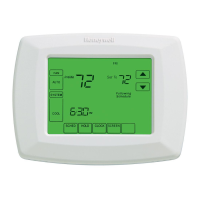
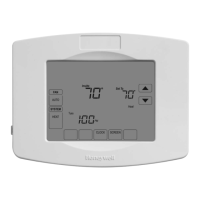
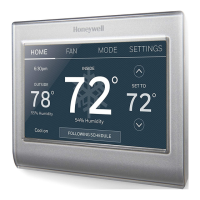
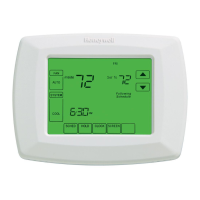
RTH8500D Touch Screen
Programmable Thermostat
The RTH8500D Thermostat provides electronic control of 24 Vac heating and
cooling systems or 750 mV heating systems.
For assistance with your Honeywell product, please visit
www.honeywell.com/yourhome
or call Honeywell Customer Care
toll free at 1-800-468-1502.
Read and Save these Instructions

Questions and Answers

  • M
    Mackenzie WaltersAug 18, 2025
    Why is my Honeywell RTH8500D heating system not turning on?
    • A
      adamsmelindaAug 18, 2025
      To ensure your heating system is functioning correctly, set the system to Heat using the System key. Verify the heat temperature setting is above the current room temperature, and that “Heat On” is clearly displayed. Check the circuit breaker to confirm it hasn't tripped. Also, ensure the power switch for both the heating and cooling systems is turned on, and that the furnace door is securely closed. Allow five minutes for the heating system to respond. If the issue persists after checking these steps, consider contacting a local heating and cooling contractor.
  • B
    Brandon MccormickAug 21, 2025
    What to do if my Honeywell RTH8500D says 'Wait'?
    • T
      Tammy JohnsonAug 21, 2025
      If the display shows “Wait,” it means the compressor minimum-off timer is currently active. Please wait up to five minutes for the cooling or heating system to turn on.
  • K
    Kevin NelsonAug 23, 2025
    Why is “Cool On” not showing on my Honeywell RTH8500D Thermostat display?
    • J
      Joseph AndersonAug 25, 2025
      To resolve this, set the System setting to Cool and ensure the temperature setting is below the current room temperature. If “Cool On” is steadily displayed but the cooling system still doesn't activate, consult the “Cooling system does not turn on” section in the Troubleshooting Tips.
  • C
    candersonAug 26, 2025
    Why is “Heat On” not showing on my Honeywell Thermostat display?
    • C
      Carly WongAug 26, 2025
      To fix this, set the System setting to Heat and make sure the temperature setting is higher than the current room temperature. If “Heat On” appears steadily but the heating system doesn't turn on, refer to the “Heating system does not turn on” section within the Troubleshooting Tips.
  • N
    Nicholas GarnerAug 28, 2025
    What to do if my Honeywell RTH8500D display is blank?
    • J
      Jennifer JamesAug 28, 2025
      To address this, verify that fresh AAA alkaline batteries are correctly installed in the Honeywell Thermostat, as indicated by the markings inside the thermostat.
  • B
    Brittney ReillyAug 30, 2025
    Why doesn't my Honeywell RTH8500D Thermostat heating system turn off?
    • A
      Alec MorrisAug 31, 2025
      To resolve this, check Installer Setup Number 0170, Heating and/or Cooling System Type, and ensure that the setting accurately reflects the type of heating and/or cooling system you have installed.
  • R
    rbeasleySep 2, 2025
    Why are both heating and cooling systems running at the same time with my Honeywell RTH8500D Thermostat?
    • D
      dale63Sep 2, 2025
      To address this issue, check Installer Setup Number 0170, Heating and/or Cooling System Type, ensuring the setting matches your installed heating and/or cooling system. Also, inspect the wiring to confirm that no bare wire sections are touching each other.
  • B
    Brittany PayneSep 5, 2025
    Why is my Honeywell RTH8500D Thermostat heating system running in cool mode?
    • L
      Larry GregorySep 5, 2025
      To correct this, check Installer Setup Number 0170, Heating and/or Cooling System Type, and ensure that the setting accurately reflects the type of heating and/or cooling system you have installed.
  • N
    Nicole SavageSep 7, 2025
    What does the red LED mean on my Honeywell RTH8500D if the Heat Pump is not working?
    • D
      danielle58Sep 7, 2025
      If the red LED is illuminated and the heat pump isn't functioning, a system monitor is connected to the thermostat's L terminal. Refer to the 'Heating or Cooling system does not turn on' section in the Troubleshooting Tips for further assistance.
  • J
    Joshua MillsSep 9, 2025
    Why does my Honeywell RTH8500D heat pump put out cool air in heat mode?
    • R
      richard89Sep 10, 2025
      To resolve this, check Installer Setup Number 0190, Heat Pump Changeover Valve, and ensure the setting matches the changeover requirements of your installed heat pump.

Summary

Step 1 Prepare for Installation

Step 2 Follow Important Instructions

Step 3 Remove Old Thermostat

Step 4 Follow Special Instructions

Step 5 Label Old Thermostat Wires

Step 6 Mount New Wallplate to Wall

Step 7 Connect Wires to New Wallplate

Step 8 Install Batteries

Step 9 Attach New Thermostat to Wallplate

Step 10 Set the Calendar

Step 11 Configure Installer Setup

Set System Setting

Program Your Heating and Cooling Schedule

Cancel a Schedule Period

Set Temperature Overrides

Permanent Hold

Vacation Hold

Replace Batteries

Built-in Compressor Protection

Troubleshooting Tips

Honeywell RTH8500D Specifications

General IconGeneral
Programmability7-day programmable
Wi-FiNo
Operating ModesHeat, Cool, Auto, Off
Filter Change AlertYes
Backup BatteryYes
DisplayTouchscreen
Power SourceBattery or Hardwired
CompatibilityGas, oil, electric, and heat pump systems
StagesUp to 2 Heat/2 Cool
Fan ModesAuto, On, Circulate
Temperature Range40°F to 99°F (4°C to 37°C)
Hold FeatureYes

Related product manuals