TH5flOD NON-PROGRAMMABLE THERMOSTAT
POWERTHE THERMOSTAT
You can choose from three methods to power the
thermostat:
• Batteries only (AAA alkaline).
• 24 Vac common wire only.
• 24 Vac common wire with battery backup (AAA
alkaline).
NOTE: Battery backup prevents blank displays during
power interruptions.
MountThermostatto Wallplate
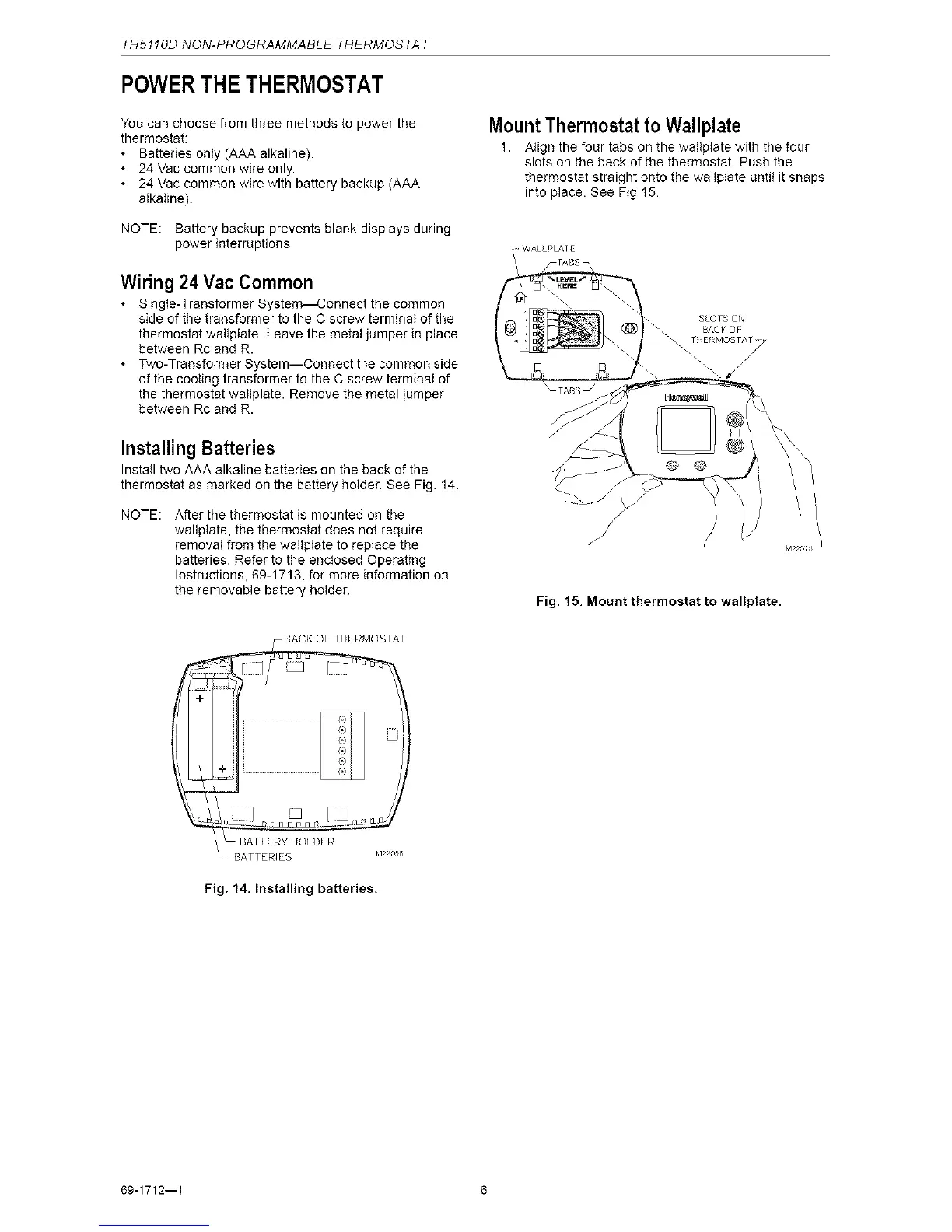
1. Align the four tabs on the wallplate with the four
slots on the back of the thermostat. Push the
thermostat straight onto the wallplate until it snaps
into place. See Fig 15.
Wiring 24 Vac Common
• Single-Transformer System--Connect the common
side of the transformer to the C screw terminal of the
thermostat wallplate. Leave the metal jumper in place
between Rc and R.
• T\,vo-Transformer System--Connect the common side
of the cooling transformer to the C screw terminal of
the thermostat waltplate. Remove the metal jumper
between Rc and R.
Installing Batteries
Install two AAA alkaline batteries on the back of the
thermostat as marked on the battery holder. See Fig. 14.
NOTE: After the thermostat is mounted on the
wallplate, the thermostat does not require
removal from the wallptate to replace the
batteries. Refer to the enctosed Operating
Instructions, 69-1713, for more information on
the removable battery holder.
M22o_s
Fig. 15. Mount thermostat to waltplate.
-- BATTERY HOLDER
BATTERIES k422°56
Fig. 14. Installing batteries.
69-1712--1 6



 To Next Page