Learn about Windows 11
Using the Start menu
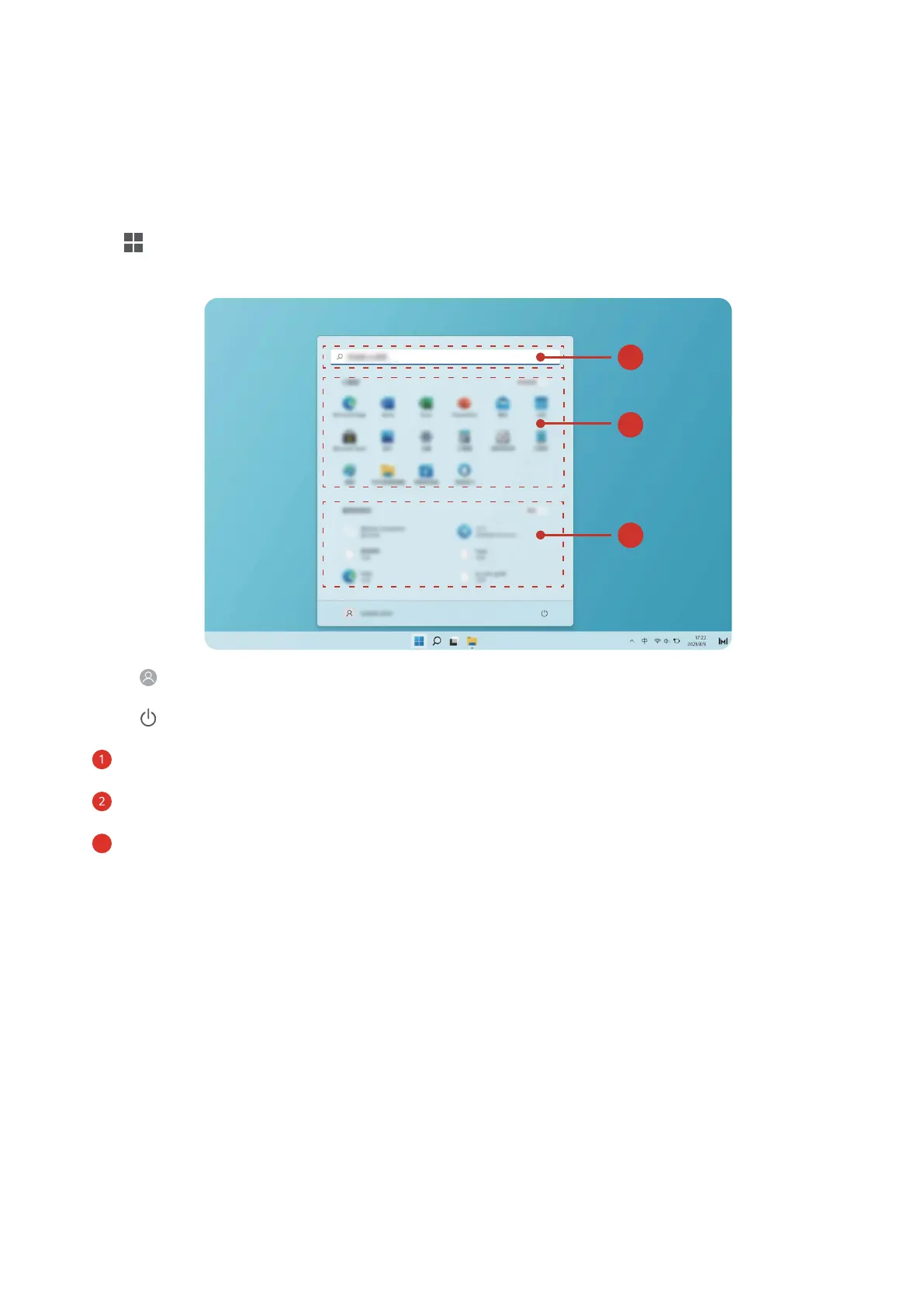
Use the Start menu to access apps, settings, and les on your computer.
Click to open the Start menu.
• Click to change, lock, or sign out of the current user account.
• Click
to sleep, shut down, or restart the computer.
• is the search area: enter the content to be searched here.
• is the application area: drag up and down to see all applications and programs.
•
is the recent les area: shows recently opened les and new applications.
Action centre
In the action centre, you can quickly turn on or o features or change the settings.
Press Win+a to open the action centre. You can then:
• Quickly open Settings, projection options, and more.
• Quickly access frequently used settings (such as Battery Saver, Flight mode, Screen
Brightness, and more).
13


 To Next Page