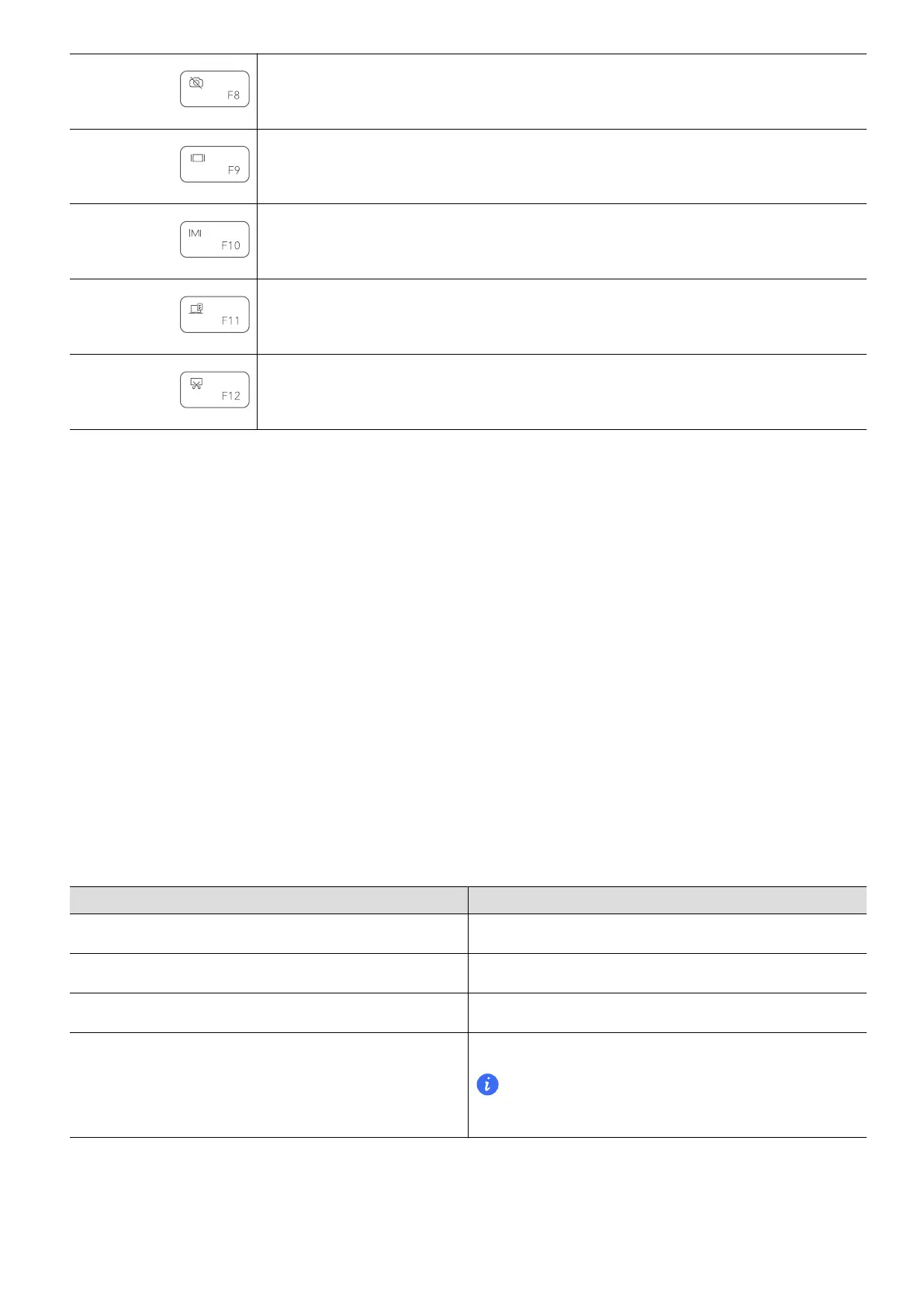
Turn o the camera.
Switch the projection mode.
Open PC Manager.
Open the sidebar.
Open the screenshot tool
Switching between shortcut and function key modes
In function key mode, the F keys have dierent functions depending on the software that is
running.
To use the F keys as function keys, you can:
• Press the Fn key and the indicator will light up. The F keys, such as F1 and F2, will then work
as shortcuts (hotkeys). To return to function key mode, press the Fn key then the indicator
will turn o.
• Press Fn+r at the same time to change the screen refresh rate.
• Press Fn+Del/Ins together to insert and overwrite content; press Del/Ins alone to delete
content from front to back.
• To make the F keys work as function keys by default, go to Setting > System in PC Manager
and enable "Prioritize functions". To switch back to the shortcut key mode, enable "Prioritize
hotkeys".
Windows 11 new keyboard shortcuts
Key Combination
Function
Win+a Open action centre.
Win+n Open notication centre.
Win+w Open widgets panel.
Win+z Quick access to snap layout.
This function is only enabled when there is a
window in the foreground.
Touchpad
The touchpad provides similar functionality to a mouse and is a convenient way to control the
computer.
Get to know your computer
4


 To Next Page