Tips
Sma Sensing
Air scroll
When both hands are occupied and cannot touch the screen, you can use air gestures to
scroll the screen, which is convenient for browsing and turning the page.
Some apps or do not Air scroll. Please refer to the actual situation.
Enable Air Scroll
Go to Settings > Assistant > Air Gestures > Air scroll and enable Air scroll.
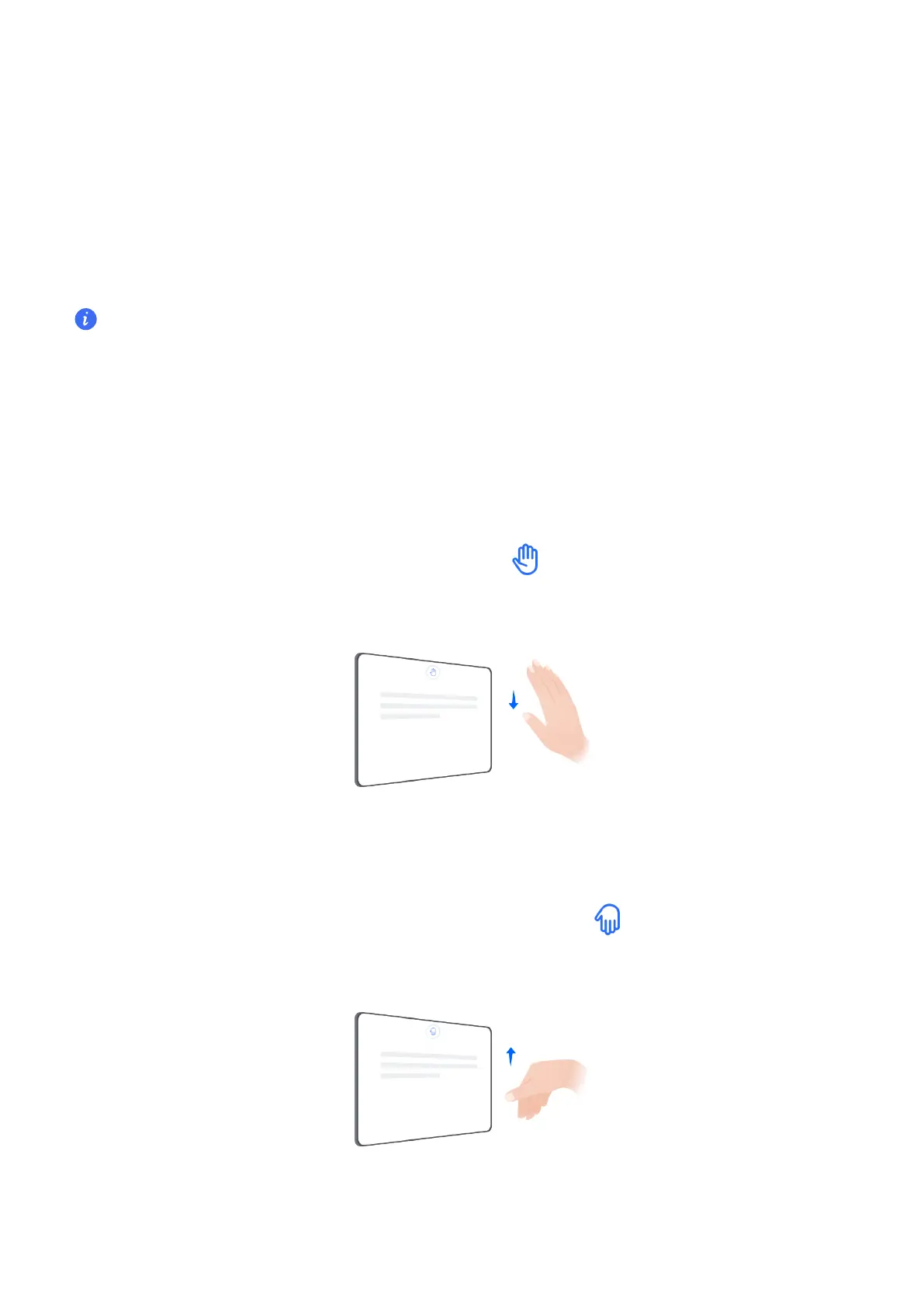
Use Air scroll
Air scroll down
Close all together, hold your palm towards the top of the screen and keep it
about40-60cm away. Wave your hand down when appears on the screen.
Air scroll up
Close all together, hold the back of your hand towards the top of the screen
and keep it about 40-60cm away. Wave your hand up when appears on the screen.
Air scroll left
56



 To Next Page