__ UPRIGHT_
Upright
Cleaner
How to U
To transport
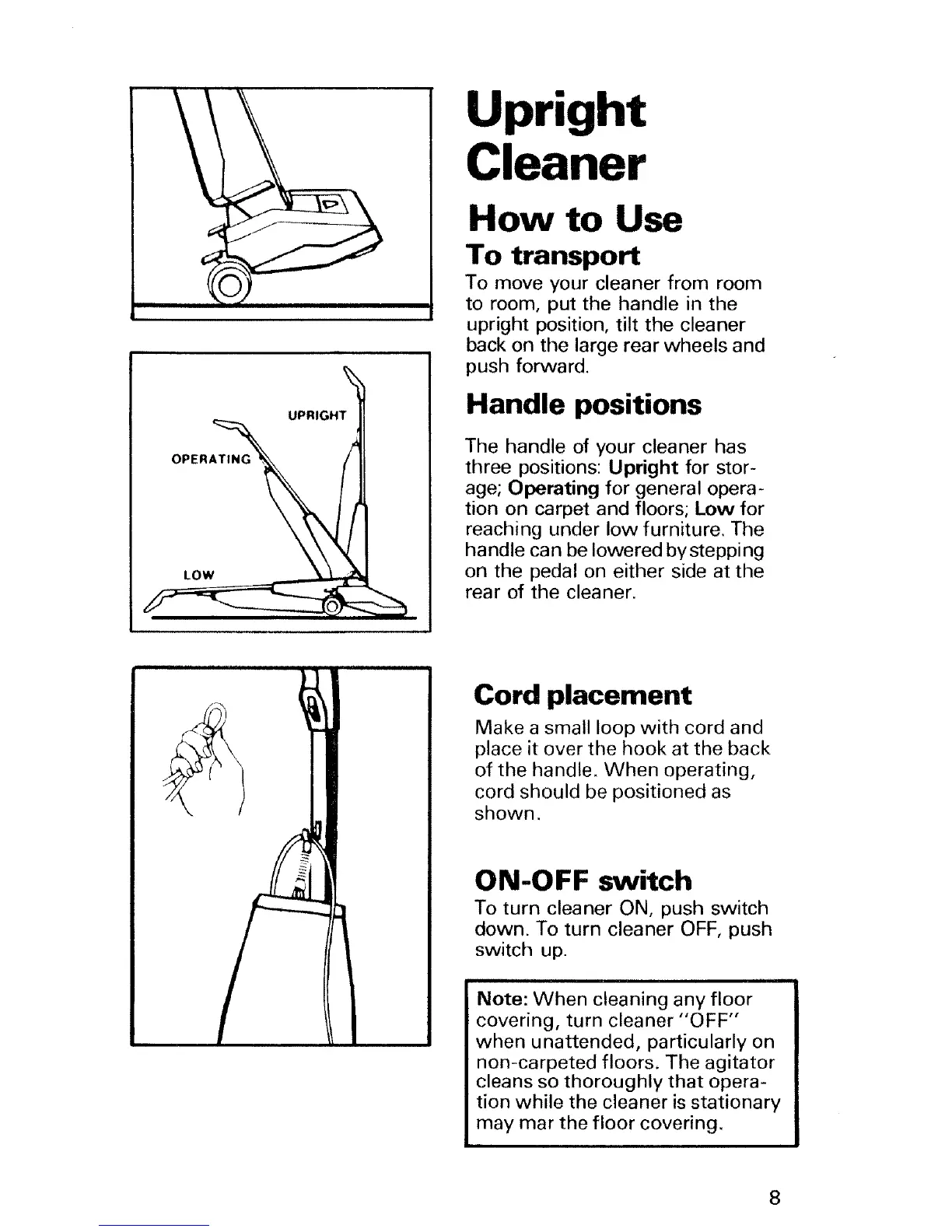
To move your cleaner from room
to room, put the handle in the
upright position, tilt the cleaner
back on the large rear wheels and
push forward.
Handle positions
The handle of your cleaner has
three positions: Upright for stor-
age; Operating for general opera-
tion on carpet and floors; Low for
reaching under low furniture. The
ha ndle ca n be lowered by stepping
on the pedal on either side at the
rear of the cleaner.
Cord placement
Make a small loop with cord and
place it over the hook at the back
of the handle. When operating,
cord should be positioned as
shown.
0 N-O FF switch
To turn cleaner ON, push switch
down. To turn cleaner OFF, push
switch up.
i iii i ill ii illll!ll ii iiilll
Note: When cleaning any floor
covering, turn cleaner "OFF"
when unattended, particularly on
non-carpeted floors. The agitator
cleans so thoroughly that opera-
tion while the cleaner is stationary
may mar the floor covering.
8





 To Next Page