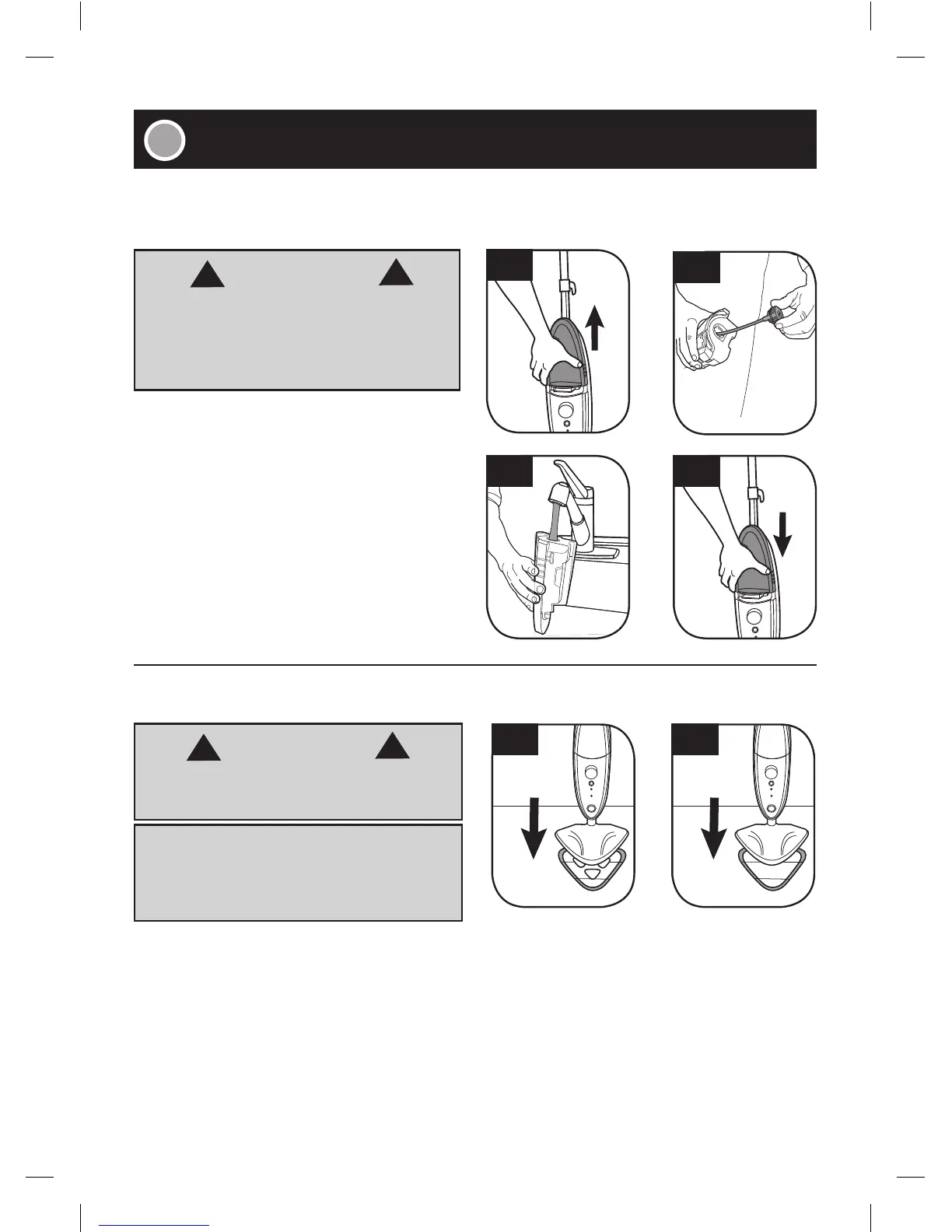
2.72.6
2.2
2.3
2.4 2.5
8
■ Remove the clean water tank (2.2) on the
FRONT of the Steam Mop.
■ Twist the cap counter clockwise to remove (2.3).
■ Fill the water tank with 500ml of water.
Replace the water cap and twist clockwise until
tightly secure.
■ Ensure hard water filter is in place (see page 13).
■ Slide the clean water tank down and snap
into place (2.5).
For Disinfecting
■ For optimal disinfecting benefits, use the “Hard
Floor Microfiber Pad,” which contains the cut
outs in it (2.6).
■ Place the “Hard Floor Microfiber Pad” on the
floor (white side up).
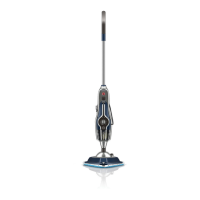
■ Place the product on top of the pad making sure
the mop head covers the entire pad (2.6). Hook
and loop feature on the bottom of the mop head
will hold the pad in place.
For General Cleaning
■ Use the “Multi-Surface Microfiber Pad” (2.7).
■ Place the “Multi-Surface Microfiber Pad” on the
floor (white side up).
■ Place the product on top of the pad making sure
the mop head covers the entire pad (2.7). Hook
and loop feature on the bottom of the mop head
will hold the pad in place.
WARNING
!
!
To reduce the risk of personal injury, unplug the
steamer when assembling the steamer.
Do not use hot or boiling water to fill clean
water tank.
WARNING
!
!
• IMPORTANT •
To reduce the risk of personal injury, unplug the
steamer when assembling the accessories.
Never use the Steam Mop without the Microfiber
pad correctly attached to the floor head.






 To Next Page