TR10A108-B RE / 02.2013
25
Internal push button 4.2.3
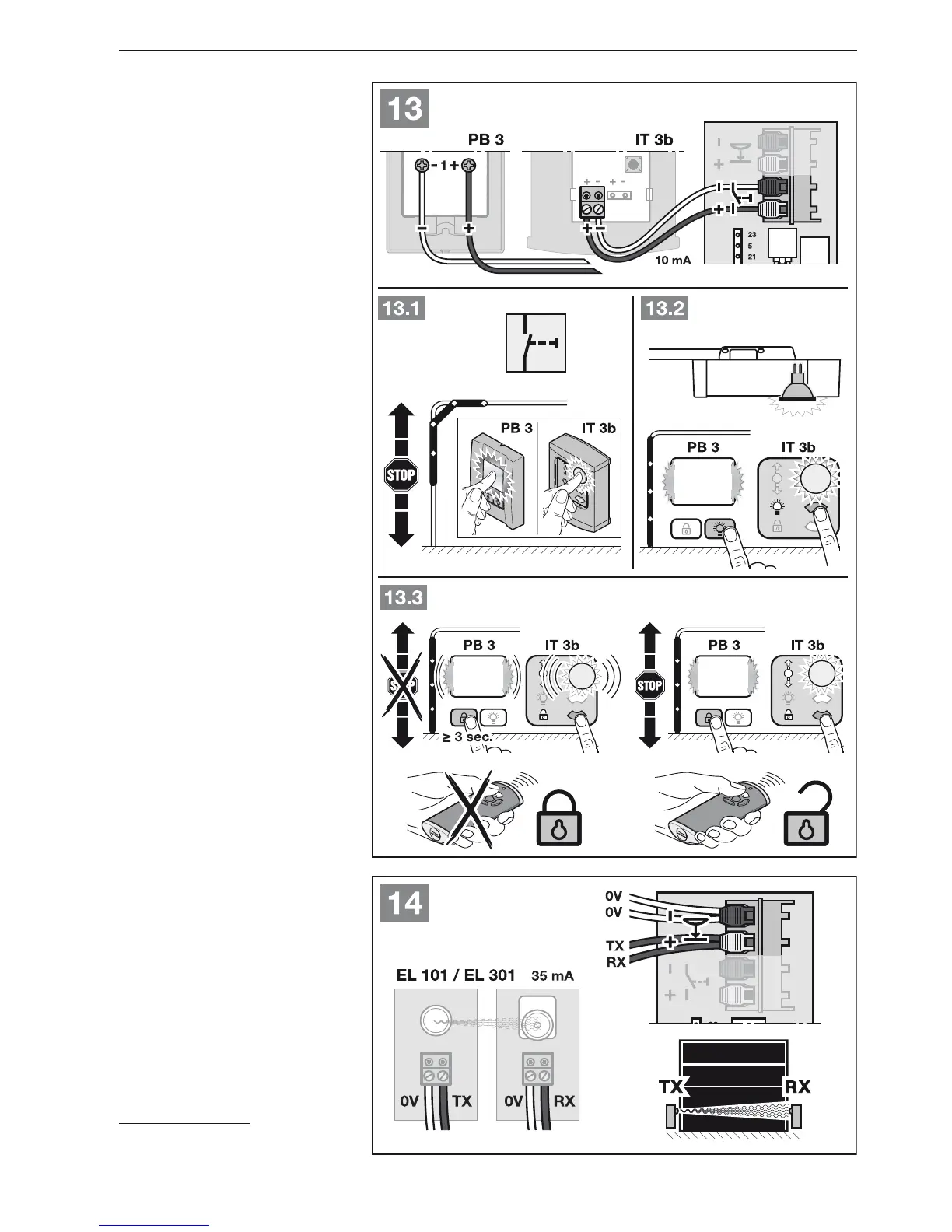
PB 3 / IT 3b*
See Figure
▶
13
Impulse button to start or stop door
runs
See Figure
▶
13.1
Light button to switch the operator
light on and off
See Figure
▶
13.2
Button to switch all control elements
on and off
See Figure
▶
13.3
2-wire photocell* (dynamic)4.2.4
See Figure
▶
14
NOTE:
Follow the fitting instructions when
mounting photocells.
After the photocell has been triggered,
the operator stops and a safety reversal
of the door is performed to the Open
end-of-travel position.
* Accessory, not included as standard
equipment!
ENGLISH



 To Next Page