TR10A108-B RE / 02.2013
31
Menu description6.1
A table containing all of the menus can be found in section 18, from page 44.
If you switch to programming mode, the operator light will be illuminated for 60 seconds. Pressing the buttons
, or PRG
extends the time the light is on.
Menu 01 – 05: Door types6.1.1
Menus 01 – 05 are needed for initial start-up of the operator. They are only accessible during initial start-up or after a factory reset.
Once the door type has been selected, all of the door-specific values, such as speed, soft stop, reversing behaviour of the safety
devices, reversal limits, etc. will be pre-set automatically.
For an overview of door types, see section
▶
5
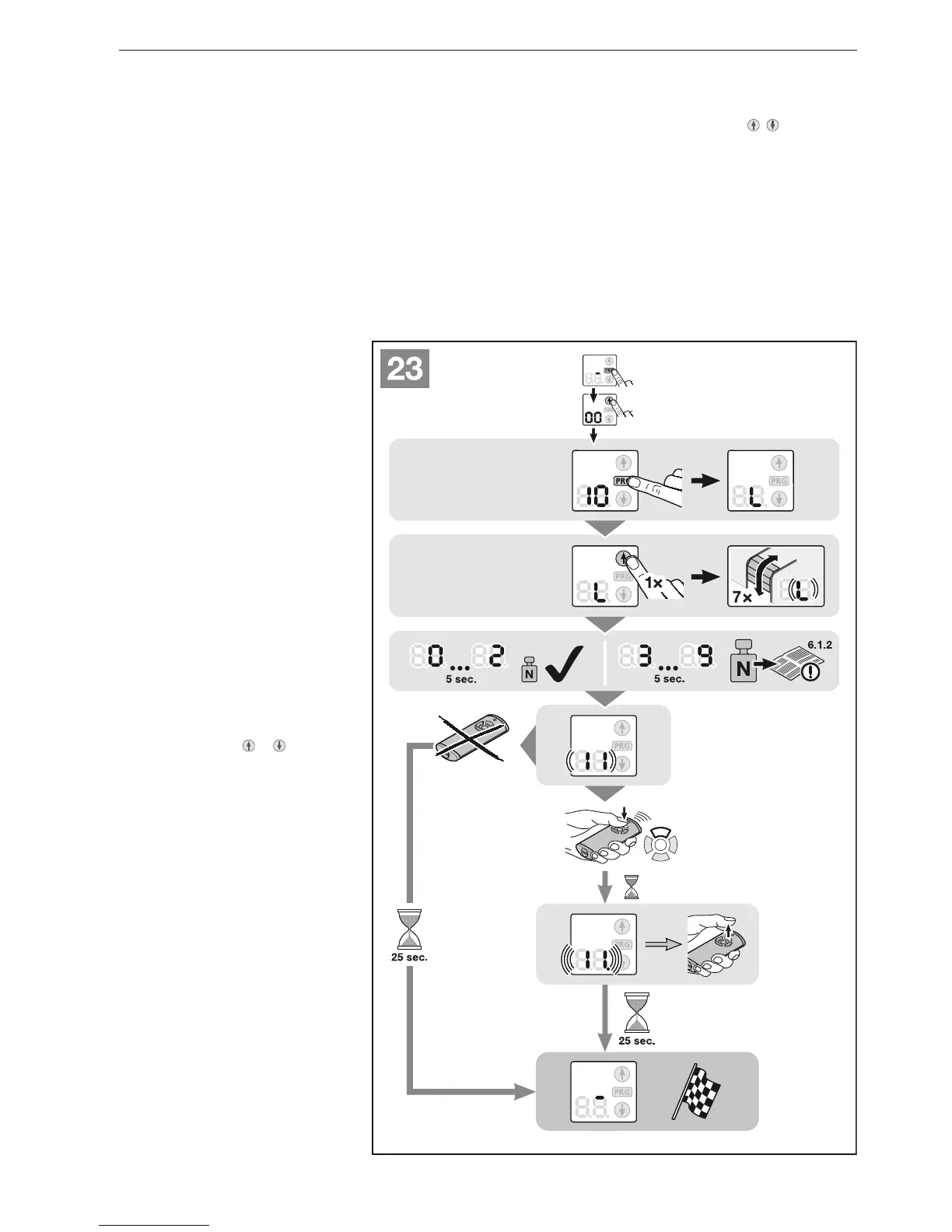
Menu6.1.2 10: Learning runs
Note the information in section
▶
5.
Learning runs in the delivery
condition:
All of the learning runs are done
automatically during initial start-up
(section 5).
Learning runs after service or
maintenance work:
Learning runs may be required due to
service or maintenance work, retrofitting
of safety devices such as photocells,
wicket door contacts or safety contact
strips, or changes to the door. When
doing so, the existing door data (travel
and forces) are deleted and taught in
again.
To exit the menu before starting the
learning runs:
Press the
▶
PRG button.
Press the 1. PRG button until the 00
display is illuminated.
With the buttons 2.
or select
the desired menu 10 .
Press the 3. PRG button until an L
is illuminated in the display.
Continue with step 3, in section 4. 5.
ENGLISH


 To Next Page