MAN0974-14-EN_XL7_XL7P_UM
July 6, 2022 Page 166 | 199
18.3 Load Clone
This option loads the application, all unit settings and register values from Removable media to the Battery
backed RAM (Regardless of AutoLoad settings) and then resets the OCS for the settings to take effect.
User needs to perform the following to Load Clone:
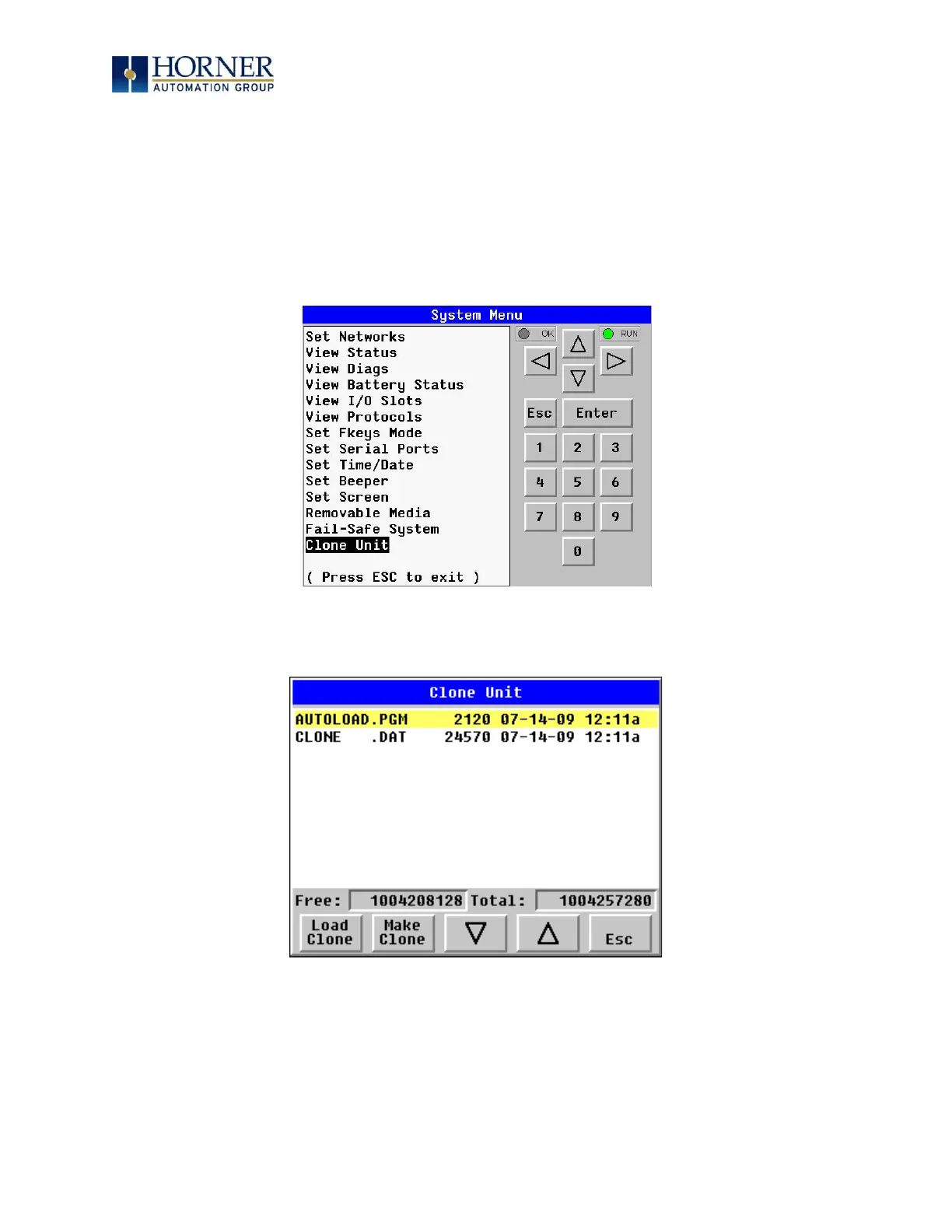
1. Select “Clone Unit” from main System Menu of OCS as shown below:
Figure 18.6 – System Menu
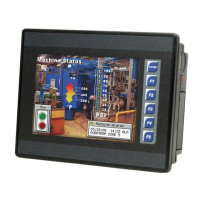
Selecting “Clone Unit” menu will open the following menu screen. Select “Load Clone”.
Figure 18.7 – Clone Unit Menu after Cloning


 To Next Page