Instructions for Use
ComPass B 4023841-001
ComPass B menu settings for voltage calibrationStep 4:
Select menu:
Settings →↓ Expert Mode →↓ Grid parameter
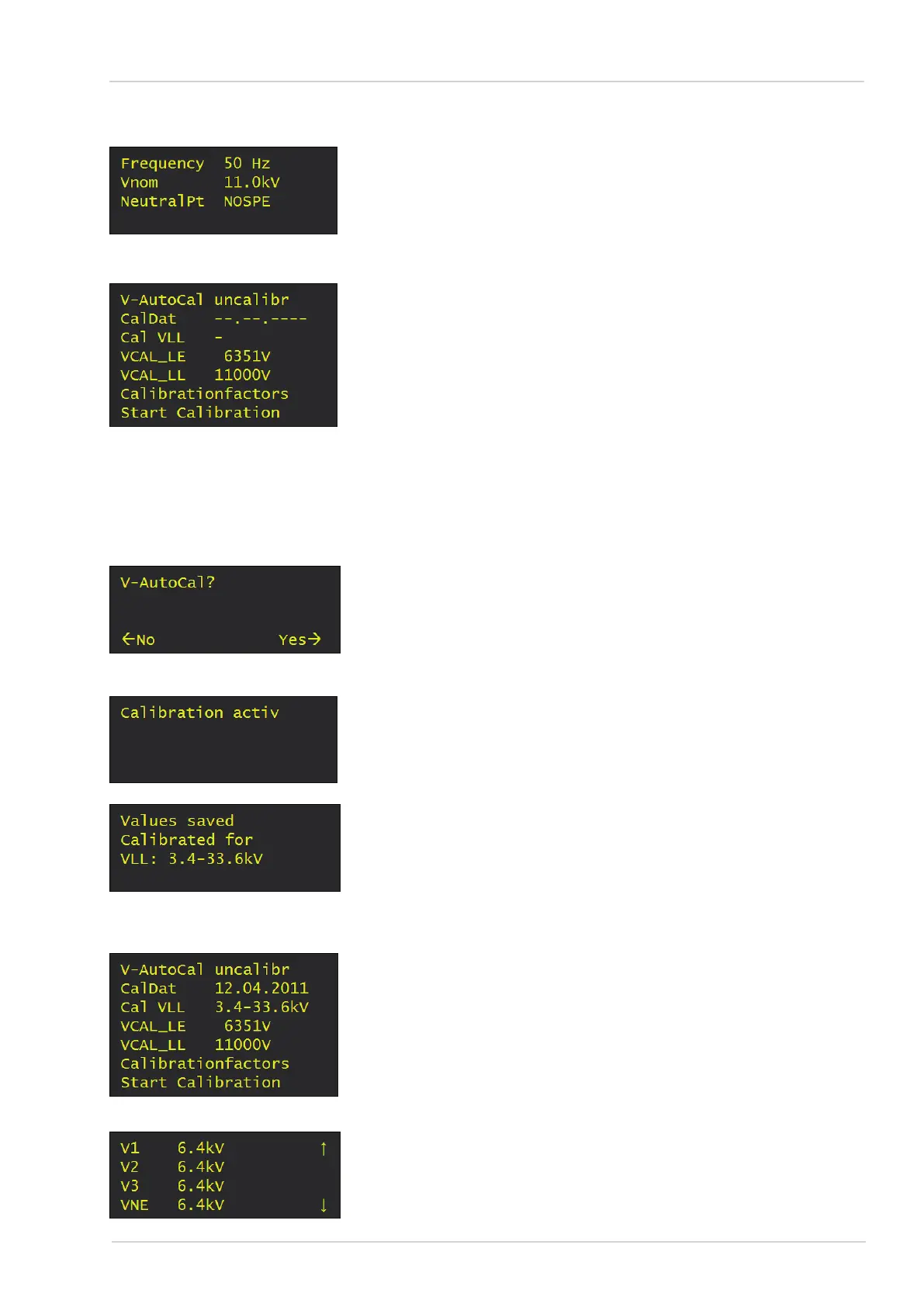
- Set frequency to 50 Hz
- Set VNom to 11.0 kV (Voltage used in this example !)
Select menu:
Settings →↓ Expert Mode →↓ V-Calibration
Set VCAL_LL to 11000V.
Note: VCAL_LE entry is changed automatically.
G
Alternatively, set VCAL_LE parameter whereupon
VCAL_LL is changed automatically.
Select entry „Start calibration“ and push rocker switch to the
right.
If the following security prompt appears, V-AutoCal?
=> Select “Yes”.
Note: Presence of calibration voltage of 11 kV/6.35 kV is requi-
red!
Indication on the display during the calibration process.
Indication on the display after calibration has been completed.
Correction values are stored.
Push rocker switch to the left!
Step 5:
Indication:
- Voltage is calibrated.
- Date of calibration.
- Calibration valid for medium-voltage range.
Verification if calibration has been successfully completed:
Applied calibration voltage shall be identical with the voltage va-
lue indicated on the display (to be found in the menu under mea-
surement results).
17
Dipl.-Ing. H. Horstmann GmbH


 To Next Page