EasyManua.ls Logo

Hotpoint LTF 8B019 - User Manual

Hotpoint LTF 8B019
20 pages
Print Icon
To Next Page IconTo Next Page
Loading...
English, 1
GB
LTF 8B019
Contents
Product Fiche, 2
Precautions and safety advice, 3-4
General safety
Disposal of old electrical appliances
Saving energy and respecting the environment
Recycling & Disposal Information
Installation, 5-6-7
Positioning and levelling
Connecting the electricity and water supplies
Technical data
Advice regarding the first wash cycle
Description of the appliance, 8
Overall view
Control panel
Loading the racks, 9-10
Lower rack
Cutlery basket
Upper rack
Adjusting the upper rack
Unsuitable crockery
Damage to glass and crockery
Start-up and use, 11
Starting the dishwasher
Measuring out the detergent
Wash cycles, 12
Table of wash cycles
Special wash cycles and Options, 13
Rinse aid and refined salt, 14
Measuring out the rinse aid
Setting water hardness
Measuring out the refined salt
Care and maintenance, 15
Cutting off the water and electricity supplies
Cleaning the dishwasher
Preventing unpleasant odours
Cleaning the sprayer arms
Cleaning the water inlet filter
Cleaning the filters
Leaving the machine unused for extended periods
Troubleshooting, 16
After-Sales Service, 17
Guarantee, 18
Instructions for use
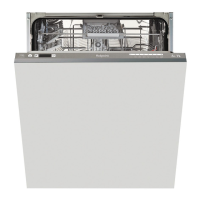
DISHWASHER

Other manuals for Hotpoint LTF 8B019

Questions and Answers

  • A
    Alicia StephensonSep 9, 2025
    Why does my Hotpoint LTF 8B019 Dishwasher leave a white film on dishes?
    • M
      Michael McculloughSep 9, 2025
      If your Hotpoint dishwasher leaves a white film or limescale on dishes and glasses, it could be due to the refined salt level being low or the dosage setting not being correct for your water hardness. Also, check that the lid on the salt dispenser is properly closed and that the rinse aid hasn't been used up or is set too low.
  • D
    deanbryanSep 8, 2025
    Why is the crockery not drying properly in my Hotpoint LTF 8B019?
    • J
      Jessica DouglasSep 8, 2025
      If your crockery has not been dried properly after using your Hotpoint dishwasher, it could be due to several reasons. You may have selected a wash cycle without a drying programme. Also, the rinse aid may have been used up, or the rinse aid dispenser setting may not be suitable. Note that if the crockery is made from non-stick material or plastic, the presence of water drops is normal.
  • P
    Patricia GonzalezSep 7, 2025
    Why are the dishes and glasses covered in a white film after using my Hotpoint Dishwasher?
    • S
      Sylvia MooreSep 7, 2025
      If your dishes and glasses are covered in a white film or limescale deposits after using your Hotpoint dishwasher, it could be due to several reasons. Make sure you are using refined salt. Adjust the water hardness setting to a suitable level. Ensure that the salt and rinse-aid dispenser cap is closed properly. Check if the rinse aid has been used up or if the dosage is too low.
  • H
    hessgregoryAug 22, 2025
    Why are the dishes not clean in my Hotpoint LTF 8B019?
    • S
      Sherri ColonAug 22, 2025
      If your dishes aren't coming out clean, several factors could be at play. Check if the racks are overloaded, ensure the crockery is arranged properly so the sprayer arms can move freely. Also, verify that you're using an appropriate wash cycle and measuring detergent correctly to avoid excessive foam. Make sure the lid on the rinse aid compartment is shut correctly, and that the filter isn't dirty or blocked. Finally, confirm that the refined salt level is adequate.
  • P
    paulaalexanderSep 4, 2025
    What to do if Hotpoint LTF 8B019 Dishwasher doesn't take water in and shows alarm?
    • H
      Hunter MarshallSep 4, 2025
      If your dishwasher isn't taking in water and the tap shut-off alarm is activated, there might be a few issues. Check if there's water in the mains supply and ensure the water inlet hose isn't bent. Turn on the tap; the appliance should start after a few minutes. If beeps sounded and no action was taken, the appliance lock may have activated. Turn the machine off and on, turn on the tap, and reprogram the appliance to restart the wash cycle.
  • M
    Michael MurraySep 3, 2025
    Why isn't my Hotpoint Dishwasher drying properly?
    • T
      Tammy WilliamsSep 3, 2025
      If your crockery isn't drying properly in your Hotpoint dishwasher, it might be because you've selected a wash cycle without a drying program. Make sure you choose a cycle that includes drying. Also, check that the rinse aid hasn't been used up or the dosage is too low, and ensure the rinse aid dispenser setting is high enough. Keep in mind that crockery made from non-stick material or plastic may not dry as effectively.
  • T
    Tammie WolfeSep 2, 2025
    How to close the door of Hotpoint Dishwasher?
    • M
      Mrs. Lacey NelsonSep 2, 2025
      If your Hotpoint dishwasher's door won't close, the lock may have been released. Push the door firmly until you hear a 'clacking' noise.
  • J
    julie55Sep 1, 2025
    What to do if my Hotpoint LTF 8B019 doesn't drain?
    • K
      Kimberly BeckSep 1, 2025
      If your Hotpoint dishwasher isn't draining water, it could be due to a few reasons. The cycle might not be complete yet. Inspect the water inlet hose to ensure it's not bent (refer to the Installation guide). Also, check if the drain duct is blocked or if the filter is clogged with food residues.
  • J
    Jermaine ButlerAug 31, 2025
    How to fix a Hotpoint LTF 8B019 Dishwasher that does not start?
    • W
      whitepaulAug 31, 2025
      If your Hotpoint dishwasher isn't starting or responding to controls, try these steps: First, switch the appliance off using the ON/OFF button, wait about a minute, and then switch it back on and reset the program. Also, check that the appliance is properly plugged in and that the dishwasher door is fully closed.
  • M
    Michael Ward DDSAug 29, 2025
    How to fix the problem when Hotpoint Dishwasher doesn't clean dishes properly?
    • B
      Brandon SmithAug 30, 2025
      If your Hotpoint dishwasher is not cleaning dishes properly, it could be due to several reasons. Ensure that the crockery has been arranged properly and that the spray arms can rotate freely. Check if the wash cycle is too gentle. Make sure that the detergent has been measured out correctly and is suitable for use in dishwashers. Ensure that the lid on the rinse aid compartment has been closed correctly. Also, the filter may be dirty or clogged up, or the refined salt level may be low. Check that the height of the dishes is compatible with the rack adjustment and that the holes in the spray arms are not clogged.

Summary

Product Fiche

Precautions and Safety Advice

General Safety

Safety rules for operating the appliance, including for children.

Disposal of Old Electrical Appliances

Guidelines for environmentally friendly disposal of old units.

Saving Energy and Respecting the Environment

Tips for efficient operation and environmental care.

Recycling & Disposal Information

Installation

Positioning and Levelling

Instructions for placing and stabilizing the dishwasher.

Electrical Connection

Guidance on safely connecting the appliance to the power supply.

Connecting the Water Supplies

Procedures for connecting the appliance to water sources.

Sink Waste System

How to connect the water outlet hose to the drain.

Advice Regarding the First Wash Cycle

Description of the Appliance

Overall View

Diagram and labels of the dishwasher's main components.

Control Panel

Explanation of buttons, indicators, and display functions.

Loading the Racks

Loading Tips and Rack Details

General advice, lower rack, cutlery basket, and upper rack loading.

Rack Adjustments and Crockery Types

Tip-Up Compartments & Cutlery Tray

Adjusting rack compartments and using the cutlery tray.

Upper Rack Height and Unsuitable Crockery

Adjusting upper rack height and identifying unsuitable items.

Damage to Glass and Crockery

Factors causing damage and tips for prevention.

Start-Up and Use

Starting the Dishwasher

Step-by-step guide to begin a wash cycle.

Detergent Measurement and Cycle Management

Dosing detergent, modifying cycles, adding items, and handling interruptions.

Wash Cycles

Special Wash Cycles and Options

Wash Options Overview

Explanation of available additional functions.

Delayed Start Function

How to set a timed delay for the start of a wash cycle.

Rinse Aid and Refined Salt

Rinse Aid Management

Measuring, adjusting, and the function of rinse aid.

Water Hardness and Salt Measurement

Setting water hardness and filling the salt dispenser.

Care and Maintenance

Essential Maintenance Procedures

Shutting off supplies, cleaning the appliance, and preventing odors.

Component Cleaning

Cleaning sprayer arms, water inlet filter, and main filter assembly.

Long-Term Storage

Steps for preparing the dishwasher for extended periods of inactivity.

Troubleshooting Common Issues

Appliance Not Starting or Controlling

Solutions for appliance not starting or responding.

Door Closure and Drainage Problems

Troubleshooting steps for door latching and water drainage.

Noise, Film, and Streaking Issues

Solutions for excessive noise, white film, or streaking on dishes.

Drying, Cleaning, and Water Intake Problems

Solutions for poor drying, unclean dishes, or water intake alarms.

After-Sales Service and Support

Essential Contact Information

Key contact details for Hotpoint service and support.

Appliance Registration and Parts

Information on registering the appliance and purchasing parts.

Guarantee and Extended Services

Standard and Extended Guarantees

Details of the 12-month warranty and 5-year parts guarantee.

Additional Protection and Helpdesk

Options for extended guarantees and free initial support.

Hotpoint LTF 8B019 Specifications

General IconGeneral
TypeFreestanding
Energy Efficiency ClassA+
Number of Place Settings13
Noise Level49 dB
Number of Programs8
Dimensions (H x W x D)85 x 60 x 60 cm
Control Panel ColourBlack
Drying SystemStatic
Washing ClassA
Drying ClassA
Energy Consumption per Cycle1.04 kWh
Delay StartYes
Cycle Time190 minutes
Water Consumption per Cycle11 L

Related product manuals