1
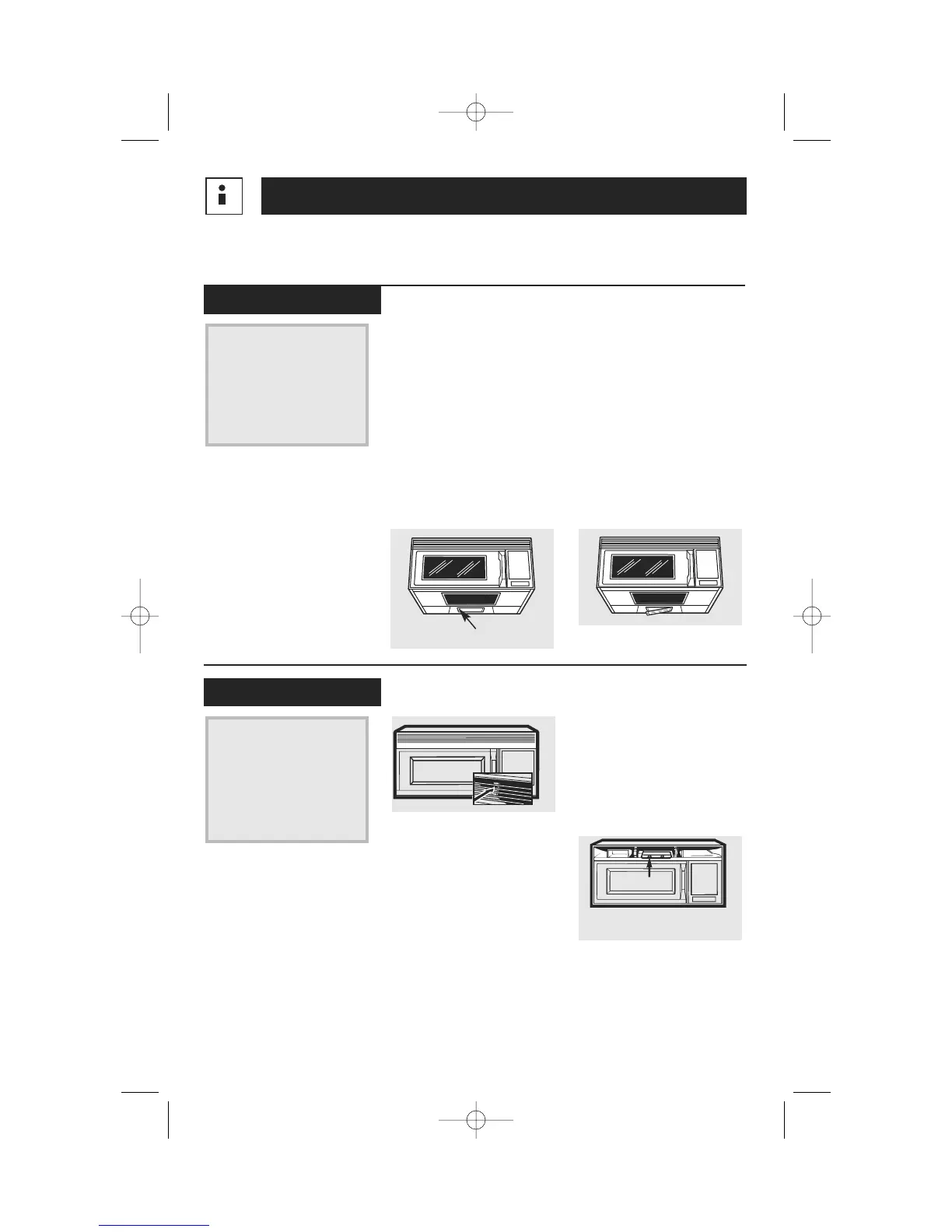
To replace the bulb, first
disconnect the power at
the main fuse or circuit
breaker panel or pull the
plug.
2
Remove the screw from
light cover and lower the
cover.
3
Be sure the bulb is cool
before removing. After
breaking the adhesive
seal, remove the bulb by
gently turning.
4
Replace the bulb. Close
the light cover and
secure the cover with the
screw. Connect electrical
power to the oven.
Replace the burned-out
bulb with a 120 volt,
40-watt incandescent
bulb (WB36X10003),
available from your
Mabe Canada supplier.
Cooktop Light
1
To replace the oven light,
first disconnect the power
at the main fuse or circuit
breaker panel or pull the
plug.
2
Remove the front grille by
backing out the 3 screws
along the top. Slide the
grille to the left, then pull
straight out.
3
Remove the charcoal
filter, if present. Reach
into the opening, just
right of center. The light
bulb is located beneath a
light compartment cover.
Press and hold the
center snap while lifting
the tab on the left
corner. Remove the
cover. Remove the bulb
by turning gently.
4
Install the replacement
bulb. Reinstall the
compartment cover and
charcoal filter, if present,
Reinstall the front grille
panel with the 3 original
screws.
5
Connect electrical power
to the oven.
Replace the burned-out
bulb with a 120 volt,
40-watt incandescent
bulb (WB36X10003),
available from your
Mabe Canada supplier.
Oven Light
32
Remove Screw
Interior Light
Housing
Helpful Information
Light Bulb Replacement




 To Next Page