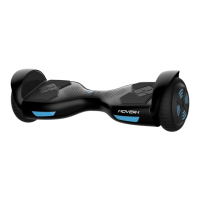
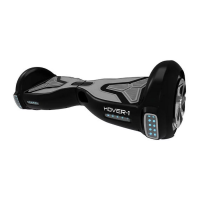
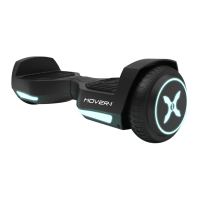
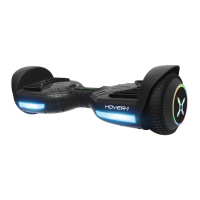
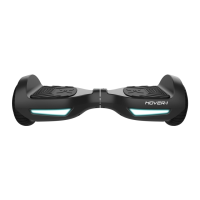
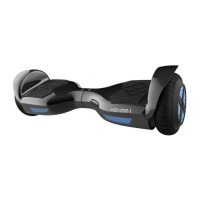
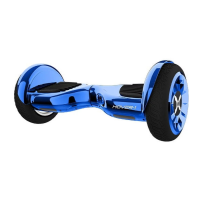
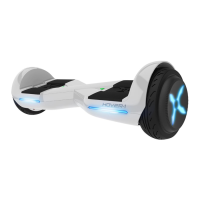
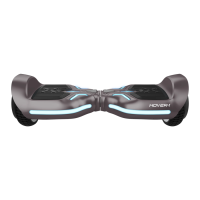
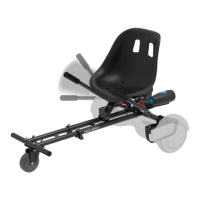
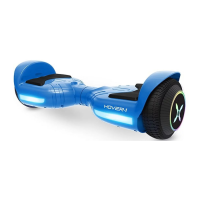
The Hover-1 Eclipse is a personal electric scooter designed for convenient and stable transportation. It features a two-wheel balancing system and is equipped with built-in sensors that respond to weight and angles, making it intuitive to control. The device allows users to accelerate or decelerate by applying pressure with their feet or by leaning. Its two driver motors can be controlled independently or with both feet, facilitating easy turns, rotations, and smooth braking. The Eclipse also includes a Bluetooth speaker for playing music while riding and an app-enabled functionality for Apple iOS and Android devices, allowing users to access features like headlight colors and skill mode.
Important Technical Specifications:
- Model: HY-ECL - Hover-1 Eclipse
- Net Weight: 24.25 lbs (11 kg)
- Load Capacity: 44-220 lbs (20-100 kg)
- Max Speed: Up to 7.45 mph (12 km/h)
- Max Distance Range: Up to 8.4 miles (13.5 km)
- Max Incline Angle: 15° degrees
- Minimum Turning Radius: 0°
- Battery Type: Lithium-ion
- Battery Voltage: 36 V
- Battery Capacity: 4.0 Ah
- Power Requirement: AC 100-240V, 50-60 Hz
- Wheel Size: 8 Inches (20.3 cm)
- Product Size: 24.8x9.05x8.27 inches (630x230x210mm)
- Bluetooth Range: Up to 33ft
- Bluetooth Speaker: V4.0 with stereo sound quality
- Charging Time: Up to 3.5 hours
- Operating Temperature Range: 32-113° F (0-45° C)
Usage Features:
The Hover-1 Eclipse is designed for ease of use and safety.
- Turning On/Off: To power on, place the device flat on the floor and press the power button once. The battery indicator light should illuminate. To power off, press the power button once. The scooter also has a self-balance function that activates when powered on; if it doesn't, press the power button twice.
- Mat Sensors: Four sensors under the foot mats initiate self-calibration when the user steps on them. It's crucial to step only on the foot mats. Applying weight to only one foot mat may cause the Eclipse to vibrate or spin.
- Battery Indicator: A display board in the middle of the Eclipse shows battery status. A green LED indicates a full charge, a red flashing LED with beeping signifies low battery, and a yellow light indicates charging.
- Running Indicator: This LED lights up when the foot mats are triggered, indicating the system is in a running state. If an error occurs, it turns red.
- Riding: To move, accelerate, or decelerate, tilt your center of gravity in the desired direction. To turn, focus on the direction you wish to turn while staying relaxed. It's recommended to practice in a flat, open area at slower speeds.
- Dismounting: From a stopped position, lift one leg and place your foot back on the ground (stepping back), then step off completely. Ensure to lift your leg completely off the foot mat to avoid sending the Eclipse into a tailspin.
- Bluetooth Speaker: The Eclipse features a powerful built-in wireless speaker. To pair, turn on the Eclipse, enable Bluetooth on your device, and select "HY-ECL" from the available devices. Enter "000000" if a PIN is required. The speaker will announce "Paired" upon successful connection. It can remember previously paired devices and reconnect automatically.
- Smart Phone App: The free Hover-1 App, available for Apple iOS and Android, allows users to control headlight colors and skill mode. It can be downloaded by scanning a QR code or searching "Hover-1" in the app store.
- Safety Alerts: The device provides safety alerts through a red Running Indicator Light and beeping sounds in case of system errors or unsafe operations (e.g., uneven surfaces, low battery, overheating, excessive speed, blocked tires, or prolonged high discharge current). If a Safety Alert causes the Eclipse to stop, turn it off and back on to unlock it from a Safety Lock.
- Pre-Ride Checklist: Before each ride, ensure the battery is fully charged, wear appropriate safety gear (including a CPSC or CE compliant helmet), wear comfortable clothes and flat closed-toe shoes, and verify that all parts of the scooter are functioning correctly. Do not ride if any part is damaged.
Maintenance Features:
Proper care and maintenance are essential for the longevity and safe operation of the Hover-1 Eclipse.
- Charging: Use only the supplied charger (Model: CP4215, Manufacturer: COMING DATA CO.,LTD.). Ensure the charging port is clean and dry. Plug the charger into a grounded wall outlet, then connect the 3-pin charging cable to the Eclipse. The charger indicator light will turn RED during charging and GREEN when fully charged. Do not force or bend the charging cable. Do not charge for more than 5 hours.
- Battery Care: The lithium-ion battery is built-in and should not be disassembled or separated from the device. Do not connect the device or battery to a car's cigarette lighter. Avoid exposing the device or batteries to excessive heat, direct sunlight, or open flames, as this can cause heating, breaking, or ignition. Do not continue charging if the battery does not recharge within the specified time, as this may cause it to become hot, rupture, or ignite.
- Disposal: To preserve natural resources, recycle or dispose of lithium-ion batteries properly, following local, state, and federal laws.
- General Cleaning: Do not expose the device to liquid, moisture, or humidity, as this can damage internal circuitry. Do not use abrasive cleaning solvents. Avoid exposing the device to extremely high or low temperatures, which can shorten battery life and distort plastic parts.
- Physical Protection: Do not dispose of the device in fire. Avoid contact with sharp objects to prevent scratches. Do not allow the device to fall from high places.
- Unauthorized Repairs: Repairs to electrical equipment should only be performed by the manufacturer. Improper repairs void the warranty and may pose serious risks. Users who disassemble the scooter without permission will void the warranty.
- Calibration: If the Eclipse is unbalanced, vibrating, or not turning properly, it can be calibrated. Place it on a flat, horizontal surface, ensuring foot mats are even. With the charger unplugged and the board off, press and hold the ON/OFF button for 15 seconds. Turn the board off, then back on, and press the power button twice to complete calibration.

 Need help?
 General

 To Next Page