Need help?
Do you have a question about the Hover-1 i-100 and is the answer not in the manual?
Ensure helmet properly covers forehead for optimal protection.
Exposing the forehead leaves it vulnerable to serious injury.
Read the manual thoroughly before use to avoid damage, injury, or death.
Use specific charger, respect temperature range, avoid slippery surfaces, store properly.
Cold affects lubrication, increasing resistance and decreasing battery capacity.
Keep away from heat, liquids, water; do not use if damaged; use manufacturer repairs; avoid punctures; keep clean; use as intended.
Indicates important facts or instructions for user understanding.
Signals a hazardous situation causing minor to moderate injury if not avoided.
Signals a hazardous situation causing serious injury or death if not avoided.
Keep for warranty claims and proof of purchase.
The i-100 is a personal transporter; follow manual to prevent damage or injury.
Lists items included: hoverboard, charger, cable, and manual.
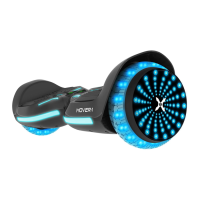
Identifies key components of the hoverboard with numbered labels.
Uses gyroscopes and sensors for balance; motors in wheels for control.
Shift weight to counter centrifugal force during turns for better stability.
Details model, weight, speed, range, charge time, battery type, tire size, and certifications.
Instructions for using the power button and checking LED indicators for power status.
Sensors under mats; ensure proper foot placement to avoid unintended movement.
LED colors (green, red, yellow) indicate charge level and charging status.
LED signals running state; turns red to indicate an error condition.
Step-by-step guide to connect the hoverboard speaker to a Bluetooth-enabled device.
Stream music wirelessly; volume and track controls managed via the connected device.
Download free Hover-1 app for iOS/Android to customize LEDs, sync colors to music, and set riding difficulty.
Fully understand all functions; practice in a safe, open area before public use.
Ensure hoverboard is operational, battery charged, and wear appropriate safety gear.
Check and comply with local laws for riding electric transportation devices on public roads.
Ride defensively, expect the unexpected, yield to pedestrians, slow at intersections.
Avoid riding in fog, dusk, or night; wear bright, reflective clothing.
Do not ride above skill level; ensure proper standing; avoid modifications, dangerous use, or riding under influence.
Avoid water, mud, sand, rough terrain, inclement weather, or extreme temperatures.
Be aware of surroundings, avoid bumps/cracks, step off for uncertain terrain.
Avoid crowded areas, use caution indoors, do not use phones while riding, avoid motor vehicles, hills, and multiple riders.
Recommended for riders 8+; individuals with balance issues should not ride.
Be aware of increased height; avoid flammable areas and bodies of water.
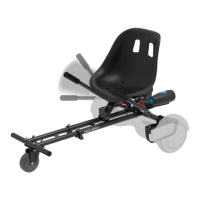
Kart attachment not advised uphill; safety mechanism activates on steep inclines.
Adult supervision required; one rider at a time; always wear shoes.
Ensure hoverboard is fully charged before first use and understand operating procedures.
Step on one foot at a time, shift weight, and maintain balance for a stable start.
Takes 3-5 minutes to get comfortable standing; use a spotter for security.
Focus in desired direction; tilt center of gravity to move; stand straight to stop.
Focus on turn direction; apply pressure on foot mats to turn left or right.
Avoid sharp turns or riding fast on slopes to prevent injury.
Bend knees to absorb shock on bumps; dismount if necessary.
Lift feet completely off mats; step back with dominant leg, then the other foot.
Maximum speed is 7 mph; maximum weight is 220 lbs; minimum weight is 44 lbs.
Terrain, user weight, ambient temperature, and speed/style impact operating range.
Steps to recalibrate if unbalanced: place on flat ground, hold power button, power cycle.
Alerts (red light, beep) signal errors or unsafe conditions, requiring precaution or cessation of operation.
Lists common occurrences triggering alerts, such as unsafe surfaces, low battery, overheating, or system protection.
Do not ride when system halts due to alert; turn off/on to reset.
Connect charger to outlet and hoverboard; monitor indicator lights for charging status and full charge.
Details battery type (lithium-ion), capacity (4Ah), voltage (25.2V), and charge time (up to 5 hours).
Do not disassemble; use only supplied charger; avoid fire/sunlight; recycle properly.
Do not use if battery emits odor, overheats, or leaks; seek medical help if exposed.
Do not touch leaks, breathe fumes, allow children/animals near battery, or open battery.
Avoid liquids, moisture, extreme temperatures; use appropriate cleaning methods; do not expose to sharp objects or falls.
Use only the provided charger; unauthorized disassembly voids the warranty.
Device complies with Part 15 FCC Rules regarding interference.
Guidelines for minimizing harmful interference in residential installations.
Visit website for warranty information; manufacturer contact details provided.
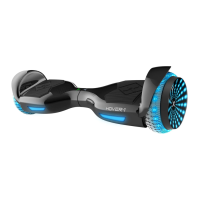
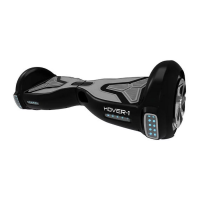
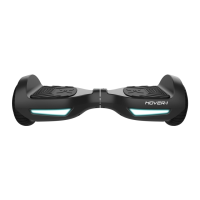
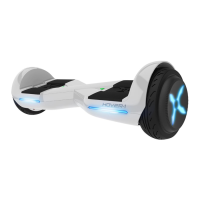
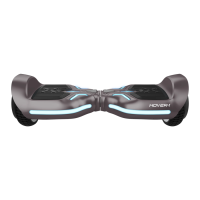
The Hover-1 i-100 is a personal electric hoverboard designed for individual transportation. It utilizes digital electronic gyroscopes and acceleration sensors to control balance and motion, responding to the user's center of gravity. The hoverboard's control system operates motors located within the wheels, and a built-in inertia dynamic stabilization system assists with balance for forward and backward movement, though not for turning.
To operate the i-100, users must first ensure it is fully charged. The power button, located on the rear, turns the device on and off. Once powered on, the battery indicator in the center of the hoverboard will light up. The i-100 features four mat sensors under the foot mats; riders must ensure they are stepping on these mats, as applying weight or pressure to only one mat can cause the hoverboard to vibrate or spin.
Riding the i-100 involves shifting one's center of gravity. To move in a desired direction, users should focus in that direction, and subtle movements will propel the hoverboard. Standing straight up brings the device to a complete stop. Turning is achieved by applying pressure to the right foot for a right turn and the left foot for a left turn. When first learning, it's recommended to practice in a flat, open area at slower speeds. A spotter can help users feel more secure while getting comfortable with the device's sensitivity.
Dismounting the hoverboard correctly is crucial to prevent falls. From a stopped position, the user should lift their dominant leg and place their foot on the ground behind them, then step off with the other foot. It's important to lift feet completely off the foot mats to avoid sending the hoverboard into a tailspin.
The i-100 is equipped with a powerful built-in wireless Bluetooth® speaker, allowing users to play music while riding. To pair the speaker, turn on the hoverboard, and it will announce it's waiting for a Bluetooth® connection. Users then enable Bluetooth® on their phone or music device, select "H1-100" from the available devices, and enter "000000" if prompted. Once paired, the speaker will announce "paired." The pairing mode lasts for two minutes; if no devices are paired, the speaker returns to standby. The hoverboard remembers previously paired devices and will automatically reconnect when within range and Bluetooth® is activated. Volume and track controls are managed through the connected music device.
Additionally, the i-100 is an app-enabled hoverboard compatible with Apple iOS and Android devices. The free Hover-1 app allows users to change the LED lighting colors, sync color changes to music, and adjust riding difficulty settings (beginner, intermediate, or expert) to limit top speed and the hoverboard's sensitivity. The app can be downloaded by scanning a QR code or searching for "Hover-1 Hoverboards" in app stores.
Safety is paramount when operating the i-100. Users are strongly advised to wear a properly fitted helmet that complies with CPSC or CE safety standards. It's important to obey all local traffic laws, ride with traffic, and give pedestrians the right-of-way. Riding in low-visibility conditions is not recommended, and if unavoidable, bright, reflective clothing should be worn. The i-100 is intended for use by a single individual, and carrying anything while riding is discouraged. Individuals with balance issues, head, back, or neck ailments, or heart conditions, as well as pregnant individuals, should not use the i-100. The device is recommended for riders aged 8 and older.
The hoverboard is designed for use on flat, even paved surfaces. Riding on uneven pavement, bumps, or objects greater than ½ inch should be avoided. Users should bend their knees when encountering bumpy surfaces to absorb shock and maintain balance, or dismount and carry the hoverboard to a safer surface. Operating the i-100 in crowded areas, near motor vehicles, or on public roads is not advised. It should not be operated while talking, texting, or looking at a phone. Riding in inclement weather (snow, rain, hail, sleet, icy roads, extreme heat or cold) is also not recommended. The i-100 is not designed for off-road use, skate parks, or empty pools.
The i-100 has speed and weight limitations for safety: a maximum speed of 7 mph, a maximum supported weight of 220 lbs, and a minimum supported weight of 44 lbs. Exceeding the weight limit can increase the risk of injury or product damage. When the maximum speed is reached, the i-100 will beep and slowly tilt the rider back to prevent injury.
The operating range of the i-100, up to 10 miles on a fully charged battery under ideal conditions, can be affected by several factors. Riding on smooth, flat surfaces maximizes range, while uphill or rough terrain significantly reduces it. Lighter users generally achieve a higher operating range. Operating and storing the i-100 within recommended temperatures (32°F - 104°F) increases range, battery life, and overall performance. Maintaining a moderate and consistent speed also optimizes range, whereas high speeds, frequent starts and stops, and idling decrease it.
The i-100 features safety alerts. If a system error or improper operation occurs, the running indicator light will turn red, a beep sound will be heard, and the hoverboard may stop suddenly. Common triggers for these alerts include unsafe riding surfaces, low battery voltage, the hoverboard still charging, the platform tilting due to excess speed, overheating, the hoverboard rocking back and forth for over 30 seconds, the system entering protection mode (often due to low battery), the platform tilting more than 10 degrees, blocked tires, or a high discharge current. When a safety alert causes the i-100 to stop, users must turn it off and back on to unlock it from the safety lock.
For maintenance, the i-100's lithium-ion battery is built-in and should not be disassembled or removed. Only the supplied Hover-1 charger and charging cable should be used; other chargers can cause damage, overheating, fire risk, and void the warranty. The i-100 or its battery should not be connected to a power supply plug or car's cigarette lighter, nor placed near fire or in direct sunlight, as heat can ignite the battery. If the battery does not recharge within the specified time, charging should be discontinued. Batteries should be recycled or disposed of properly according to local, state, or federal laws. Modifying, changing, or replacing the battery is not permitted. If the battery emits odor, overheats, or leaks, discontinue use, avoid contact with leaking materials or fumes, and seek immediate medical assistance if exposed.
For general care, the i-100 should be kept away from liquids, moisture, and humidity to prevent damage to internal circuitry. Abrasive cleaning solvents should not be used. Exposure to extremely high or low temperatures can shorten the life of electronic components, damage the battery, or distort plastic parts. The i-100 should not be disposed of in fire, allowed to come into contact with sharp objects, or dropped from high places. Disassembling the i-100 without permission from Hover-1 will void the warranty.
If the i-100 becomes unbalanced, vibrates, or doesn't turn properly, it can be calibrated. Place the hoverboard on flat ground, ensuring foot mats are even and not tilted. Confirm the charger is unplugged and the hoverboard is off. Press and hold the power button for 10-15 seconds until the battery indicator lights up and flashes 5 times consecutively. Release the button, turn the hoverboard off, then back on. Calibration is then complete.
 General
| Max Speed | 9 mph |
|---|---|
| Max Range | Up to 12 miles |
| Charging Time | Up to 5 hours |
| Battery | 36V/4.0 Ah Lithium-ion |
| Motor | 2 x 200W |
| Range | Up to 12 miles |
| LED Lights | Yes |
| Bluetooth Speaker | Yes |

 To Next Page