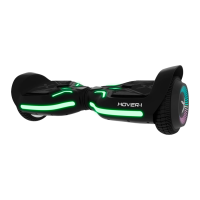
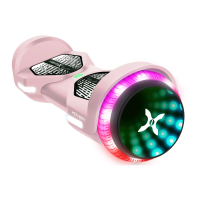
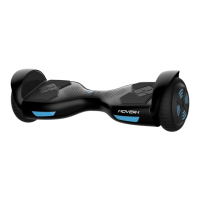
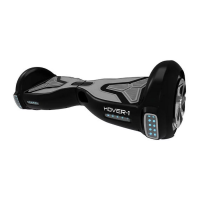
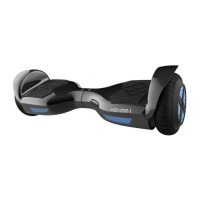
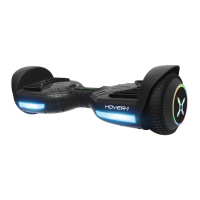
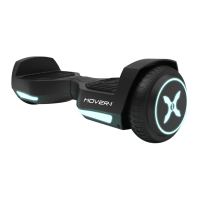
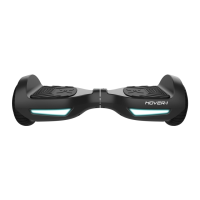
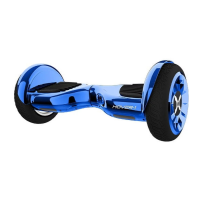
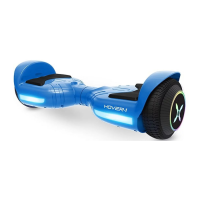
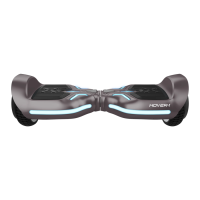
The Hover-1 Sypher is an app-enabled electric hoverboard designed as a personal transporter. It utilizes digital electronic gyroscopes and acceleration sensors to control balance and motion based on the user's center of gravity. A built-in inertia dynamic stabilization system assists with balance for forward and backward movement, but not during turns. The hoverboard is compatible with Apple iOS and Android devices, allowing users to customize the LED screen message or display pictures via the free Hover-1 app. The app also enables setting riding difficulty (beginner, intermediate, or expert) to limit top speed and adjust the hoverboard's sensitivity to movement.
Before operating the Sypher, it is crucial to read the entire operation manual thoroughly. Failure to follow basic instructions and safety precautions can lead to damage to the Sypher, property damage, serious bodily injury, or death. Always wear a properly fitted helmet that complies with CPSC or CE safety standards when riding. Helmets save lives by protecting against serious injury or death in the event of an accident.
Pre-Ride Checklist and Safety Precautions:
Ensure the Sypher is in proper working order before each ride. If any part is damaged or not functioning correctly, contact customer support and replace the damaged part before riding. Always ensure the battery is fully charged. Wear appropriate safety gear, comfortable clothes, and flat, closed-toe shoes.
Different localities and countries have specific laws regarding electric transportation devices on public roads. Riders are responsible for checking with local officials to ensure compliance with these laws. Hover-1 is not liable for tickets or violations resulting from failure to follow local regulations.
General Safety Guidelines:
- Obey all local traffic laws, including red and green lights, one-way streets, stop signs, and pedestrian crosswalks.
- Ride with traffic, not against it.
- Ride defensively and expect the unexpected.
- Give pedestrians the right-of-way and alert them when passing from behind.
- Slow down at street intersections and look both ways before crossing.
- The Sypher is not equipped with reflectors; riding in low-visibility conditions is not recommended. If riding in low-visibility conditions (fog, dusk, night), wear bright, reflective clothing to prevent collisions.
- Do not ride above your skill level. Practice in a flat, open area at slower speeds before riding in public.
- Before stepping on, ensure the Sypher is placed flat on level ground, powered on, and the running indicator light is green. Do not step on if the running indicator light is red.
- Do not attempt to open or modify the Sypher, as this voids the manufacturer warranty and can lead to failure, injury, or death.
- Do not use the Sypher in a manner that endangers people or property.
- Maintain a safe distance from others to avoid collisions.
- Keep feet on the foot mats at all times. Moving feet off the mats while driving is dangerous and can cause the Sypher to stop or veer sideways.
- Do not operate under the influence of drugs or alcohol, or when restless or sleepy.
- Do not ride off curbs, ramps, or in a manner similar to a skateboard. Do not operate in skate parks or empty pools. Misuse voids the warranty and may lead to injury.
- Avoid continuous spinning in place, as it can cause dizziness and increase injury risk.
- Do not abuse the Sypher, as this can damage the unit, cause system failure, and lead to injury. Physical abuse, including dropping, voids the warranty.
- Do not operate in or near puddles, mud, sand, stones, gravel, debris, or rough terrain.
- Use on flat, even paved surfaces. If encountering uneven pavement, lift the Sypher over the obstruction.
- Do not ride in inclement weather (snow, rain, hail, sleet, icy roads) or extreme heat/cold.
- Bend knees when riding on bumpy or uneven pavement to absorb shock and maintain balance.
- If unsure about safe terrain, step off and carry the Sypher.
- Do not attempt to ride over bumps or objects greater than ½ inch, even with bent knees.
- Pay attention to road conditions, people, property, and objects.
- Do not operate in crowded areas.
- Use extreme caution indoors, especially around people, property, and narrow spaces.
- Do not operate while talking, texting, or looking at your phone.
- Do not ride where not permitted, near motor vehicles, or on public roads.
- Do not travel up or down steep hills.
- Intended for single-person use only; do not attempt to operate with two or more people.
- Do not carry anything while riding.
- Individuals with a lack of balance should not attempt to operate the Sypher.
- Recommended for riders ages 8 and older.
- At higher speeds, allow for longer stopping distances.
- Do not step forward off the Sypher.
- Do not attempt to jump on or off.
- Do not attempt stunts or tricks.
- Do not ride in dark or poorly lit areas.
- Do not ride off-road, near/over potholes, cracks, or uneven pavement.
- Be aware that you are 4.5 inches (11.43 cm) taller when operating; ensure safe passage through doorways.
- Do not turn sharply, especially at high speeds.
- Do not step on the fenders.
- Avoid riding in unsafe places with flammable gas, steam, liquid, dust, or fiber that could cause fire or explosion.
- Do not operate near swimming pools or other bodies of water.
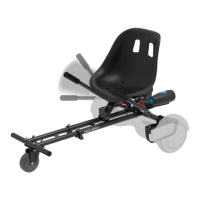
- When using a hoverboard with a kart attachment (sold separately), it is NOT advisable to ride uphill. A safety mechanism will activate and shut down the hoverboard if riding on a steep incline above 5-10°. If this occurs, dismount, place on a flat surface, wait 2 minutes, then power on again.
- Adult supervision is required to reduce injury risk. Never use in roadways, near motor vehicles, on/near steep inclines or steps, swimming pools, or other bodies of water. Always wear shoes and allow only one rider at a time.
Operating Principles:
The Sypher uses a control system to operate motors within the wheels. To increase stability during turns, especially at higher speeds, shift your weight.
Turning Your Device ON/OFF:
- Power On: Place the Sypher flat on the floor, press the power button (rear of Sypher) once. The LED indicator (center of Sypher) should be lit, indicating power on.
- Power Off: Press the power button once.
Mat Sensors:
Four sensors are located under the foot mats. When riding, ensure you are stepping on the foot mats. Do not step on any other area. Applying weight/pressure to only one foot mat may cause the hoverboard to vibrate or spin in one direction.
Battery Indicator:
The display board is in the middle of the Sypher.
- Green LED: Fully charged.
- Red flashing LED and beeping: Low battery.
- Yellow flashing LED: Charging.
Recharge the Sypher when the LED light turns red.
Running Indicator:
When foot mats are triggered, the running indicator LED lights up, signifying the hoverboard is in running state. If an error occurs, the running LED will turn red (see "SAFETY ALERTS" on page 16 for details).
Riding Your Sypher:
- Ensure the Sypher is fully charged before initial use.
- Stand directly behind the Sypher and place one foot on the corresponding foot mat, keeping weight on the foot still on the ground. Shift weight to the foot on the Sypher, then quickly and evenly step on with the second foot.
- Stay relaxed and step on quickly, confidently, and evenly. Imagine climbing stairs, one foot, then the other. Look up once your feet are even. Vibration or spinning due to weight/pressure on one foot mat is normal.
- Find your center of gravity. If weight is distributed correctly and your center of gravity is level, you should be able to stand as if on the ground. It typically takes 3-5 minutes to get comfortable.
- A spotter can help you feel more secure. The Sypher is highly sensitive to motion. Anxiety or reservation can cause panic and unwanted movement.
- To move, focus in the desired direction. Your center of gravity determines direction and speed. Stand straight up to stop. Tilt your center of gravity in the desired direction to move.
- To turn, focus on the desired direction and stay relaxed. Apply pressure on your right foot to turn right, and on your left foot to turn left.
- Avoid sharp turns or high speeds, and do not ride quickly along slopes, as this may cause injury.
- As you become comfortable, maneuvering will be easier. At higher speeds, shift weight during turns for stability.
- If encountering bumps or uneven surfaces, bend your knees, then dismount and carry the hoverboard to a safe surface.
Dismounting:
- From a stopped position, lift your dominant leg and set your foot down on the ground behind you (STEP BACK). Then, step off with your other foot.
- Lift feet completely off the foot mat when stepping back to dismount. Failure to do so may send the hoverboard into a tailspin.
Speed and Weight Limitations:
- Maximum Speed: 7 mph
- Maximum Weight: 220 lbs
- Minimum Weight: 44 lbs
Exceeding the weight limit may increase injury risk or product damage. When max speed is reached, the Sypher will beep and tilt the rider back to prevent injury.
Operating Range:
The Sypher can travel up to 7 miles on a fully charged battery under ideal conditions. Factors affecting range:
- Terrain: Highest range on smooth, flat surfaces. Uphill or rough terrain reduces range.
- Weight: Lighter users have higher range.
- Ambient Temperature: Ride and store in recommended temperatures to maintain range, battery life, and performance.
- Speed and Riding Style: Moderate, consistent speed yields maximum range. High speeds, frequent starts/stops, and idling decrease range.
Balance & Calibration:
If the Sypher is unbalanced, vibrating, or not turning properly:
- Place the Sypher on flat ground. Foot mats should be even and not tilted.
- Ensure the charger is unplugged and the hoverboard is off.
- Press and hold the power button for 10-15 seconds. The hoverboard will turn on, and the battery indicator will light up.
- After the light flashes 5 times consecutively, release the power button.
- Turn the hoverboard off, then back on. Calibration is complete.
Safety Alerts:
If a system error or improper operation occurs, the device will alert the user. The running indicator light will turn red, and a beep sound will occur, prompting caution and cessation of operation. The hoverboard may stop suddenly. Do not ignore these alerts; take appropriate action.
Common alerts:
- Unsafe riding surfaces (uneven, too steep, unsafe).
- Battery voltage too low.
- Sypher is still charging.
- Platform self-tilts due to excess speed.
- Hoverboard overheating or motor temperature too high.
- Sypher rocking back and forth for over 30 seconds.
- System enters protection mode (alarm indicator lights up, hoverboard vibrates) due to low battery.
- Platform tilted forward or backward more than 10 degrees (Sypher powers off, stops suddenly, potentially causing rider to lose balance/fall).
- Tires blocked (Sypher stops after 2 seconds).
- Battery level depleted below protection mode (Sypher powers off after 15 seconds).
- High discharge current (e.g., driving up steep slope for long period) (Sypher powers off after 15 seconds).
When the Sypher turns off during a safety alert, all operations halt. Do not attempt to ride when the system initiates a stop. Turn the Sypher off and back on to unlock it from a safety lock.
Charging Your Sypher:
- Ensure no dust, debris, or dirt in the charging port.
- Plug the charger into a grounded wall outlet. The charging indicator light on the charger will be green.
- Connect the charging cable to the power supply (100V-240V, 50Hz/60Hz).
- Align and connect the 3-pin charging cable to the Sypher's charging port. DO NOT FORCE THE CHARGER, as this can break prongs or cause permanent damage.
- Once connected, the charger's indicator light will turn red, indicating charging.
- When the red light turns green, the hoverboard is fully charged (up to 5 hours). While charging, the hoverboard will show a yellow flashing light if powered on.
- After full charge, unplug the charger from the Sypher and the power outlet.
Battery Care / Maintenance:
- Battery Type: Rechargeable lithium-ion battery
- Charge Time: Up to 5 hours
- Voltage: 25.2V
- Capacity: 4.0 Ah
- The lithium-ion battery is built-in; do not disassemble or attempt to separate it.
- Use only the supplied Hover-1 charger and charging cable. Other chargers/cables can cause damage, overheating, fire risk, and void the warranty.
- Do not connect the Sypher or battery to a power supply plug or car's cigarette lighter.
- Do not place near fire or in direct sunlight. Heating can break or ignite the battery.
- Do not continue charging if the battery doesn't recharge within the specified time, as this can cause it to become hot, rupture, or ignite.
- Recycle or dispose of batteries properly. This product contains lithium-ion batteries, which may be prohibited from ordinary trash by local, state, or federal laws. Consult local waste authority for disposal options.
- Do not attempt to modify, change, or replace the battery.
- Failure to follow safety precautions can lead to serious bodily injury or death.
- Do not use if the battery emits odor, overheats, or leaks.
- Do not touch leaking materials or breathe fumes.
- Do not allow children or animals to touch the battery.
- The battery contains dangerous substances. Do not open or insert anything into the battery.
- Do not attempt to charge if the battery has discharged or emits substances. Immediately distance yourself in case of fire or explosion.
- SEEK IMMEDIATE MEDICAL ASSISTANCE IF EXPOSED TO ANY SUBSTANCE EMITTED FROM THE BATTERY.
Care & Maintenance:
- To avoid damage to internal circuitry, do not expose to liquid, moisture, or humidity.
- Do not use abrasive cleaning solvents.
- Do not expose to extremely high or low temperatures, as this shortens component life, destroys the battery, and distorts plastic parts.
- Do not dispose of in fire; it may explode or combust.
- Avoid contact with sharp objects to prevent scratches and damage.
- Do not allow to fall from high places, as this can damage internal circuitry.
- Do not attempt to disassemble.
- Use only the charger provided by Hover-1.
- Avoid using water or other liquids for cleaning. If water or other liquids enter, it will cause permanent damage to internal components.
- Users who disassemble the Sypher without permission from Hover-1 will void the warranty.
Bluetooth® Speaker:
The Sypher has a powerful built-in wireless speaker for playing music while riding.
Pairing the Speaker:
- Turn on the hoverboard. The speaker will "ping" to indicate it's in pairing mode.
- Place the hoverboard and the Bluetooth® device within operating distance (recommended: no further than 3 feet/1 meter).
- Enable Bluetooth® on your phone or music device (refer to device manual).
- Select "H1-SYP" from the list of available Bluetooth® devices.
- If prompted, enter PIN "000000" and confirm.
- The speaker will say "paired" when successful.
- Pairing mode lasts two minutes. If no devices are paired, the speaker returns to standby.
- If pairing fails, turn off the hoverboard and try again.
- If your smartphone is out of range or hoverboard battery is low, the speaker may disconnect and say "disconnected." To reconnect, follow previous steps or recharge.
- Note: Once paired, the hoverboard speaker remembers the device and will automatically pair when the device's Bluetooth® is active within range. Re-pairing is not needed for previously connected devices.
- The hoverboard can pair with up to two multi-point devices simultaneously. You can reconnect a previously paired device without going through the pairing process for up to two devices.
Listening to Music:
Once paired, stream music wirelessly. Volume and track controls are managed via your music device. Refer to your device's user manual for streaming issues.
Technical Specifications:
- Model: Hover-1™ DSA-SYP
- Net Weight: 16.21 lbs (7.35 kg)
- Max Supported Weight: 220 lbs (100 kg)
- Min Supported Weight: 44 lbs (20 kg)
- Max Speed: Up to 7 mph (11.2 km/h)
- Max Range: Up to 7 miles (11.2 km)
- Max Incline Angle: 8°
- Rated Power: 150W x 2 (dual motor)
- Max Power: 200W x 2 (dual motor)
- Charge Time: Up to 5 hours
- Battery Type: Lithium-ion
- Battery Voltage: 25.2V
- Battery Capacity: 4.0Ah
- Power Requirement: AC 100V-240V, 50Hz/60Hz
- Ground Clearance: 2 inches (5.08 cm)
- Platform Height: 4.5 inches (11.43 cm)
- Tire Size: 6.5 inches (16.51 cm)
- Tire Type: Non-Pneumatic Solid Tires
- BT ID: D042258
- FCC ID: 2AANZSYP
Package Contents:
- Hover-1 Sypher Hoverboard
- Charger & Charging Cable
- Operation Manual
Features/Parts (Refer to diagram on page 6):
- Fender
- Right Footpad
- Protective Chassis Casing
- Left Footpad
- Tire
- LED Screen
- Charge Port (on bottom)
- Power Button (on bottom)
Low Temperature Warning:
Low temperatures affect lubrication of moving parts, increasing internal resistance. Discharge and battery capacity significantly decrease. Use caution when riding in cold temperatures (below 40°F/4°C), as this increases the risk of mechanical failures, damage, serious injury, and death.
FCC Statement:
This device complies with Part 15 of the FCC Rules. Operation is subject to two conditions: (1) it may not cause harmful interference, and (2) it must accept any interference received, including undesired operation. Changes or modifications not expressly approved by the party responsible for compliance could void the user's authority to operate the equipment. The equipment has been tested and found to comply with Class B digital device limits, providing reasonable protection against harmful interference in residential installations. If interference occurs, reorient/relocate the receiving antenna, increase separation between equipment and receiver, connect equipment to a different circuit, or consult a dealer/radio/TV technician.
Warranty:
For warranty information, visit www.hover-1.com.
Manufacturer: DGL Group, Ltd., 2045 Lincoln Highway, Edison, NJ 08817.
Keep your serial number for warranty claims and proof of purchase.
Environmental Warning:
Prolonged exposure to UV rays, rain, and the elements may damage enclosure materials. Store indoors when not in use.

 Need help?
 General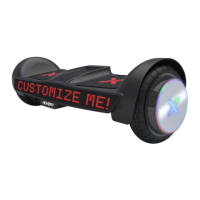

 To Next Page