• While sustaining a high discharge current during use (such as
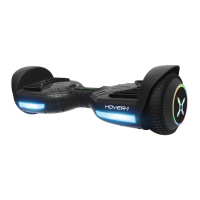
driving up a steep slope for a long period of time), the Rocket
engine will power off and stop after 15 seconds.
A WARNING
When the Rocket turns off during a
Safety Alert, all operation systems will
halt. Do not continue attempting to ride
the Rocket when the system initiates a
stop. Turn your Rocket off and back on
to unlock it from a Safety Lock.
CHARGING YOUR ROCKET
CHARGING THE ROCKET
• Ensure that the charging port is clean and dry.
• Make sure that there is no dust, debris or dirt inside the port.
• Plug the charger into a grounded wall outlet. The charging
indicator light ON THECHARGER will be green.
• Connect the cable with the power supply (l OOV 240V; 50/60 Hz).
• Align and connect the 3-pin charging cable into the charging
port of the Rocket. DO NOT FORCE THE CHARGER INTO THE
CHARGE PORT, AS THIS MAY CAUSE THE PRONGS TO BREAK OFF OR
PERMANENT DAMAGE TO THE CHARGE PORT.
• Once attached to the board, the charging indicator light ON THE
CHARGER should change to RED,indicating that your device is now
being charged.
• When the RED indicator light on your charger turns to GREEN, then
your Rocket is fully charged.
• A full charge may take up to 6 hours. While charging, you will see
a yellow flashing light on the scooter, which also indicates charging.
Do not charge for more than 7.5 hours.
•After fully charging your Rocket, UnplCJCthe charger from your
Rocket and from the power outlet.



 To Next Page