Key Lock Systems
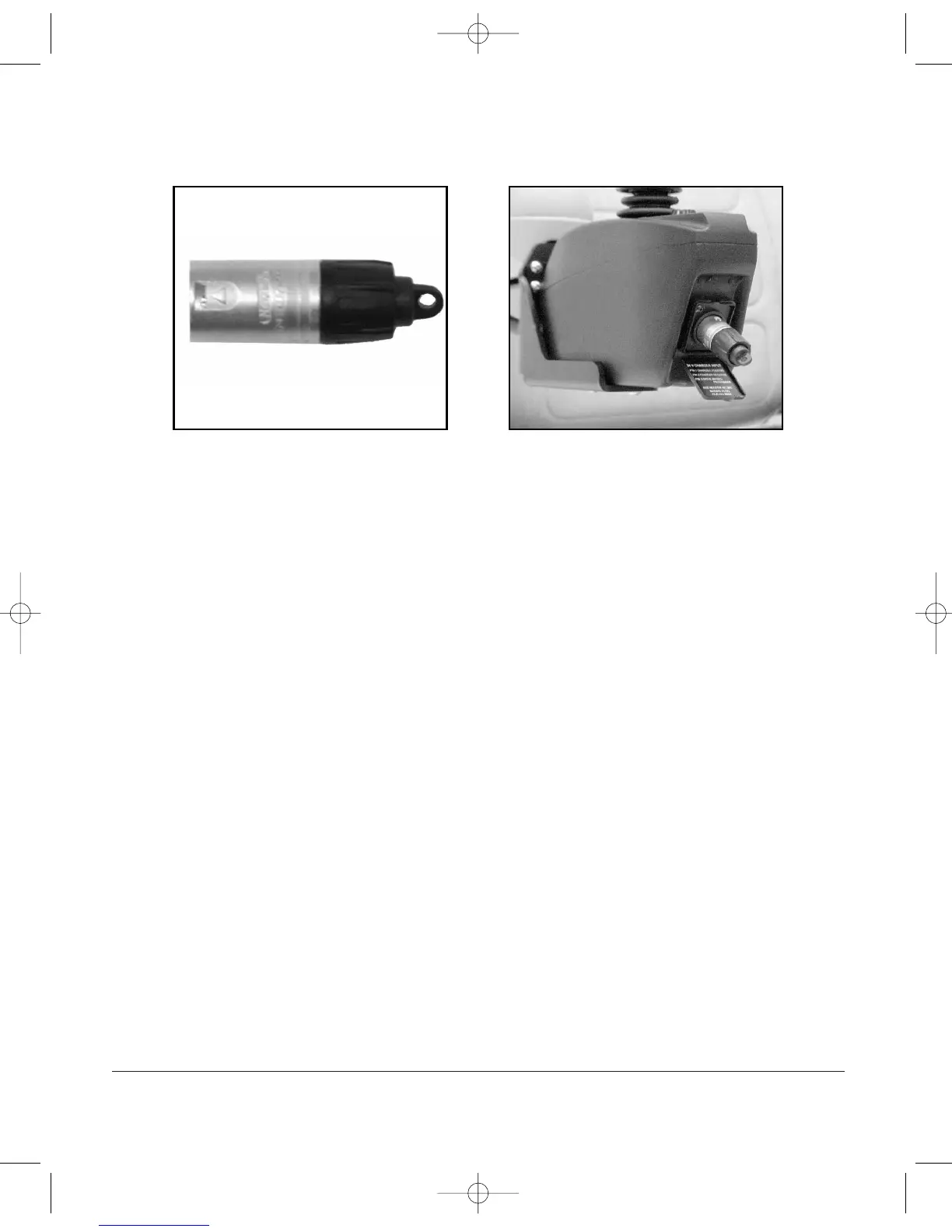
Figure 9C - Pilot Key Figure 9D - Pilot
1. Turn the controller on.
2. To lock the unit, insert and REMOVE the key at the charger port.
(See Figure 9C and 9D above). Note: The key must be removed for controller
to lock. Press the on/off button. When the display cycles, the chair is locked.
If you want to shut off the cycling display, press the on/off button again. The
chair cannot be operated or driven when locked.
3. To unlock the controller, press the on/off button. The speed display will cycle.
Insert and
REMOVE the key (See Figure 9C and 9D above). The display will
illuminate indicating the controller is unlocked and the chair can be operated.
D82008204 REV B 1/14/04
Chapter 9
43


 To Next Page