Need help?
Do you have a question about the HP 24fw and is the answer not in the manual?
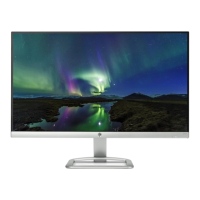
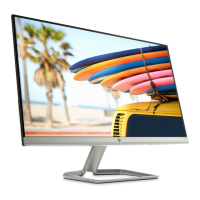
This document outlines the end-of-life disassembly instructions for the HP 24fw Display, a monitor and display product. The primary function of this document is to guide end-of-life recyclers and treatment facilities in the proper disassembly of the product to remove components and materials that require selective treatment, as mandated by EU directive 2002/96/EC concerning Waste Electrical and Electronic Equipment (WEEE). This ensures environmentally responsible disposal and recycling practices.
The HP 24fw Display is designed with consideration for its eventual end-of-life, incorporating features that facilitate the removal of specific materials. For instance, the design allows for the straightforward separation of Printed Circuit Boards (PCBs) or Printed Circuit Assemblies (PCAs) that have a surface area greater than 10 square centimeters. The monitor also includes a Liquid Crystal Display (LCD) with a surface area exceeding 100 square centimeters, which is designed for selective removal. These components are identified as requiring special handling due to their potential environmental impact if not processed correctly. The monitor does not contain batteries, mercury-containing components, Cathode Ray Tubes (CRTs), capacitors/condensers containing PCB/PCT, electrolytic capacitors/condensers measuring greater than 2.5 cm in diameter or height, gas discharge lamps, plastics containing brominated flame retardants weighing over 25 grams, or components containing toner, ink, asbestos, or refractory ceramic fibers, simplifying its selective treatment process in these aspects.
Maintenance features are primarily focused on the disassembly process itself, rather than ongoing user maintenance. The instructions detail the tools required for disassembly, including a PH2 screwdriver (plum flower head) and an M5 hex nut screwdriver, indicating that standard tools are sufficient for the process. The disassembly steps are clearly laid out to ensure efficient and safe removal of targeted components. The process begins with the quick release of the base stand, which involves pushing a white button and then stripping a screw to separate the base and hinge. This initial step is crucial for accessing the internal components. Subsequently, screws are stripped from the rear cover, allowing it to be removed along with any decorative elements. All material located under the rear cover, including the rear cover supporter, is then removed. The main board and its shielding are separated, and finally, all remaining materials are released and prepared for handling by Electrostatic Discharge (ESD) precautions. The inclusion of optional graphic illustrations further aids in identifying the locations of items requiring selective treatment, making the process more intuitive for recyclers. This structured approach to disassembly ensures that all critical components are identified and handled appropriately, minimizing environmental harm and maximizing material recovery.
 General
| Display Size | 23.8 inches |
|---|---|
| Resolution | 1920 x 1080 (Full HD) |
| Panel Type | IPS |
| Aspect Ratio | 16:9 |
| Refresh Rate | 60 Hz |
| Contrast Ratio | 1000:1 |
| Ports | 1 x HDMI 1.4, 1 x VGA |
| Backlight | LED |
| Color Gamut | 72% NTSC |
| VESA Mount | No |
| Response Time | 5 ms gray to gray |
| Brightness | 250 cd/m² |
| Viewing Angle | 178° horizontal; 178° vertical |

 To Next Page