49
Var Sub-menu ( (STAT) (Var))
MinMax Sub-menu (
(STAT)
(MinMax))
Single-variable Statistical Calculation
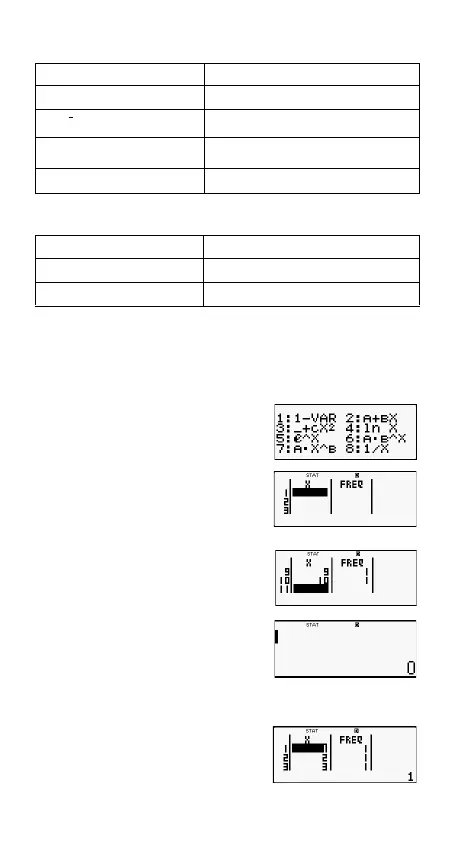
Select single-variable (1-VAR) and input the following:
Data:
{1,2,3,4,5,6,7,8,9,10} (FREQ:ON)
(STAT) (ON)
(STAT)
(1-VAR)
Edit the data to the following, using insert and delete:
{1,2,3,4,5,6,7,8,9,10} (FREQ:ON)
(STAT) (Data)
Select this menu item: When you want to obtain this:
n
Number of samples
Mean of the sample data
Population standard deviation
Sample standard deviation
Select this menu item: When you want to obtain this:
minX
Minimum value
maxX
Maximum value



 To Next Page