Need help?
Do you have a question about the HP 32f and is the answer not in the manual?
Critical safety guidelines to minimize the risk of personal injury during service operations.
Essential service precautions, including general information, RoHS, firmware, and pre-return checks.
Details the various features and specifications of the monitor.
Identifies and describes the components located on the front panel of the monitor.
Identifies and describes the components located on the rear panel of the monitor.
A catalog illustrating monitor components with descriptions and quantities for identification.
Guidance on ordering replacement parts and cables, including distributor information.
Essential steps and required equipment for safely preparing to disassemble the monitor.
Step-by-step instructions for the removal of the monitor's rear cover.
Detailed procedure for repairing or replacing the VGA connector on the main board.
Detailed procedure for repairing or replacing the HDMI connector on the main board.
Steps to verify that all monitor functions are operational after repairs.
A troubleshooting guide with common issues, their causes, and recommended solutions.
This document outlines the maintenance and service procedures for the HP 32f model monitor (L63916). It serves as a comprehensive guide for trained service personnel, providing essential information on spare parts, removal and replacement processes, diagnostic tests, and troubleshooting. The manual emphasizes safety precautions and adherence to specific service methods to ensure the safe and reliable operation of the equipment.
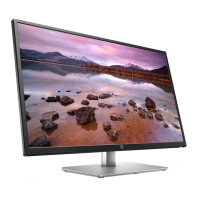
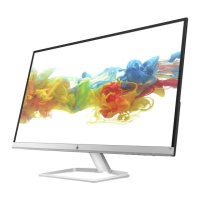
The monitor itself is an 80.13 cm/31.55 inch diagonal display designed for various viewing needs. It features a full-screen support for lower resolutions, incorporating custom scaling to maximize image size while preserving the original aspect ratio. The anti-glare panel, coupled with an LED backlight, aims to provide a comfortable viewing experience by reducing reflections. Its wide viewing angle allows for clear visibility from different positions, whether sitting, standing, or moving from side to side. The monitor also offers tilt adjustment capability, allowing users to find an optimal viewing angle.
For connectivity, the monitor includes High-Definition Multimedia Interface (HDMI) video inputs, with an accompanying cable provided for convenience. It also features a VGA video input, also with a cable provided, ensuring compatibility with a range of devices. The monitor supports Plug and Play functionality, simplifying setup when connected to compatible operating systems. To enhance security, a security cable slot is provided on the rear, allowing for the attachment of an optional security cable.
User interaction is facilitated through an intuitive on-screen display (OSD) system, which offers adjustments in several languages for easy setup and screen optimization. Additionally, the HP Display Assistant software is available to further aid in adjusting monitor settings and enabling theft deterrence features. The monitor incorporates High-bandwidth Digital Content Protection (HDCP) copy protection on all digital inputs, safeguarding digital content. An energy saver feature is also included, designed to meet requirements for reduced power consumption, contributing to energy efficiency.
The front components of the monitor include several function buttons, each serving multiple purposes depending on the OSD menu's state. The "Menu / OK" button opens the OSD main menu when closed and selects items when open. The "Information / Auto-Adjustment / Minus" button can open the Information menu for HDMI sources, activate auto-adjustment for VGA sources, or navigate backward and decrease adjustment levels within the OSD. The "Input / Plus" button switches to the next video input port when the OSD is closed and navigates forward or increases adjustment levels when open. Finally, the "Viewing Modes / Exit" button opens the Viewing Modes menu when the OSD is closed and saves changes or exits the OSD menu when open. A power button is also present to turn the monitor on or off. These function buttons can be reconfigured via the OSD menu for quick access to frequently used operations.
On the rear, the monitor provides two HDMI ports for connecting to source devices, a VGA connector for DisplayPort connections on source devices, and a power connector for a DC adapter. A security cable slot is also located at the rear.
Maintenance features are a core focus of this guide. It details the steps for disassembly, starting with preparation of the work environment, ensuring it is dry, clean, and meets safety requirements. The guide emphasizes the importance of having the right equipment, such as a press fixture, working table, screwdrivers, knife, gloves, cleaning cloth, ESD protection, and a scraper bar of specified dimensions.
The disassembly process begins with the quick release of the base stand, followed by stripping screws from the rear cover. Subsequent steps involve removing the deco, shielding, acetate tapes covering LVDS/LED FFCs, and detaching the base assembly. Specific instructions are provided for removing various screws and tapes, including aluminum tape and gasket blocks.
A significant portion of the manual is dedicated to connector repair, specifically for VGA (P100) and HDMI (P200/P201) connectors on the main board. The repair procedure involves using a hot air gun and soldering iron to melt and remove solder from pins, gently pushing out the old connector, placing a new component that matches the PCB footprint, and then soldering it in place. These detailed steps ensure that repairs are performed accurately and safely.
After any repair, a function test is mandatory to confirm that all monitor functions are working correctly. This includes testing HDMI and VGA displays with a computer or DVD player. The troubleshooting section provides a table of common problems, their possible causes, and recommended solutions. Issues such as a blank or flashing screen, blurred image, "Check Video Cable" message, "Input Signal Out of Range" message, monitor not entering Sleep mode, and "On-Screen Menus are Locked" message are addressed with practical solutions, ranging from checking power and video cable connections to adjusting OSD settings or disabling lockout features.
The guide also includes an illustrated parts catalog, providing a visual reference and descriptions for major components, along with their quantities. Information on how to order parts, including specific distributors for connectors like VGA and HDMI, is provided. It notes that connectors might need modification to meet functionality, regulatory, and safety requirements if an exact match is unavailable. Users can purchase cables from the HP part store and find current information on supported parts via the HP PartSurfer website. Internal and external power supplies are available from a specified EU distributor.
Overall, this manual serves as an indispensable resource for professional service technicians, ensuring that the HP 32f model monitor can be effectively maintained, repaired, and returned to the customer in a safe and fully functional state, adhering to all relevant safety and regulatory standards, including RoHS requirements.
 General
| Cables included | AC, HDMI, VGA |
|---|---|
| External power adapter | Yes |
| Power consumption (max) | 29 W |
| Power consumption (standby) | 0.5 W |
| Power consumption (typical) | 27 W |
| 3D | No |
| Panel type | SVA |
| Pixel pitch | 0.363 x 0.363 mm |
| Screen shape | Flat |
| Display diagonal | 31.5 \ |
| Display technology | - |
| Native aspect ratio | 16:9 |
| Vertical scan range | 0 - 60 Hz |
| Maximum refresh rate | - Hz |
| Horizontal scan range | 0 - 83 kHz |
| Contrast ratio (typical) | 1000:1 |
| Display number of colors | 16.78 million colors |
| Display brightness (typical) | 300 cd/m² |
| Supported graphics resolutions | 640 x 480 (VGA), 720 x 400, 800 x 600 (SVGA), 1024 x 768 (XGA), 1280 x 1024 (SXGA), 1280 x 720 (HD 720), 1280 x 800 (WXGA), 1366 x 768, 1440 x 900 (WXGA+), 1600 x 900, 1680 x 1050 (WSXGA+), 1920 x 1080 (HD 1080) |
| Tilt angle range | -5 - 25 ° |
| DisplayPorts quantity | 0 |
| Operating temperature (T-T) | 5 - 35 °C |
| Operating relative humidity (H-H) | 20 - 80 % |
| Package depth | 132 mm |
| Package width | 802 mm |
| Package height | 520 mm |
| Package weight | 7700 g |
| HP segment | Home |
| Product color | Black |
| Country of origin | China |
 Weight and Dimensions
| Depth (with stand) | 226.4 mm |
|---|---|
| Height (with stand) | 509.6 mm |
| Weight (with stand) | 5500 g |
| Depth (without stand) | 67.1 mm |
| Width (without stand) | 719.8 mm |
| Height (without stand) | 429.2 mm |

 To Next Page