5
Turns the monitor on or off.
NOTE: You can reconfigure the Function buttons in the OSD menu to quickly select the most commonly used operations. Press the Menu button to open
the OSD, and then select Menu Control. Select Assign buttons, and then select one of the available options for the button you want to assign.
Rear components
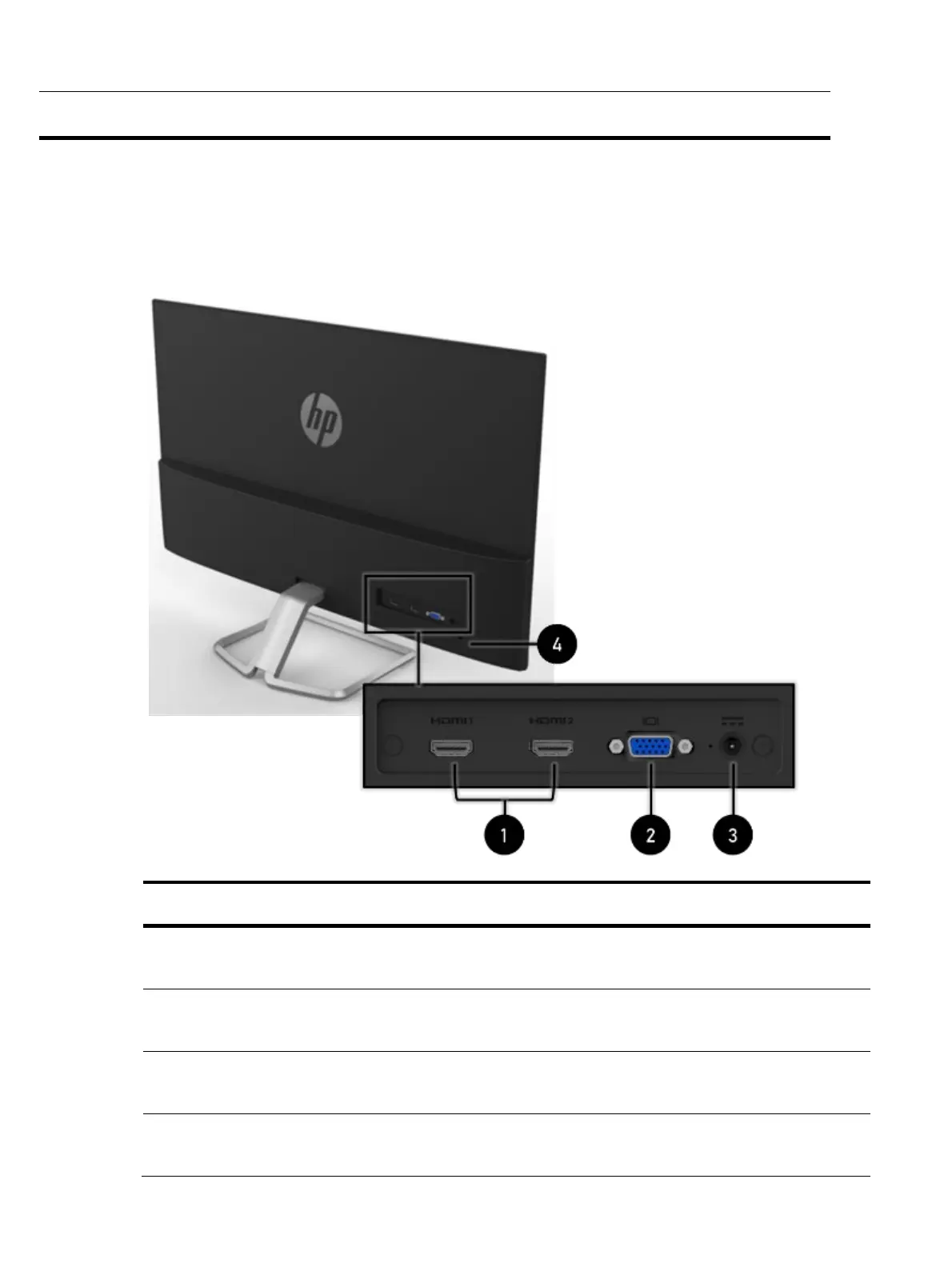
To identify the components on the rear of the monitor, use this illustration and table.
Table 2-2: Rear components and their descriptions
Function
1 HDMI ports (2)
Connect HDMI cables to the HDMI connectors on
2 VGA connector
Connects a VGA cable to the DisplayPort
connector on the source device.
3 Power connector
4 Security cable slot
Connects an optional security cable.


 To Next Page