25
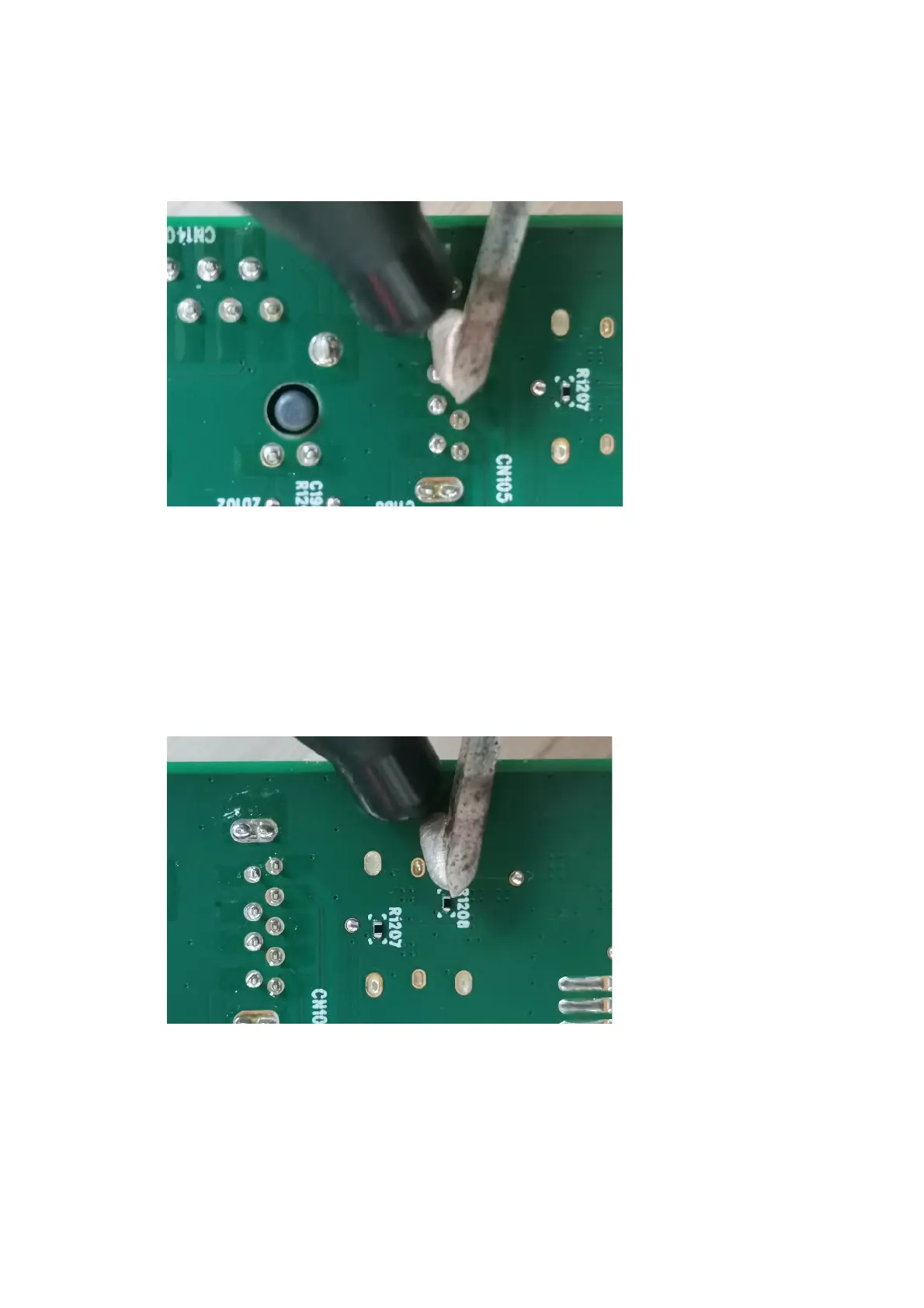
USB 1 connector CN105
Repair the USB 1 connector:
1) Use a soldering iron and a de-soldering pump to remove as much solder as possible from the pin.
2) Lift the USB 1 connector from the circuit board.
3) Place the new component on the circuit board. Be sure that it matches the circuit board footprint.
4) Solder the new component.
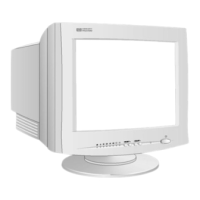
Type-C 2 connector CN103
Repair the Type-C 2 connector:
1) Use a soldering iron and a de-soldering pump to remove as much solder as possible from the pin.
2) Lift the Type-C 2 connector from the circuit board.
3) Place the new component on the circuit board. Be sure that it matches the circuit board footprint.
4) Solder the new component.



 To Next Page