EasyManua.ls Logo

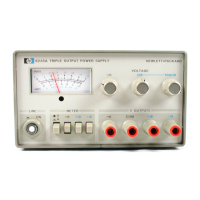
HP 6235A - Line Voltage Option Conversion; Operation

HP 6235A
12 pages
Print Icon
To Next Page IconTo Next Page
To Previous Page IconTo Previous Page
Loading...
i
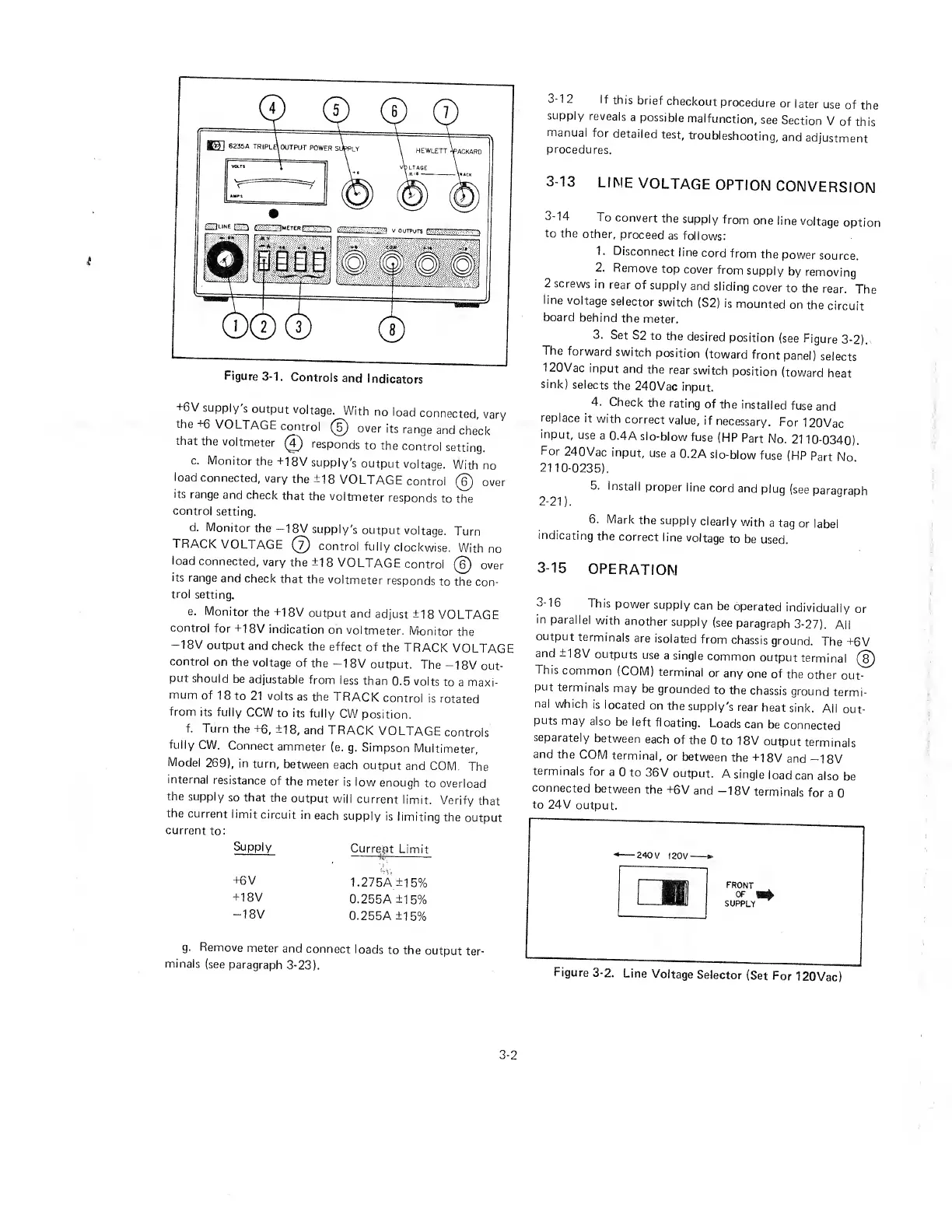
Figure
3-1.
Controls
and
Indicators
+6V
supply
s
output
voltage.
With
no
load
connected,
vary
the
+6
VOLTAGE
control
©
over
its
range
and
check
that
the
voltmeter
0
responds
to
the
control
setting.
c.
Monitor
the
+18V
supply's
output
voltage.
With
no
load
connected,
vary
the
±18
VOLTAGE
control
©
over
its
range
and
check
that
the
voltmeter
responds
to
the
control
setting.
d.
Monitor
the
—18V
supply's
output
voltage.
Turn
TRACK
VOLTAGE
©
control
fully
clockwise.
With
no
load
connected,
vary
the
±18
VOLTAGE
control
©
over
its
range
and
check
that
the
voltmeter
responds
to
the
con¬
trol
setting,
e.
Monitor
the
±1
8V
output
and
adjust
±18
VOLTAGE
control
for
+18V
indication
on
voltmeter.
Monitor
the
-18V
output
and
check
the
effect
of
the
TRACK
VOLTAGE
control
on
the
voltage
of
the
-18V
output.
The
-18V
out¬
put
should
be
adjustable
from
less
than
0.5
volts
to
a
maxi¬
mum
of
1
8
to
21
volts
as
the
TRACK
control
is
rotated
from
its
fully
CCW
to
its
fully
CW
position.
f.
Turn
the
+6,
±18,
and
TRACK
VOLTAGE
controls
fully
CW.
Connect
ammeter
(e.
g.
Simpson
Multimeter,
Model
269),
in
turn,
between
each
output
and
COM.
The
internal
resistance
of
the
meter
is
low
enough
to
overload
the
supply
so
that
the
output
will
current
limit.
Verify
that
the
current
limit
circuit
in
each
supply
is
limiting
the
output
current
to:
Supply
Current
Limit
+6
V
1.275A
±15%
+18V
0.255A
±15%
-18V
0.255A
±15%
g.
R
e
m
o
ve
meter
and
connect
loads
to
the
output
ter¬
minals
(see
paragraph
3-23).
3-1
2
If
this
brief
checkout
procedure
or
later
use
of
the
supply
reveals
a
possible
malfunction,
see
Section
V
of
this
manual
for
detailed
test,
troubleshooting,
and
adjustment
procedures.
3-13
LINE
VOLTAGE
OPTION
CONVERSION
3-14
To
convert
the
supply
from
one
line
voltage
option
to
the
other,
proceed
as
follows:
T
Disconnect
line
cord
from
the
power
source.
2
.
Remove
top
cover
from
supply
by
removing
2
screws
in
rear
of
supply
and
sliding
cover
to
the
rear.
The
line
voltage
selector
switch
(S2)
is
mounted
on
the
circuit
board
behind
the
meter.
3.
Set
S2
to
the
desired
position
(see
Figure
3-2).
The
forward
switch
position
(toward
front
panel)
selects
120
V
ac
input
and
the
rear
switch
position
(toward
heat
sink)
selects
the
240Vac
input.
4.
Check
the
rating
of
the
installed
fuse
and
replace
it
with
correct
value,
if
necessary.
For
120Vac
input,
use
a
0.4A
slo-blow
fuse
(HP
Part
No.
2110-0340).
For
240Vac
input,
use
a
0.2A
slo-blow
fuse
(HP
Part
No
2110-0235).
5.
Install
proper
line
cord
and
plug
(see
paragraph
2
-
2
1
)
.
6.
Mark
the
supply
clearly
with
a
tag
or
label
indicating
the
correct
line
voltage
to
be
used.
3-15
OPERATION
3-16
This
power
supply
can
be
operated
individually
or
in
parallel
with
another
supply
(see
paragraph
3-27).
All
output
terminals
are
isolated
from
chassis
ground.
The
±6V
and
±1
8V
outputs
use
a
single
common
output
terminal
©
This
common
(COM)
terminal
or
any
one
of
the
other
out¬
put
terminals
may
be
grounded
to
the
chassis
ground
termi¬
nal
which
is
located
on
the
supply's
rear
heat
sink.
All
out¬
puts
may
also
be
left
floating.
Loads
can
be
connected
separately
between
each
of
the
0
to
18V
output
term
inals
and
the
COM
terminal,
or
between
the
+18V
and
—1
8V
terminals
for
a
0
to
36V
output.
A
single
load
can
also
be
connected
between
the
±6V
and
-18V
terminals
for
a
0
to
24V
output.
Figure
3-2.
Line
Voltage
Selector
(Set
For
120Vac)
3-2

Related product manuals