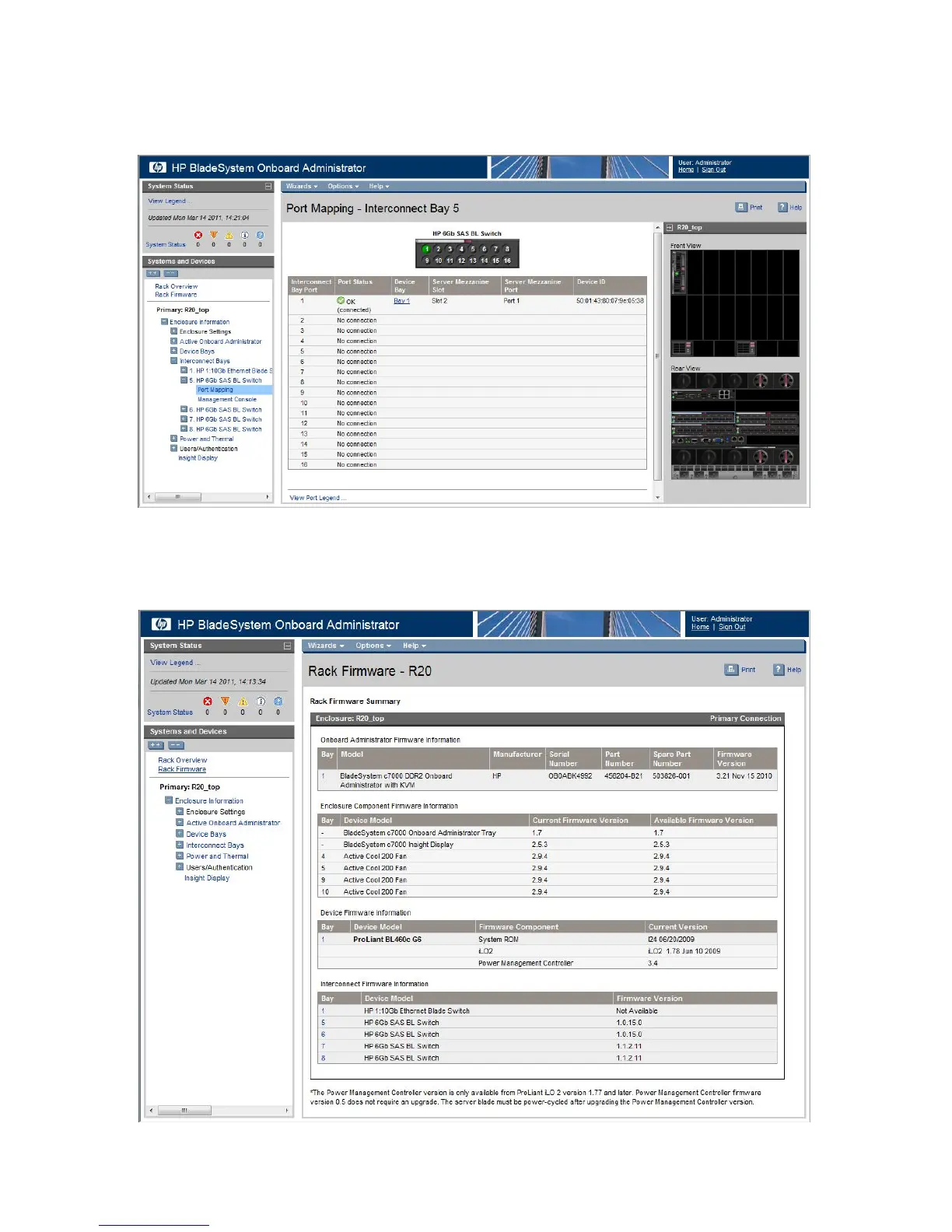
To view the WWN of the P711m/P712m controller ports or device mappings, expand the navigation
tree for a SAS BL Switch and then click Port Mapping. For the selected switch, the display shows
each port of the switch, the server blade it is mapped to, and the WWN of the P711m/P712m
port.
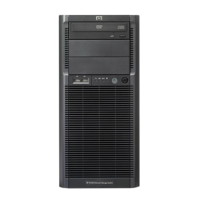
To determine installed firmware versions of components, click Rack Firmware in the navigation
tree. The display shows all BladeSystem devices, along with the currently-installed and latest-available
firmware versions.
40 Software information



 To Next Page