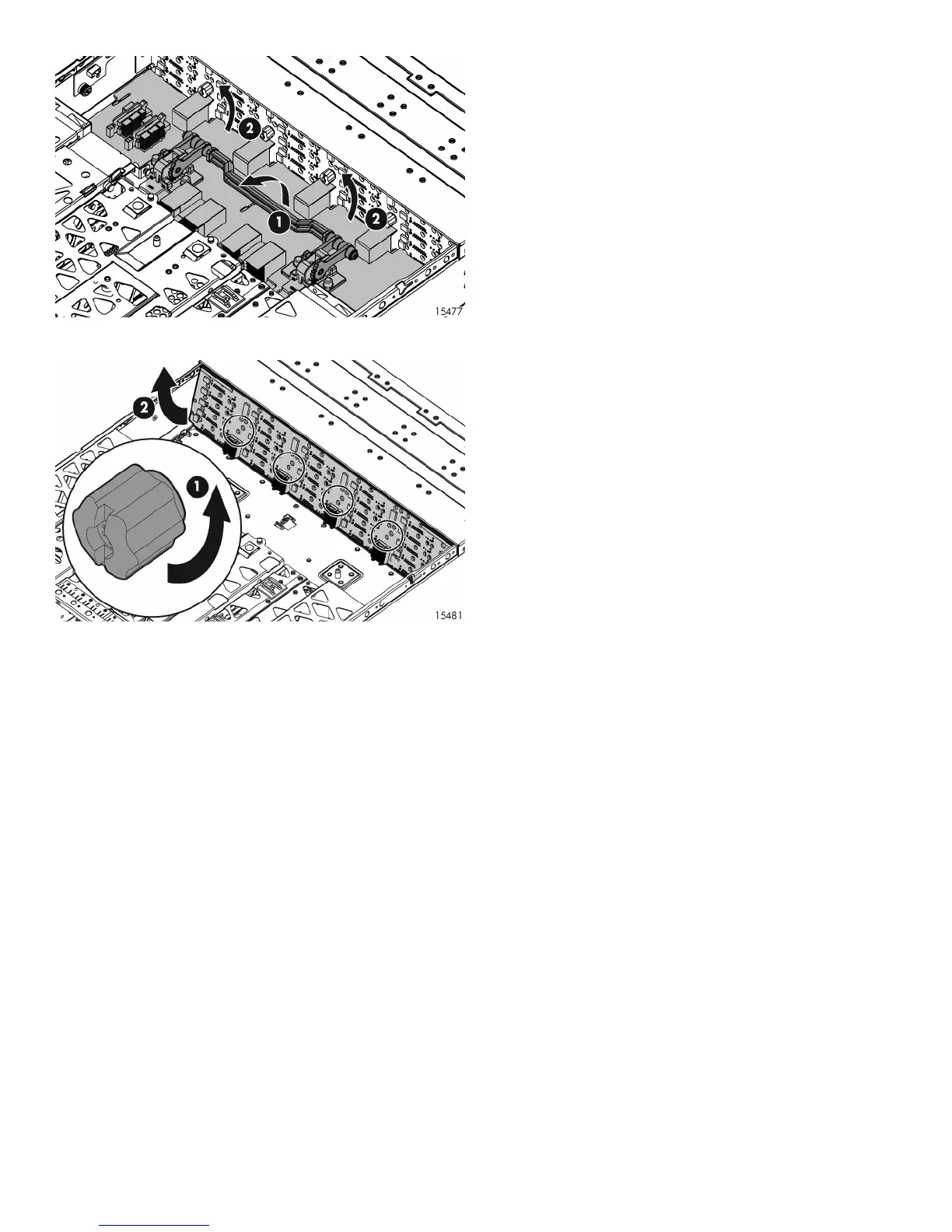
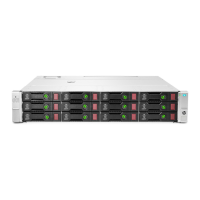
13. Tilt the backplane up from the bottom and lift it out of the
chassis (2).
Installing the backplane
To install the backplane, reverse the removal procedure:
1. Insert the backplane into the chassis, securing it with the
screw.
2. Install the midplane, riser board, 7-segment display board,
I/O module and blank, fans, and power supplies.
3. Install the access panel.
4. Insert the enclosure into the rack and power up the
enclosure.
Verifying component replacement
After replacing the backplane, check the hard drive status LEDs.



 To Previous Page