EasyManua.ls Logo

HP 8481A - Page 23

HP 8481A
40 pages
Print Icon
To Next Page IconTo Next Page
To Previous Page IconTo Previous Page
Loading...
HP
8481A/82A/83A
08481-90049
connector
AlMPl
comes
assembled,
so
A1MP2
and
MP3
are
unnecessary.)
Set
up
the
necessary
equipment
for
your
SWR
test.
See
table
4
in
this
manual
for
system
specifications.
Remove
the
bulkhead
assembly
from
the
Power
Sensor.
See
the
disassembly
procedure
near
the
end
of
this
manual.
Using
a
5/8
in
(16mm)
wrench
remove
the
cap
nut
and
disassemble
the
bulkhead.
Save
the
cap
nut
AlMPll,
and
polyiron
slug
A1MP12.
Discard
the
old
parts.
Build
the
RF
Connector
Assembly
AlMPl,
MP2,
and
MP3.
If
you
have
an
HP
8481A
Option
001,
ignore
this
step,
a.
Slip
the
C-ring
into
the
groove
on
the
RF
connector
body
(A1MP3).
b.
Place
the
nut
face
down
(knurled
end
up)
on
a
flat
surface,
c.
While
squeezing
the
C-ring
with
a
long
nose
pliers,
slide
the
connector
body
into
the
nut
until
the
ring
snaps
into
place.
2.
3.
4.
5.
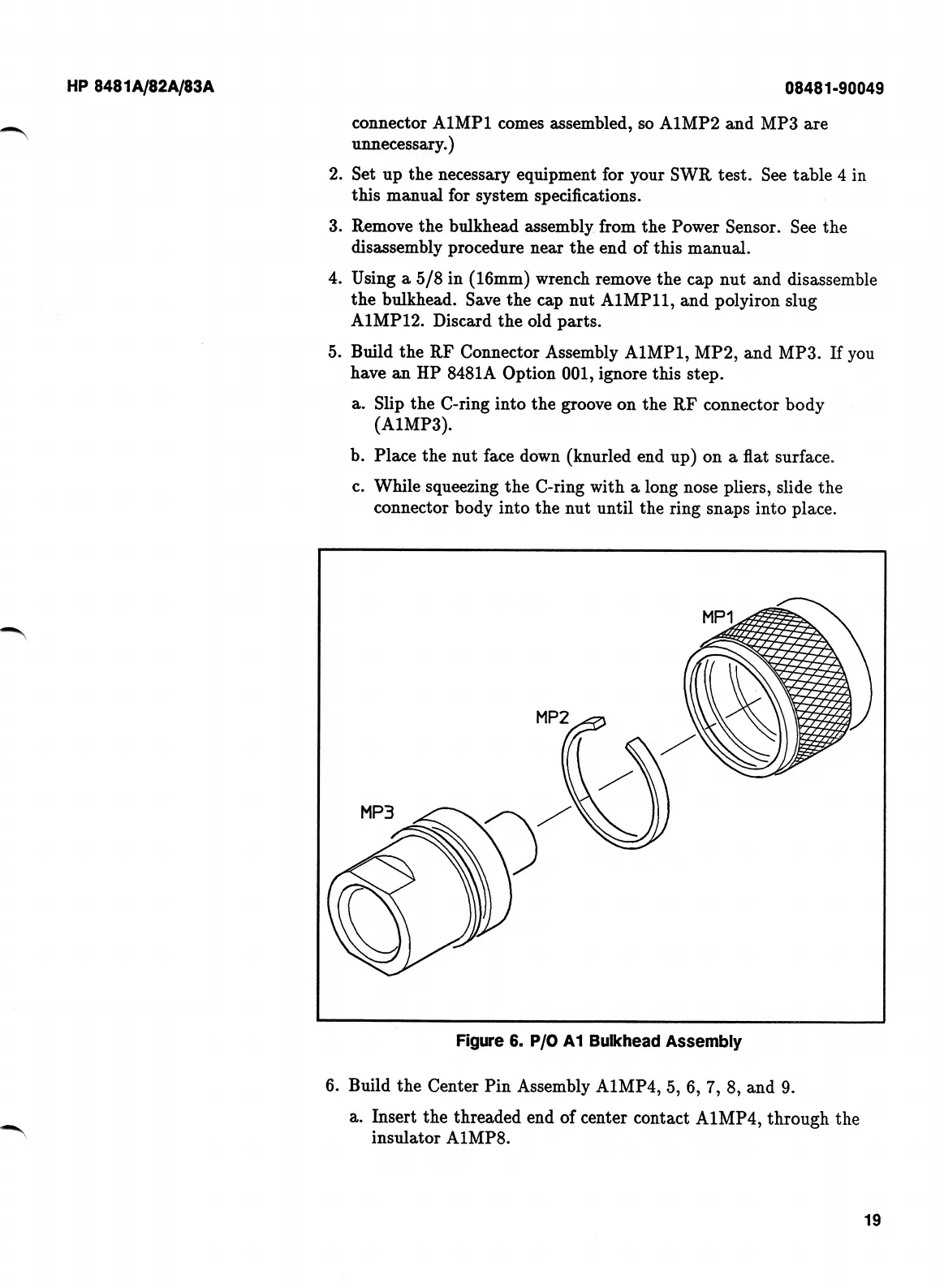
Figure
6.
P/0
A1
Bulkhead
Assembly
6.
Build
the
Center
Pin
Assembly
A1MP4,
5,
6,
7,
8,
and
9.
a.
Insert
the
threaded
end
of
center
contact
A1MP4,
through
the
insulator
A1MP8.
19

Related product manuals