366
Chapter 6, Memory Cards/Mass Storage
Using Memory Cards
Inserting and Removing Memory Cards
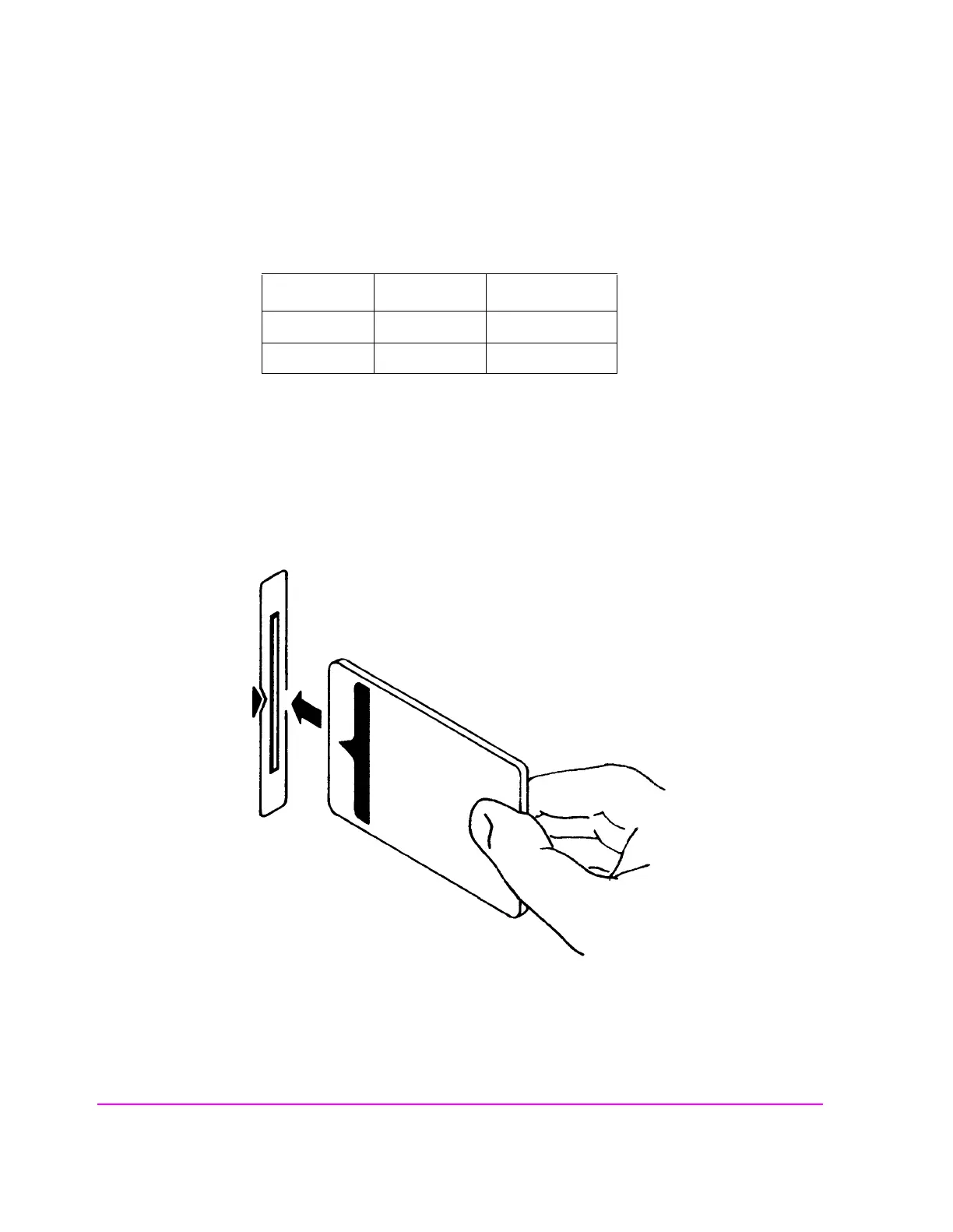
Figure 20 illustrates how to insert a memory card into the Test Set’s front panel.
To remove a memory card, simply pull it out.
The Test Set’s memory-card label is marked with an arrow that must be inserted
on the left side (when you are facing the Test Set) of the front-panel slot.
Memory cards may be inserted and removed with the Test Set powered on or off.
Figure 20 Inserting a Memory Card
Table 37 Memory Card Part Numbers
Memory Type Part Number
64 kilobytes SRAM HP 83230A
1 Mbyte SRAM HP 83231A



 To Next Page