●
To preview a print under Mac OS, you have the following options:
◦
Use your application's print preview option.
◦ Click the Preview button at the bottom of the Print dialog box. This is the basic print
preview provided by Mac OS.
◦
If you are using the PostScript driver, check the Show print preview option, which you can
find in the driver's Printing dialog, in the Finishing panel.
◦
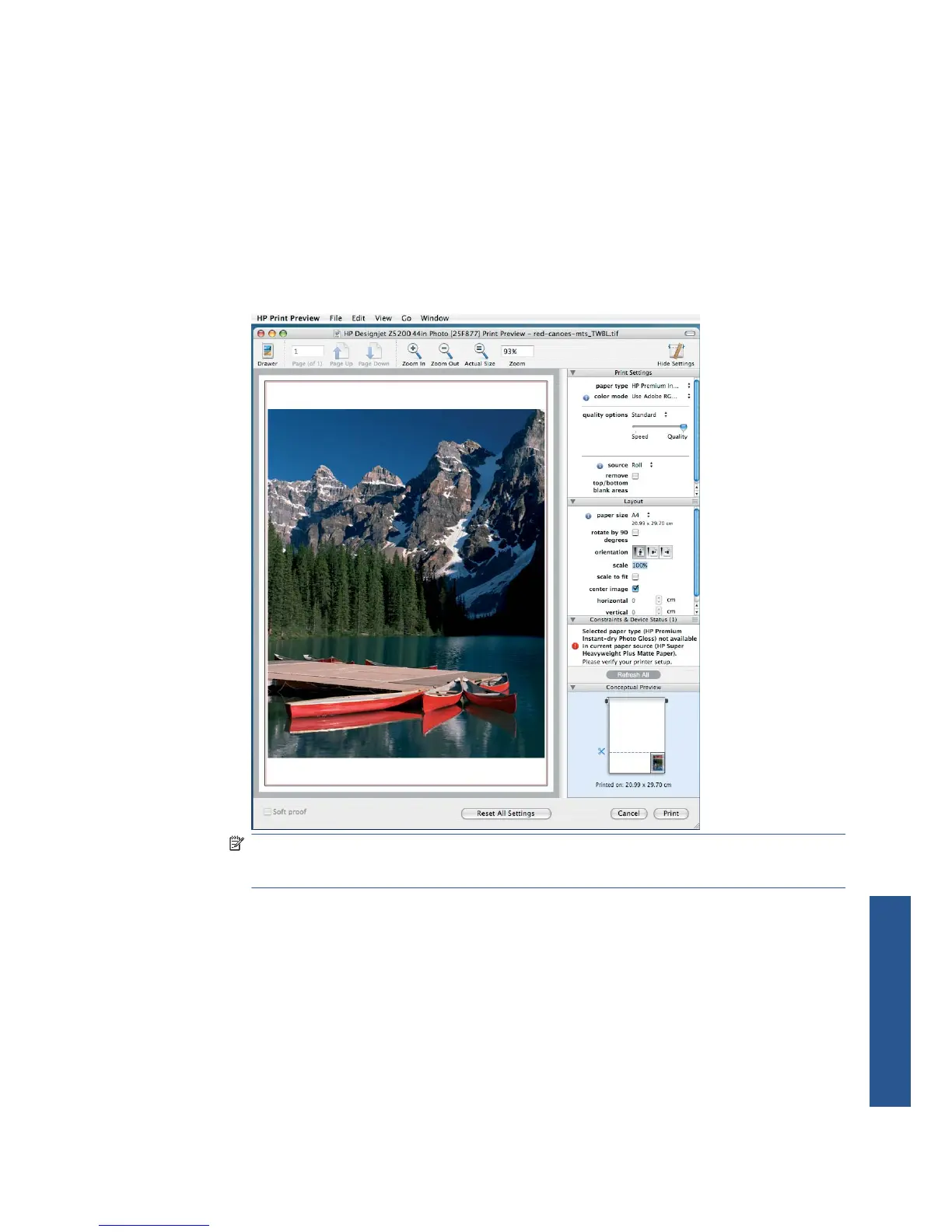
If you are using the PCL3 driver, click the PDF button at the bottom of the Print dialog box,
then click HP Print Preview. This provides a preview with more features, such as the ability
to change paper size, paper type and print quality, and to rotate the image. See below:
NOTE: HP Print Preview may not be available if you are using Adobe InDesign, Adobe
Illustrator, Adobe Reader or Apple Aperture. It is possible with Adobe Indesign CS4 and
Adobe Illustrator CS4.
●
To preview a print using the Embedded Web Server, select Basic settings > Hold for preview.
Print a draft
You can specify fast draft-quality printing in the following ways:
●
In the Windows driver dialog: go to the Paper/Quality tab and look at the Print Quality
section. Move the print-quality slider to the extreme left ('Speed').
●
In the Mac OS Print dialog (PCL3 driver): go to the Paper/Quality panel, then move the print-
quality slider to the extreme left ('Speed').
ENWW Print a draft 51
Printing



 To Next Page