65
cleaning the print cartridges and print cartridge cradle
1.
Dip the end of a clean cotton swab into the distilled water and remove
any excess water.
2.
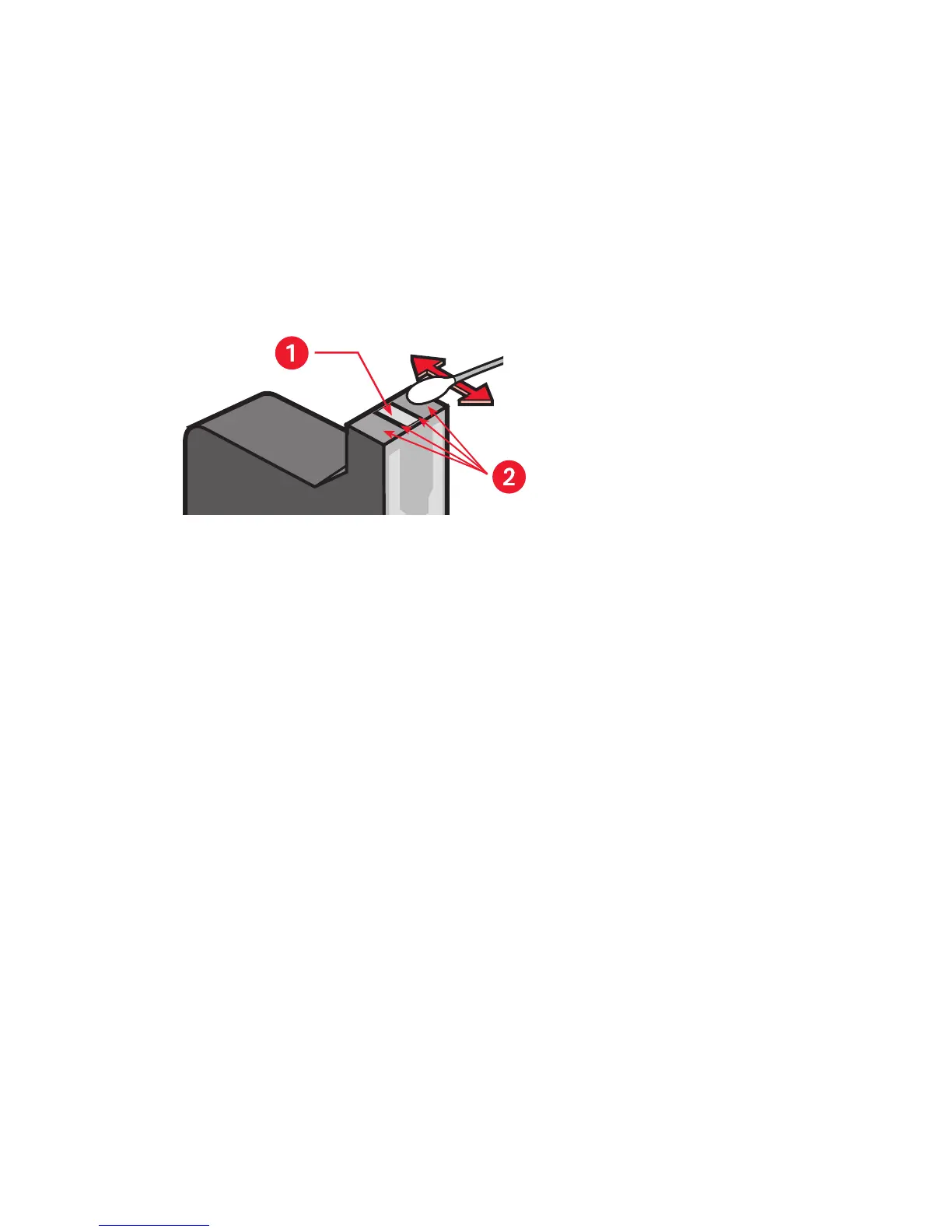
Clean the face and edges of the first print cartridge with the swab, as
shown in the following illustration.
Do Not
wipe the nozzle plate.
1. nozzle plate 2. clean these areas
3.
Inspect the face and edges of the print cartridge for fibers.
Repeat steps 1 and 2 above if fibers are still present.
4.
Repeat steps 1 through 3 for the other print cartridge.


 To Next Page
 Loading...
