
 Need help?
Do you have a question about the HP EliteDesk 800 G8 and is the answer not in the manual?
Steps for removing components requiring selective treatment and external enclosure.
Illustrations for selective treatment items with descriptions and location arrows.
This document outlines the disassembly procedures for the HP EliteDesk 800 G8 Small Form Factor PC, primarily for end-of-life recyclers and treatment facilities. Its core function is to facilitate the removal of components and materials requiring selective treatment, adhering to the EU directive 2012/19/EC on Waste Electrical and Electronic Equipment (WEEE). The instructions are designed to be practical for recycling operations, emphasizing the proper handling of various materials to ensure environmental compliance.
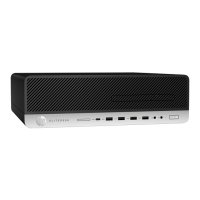
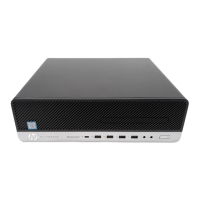
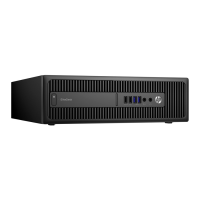
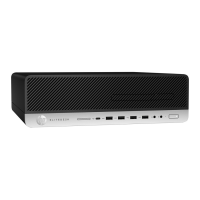
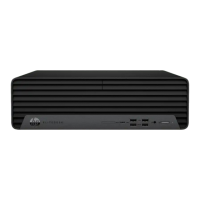
The device itself is a personal computer, specifically a small form factor desktop, indicating a compact design suitable for various office or home environments where space might be a consideration. Its function is to provide computing capabilities, supporting a range of tasks from general office work to more demanding applications, depending on its internal configuration. The "Small Form Factor" designation implies that the internal components are arranged efficiently within a smaller chassis compared to traditional tower PCs, which can sometimes present unique challenges for disassembly if not properly documented.
Usage features, from a disassembly perspective, are primarily concerned with how easily the device can be taken apart. The document details a step-by-step process for dismantling the PC, starting with the removal of the access panel and progressing through various internal components. This suggests that the device, while compact, is designed with a certain degree of modularity to allow for component access. For instance, the optical disc drive (ODD) and hard disk drive (HDD) are described as being removable from their respective cages, indicating a design that allows for upgrades, repairs, or replacement of these storage components. The mention of disconnecting various cables—power, SATA, fan, and other motherboard connections—highlights the interconnected nature of the internal architecture, typical of most personal computers. The process also includes the removal of the CPU, memory, SSD, WLAN card, and battery, which are standard components in modern PCs, each serving critical functions in the device's operation. The inclusion of an "Electric Iron" as a required tool for removing electrolytic capacitors suggests that some components are soldered onto printed circuit boards, a common manufacturing practice that requires specific tools and techniques for safe and effective removal during recycling.
Maintenance features, as implied by the disassembly instructions, focus on the ability to access and remove specific parts for either repair, upgrade, or end-of-life processing. The detailed steps for removing components like the CPU, memory, and storage drives suggest that these are considered user-serviceable or at least technician-serviceable parts. The instructions also cover the removal of the power supply unit (PSU), which is a critical component for the device's operation and often a common point of failure or upgrade. The emphasis on selective treatment for certain materials, such as printed circuit boards, batteries (including Li-Ion and coin cells), mercury-containing components, and plastics with brominated flame retardants, underscores the environmental considerations built into the product's lifecycle. This implies that the device is designed with an awareness of its eventual recycling, aiming to minimize environmental impact by facilitating the separation of hazardous or valuable materials. The instruction for recyclers to sort plastic materials into resin streams based on ISO 11469 plastic marking codes further reinforces this commitment to sustainable end-of-life management. The document's purpose is not just to show how to take the device apart, but to guide recyclers in doing so responsibly, ensuring that materials are recovered and processed in an environmentally sound manner. The inclusion of specific tools like Hexagon and Crisscross screw drivers with specified sizes (T-15, PH1) indicates that standard tools are sufficient for most disassembly tasks, making the process accessible to recycling professionals. The detailed graphical illustrations accompanying the steps further enhance the clarity and ease of following the disassembly procedure, which is a crucial maintenance feature for efficient and error-free component removal.
 General
| Chipset | Intel Q570 |
|---|---|
| CPU Socket | LGA 1200 |
| Memory Slots | 4 DIMM slots |
| Video Output | DisplayPort, HDMI, VGA (optional) |
| Processor | Intel Core i9, i7, i5, i3 10th or 11th generation |
| RAM | Up to 128GB DDR4 |
| Storage | Up to 2TB SSD or HDD |
| Graphics | Intel UHD Graphics |
| Operating System | Windows 10 Pro, Windows 11 Pro, FreeDOS |
| Form Factor | Small Form Factor |
| Memory Type | DDR4-3200 |
| Storage Interface | SATA, PCIe NVMe |
| Expansion Slots | PCIe x16, PCIe x1, M.2 |
| Ports | USB-C, USB 2.0 |
| Networking | Gigabit Ethernet, Wi-Fi 6 |
| Power Supply | active PFC |
| Dimensions | Varies by form factor |
| Weight | Varies by form factor |

 To Next Page