EasyManua.ls Logo

HP EliteDesk 800 G2 - User Manual

HP EliteDesk 800 G2
13 pages
Print Icon
To Next Page IconTo Next Page
Loading...
EL-MF877-00 Page 1
Template Revision B
PSG instructions for this template are available at EL-MF877-01
Product End-of-Life Disassembly Instructions
Product Category: Personal Computers
Marketing Name / Model
[List multiple models if applicable.]
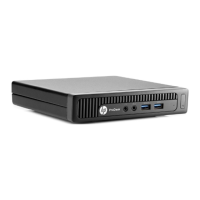
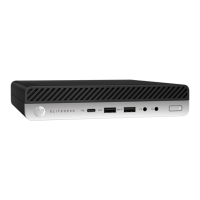
HP EliteDesk 800 G2 DM Retail System
Purpose: The document is intended for use by end-of-life recyclers or treatment facilities. It provides the basic instructions
for the disassembly of HP products to remove components and materials requiring selective treatment, as defined by EU
directive 2002/96/EC, Waste Electrical and Electronic Equipment (WEEE).
1.0 Items Requiring Selective Treatment
1.1 Items listed below are classified as requiring selective treatment.
1.2 Enter the quantity of items contained within the product which require selective treatment in the right column, as
applicable.
Item Description Notes
Quantity
of items
included
in product
Printed Circuit Boards (PCB) or Printed Circuit
Assemblies (PCA)
With a surface greater than 10 sq cm
0
Batteries
All types including standard alkaline and lithium coin
or button style batteries
5
Mercury-containing components
For example, mercury in lamps, display backlights,
scanner lamps, switches, batteries
0
Liquid Crystal Displays (LCD) with a surface greater
than 100 sq cm
Includes background illuminated displays with gas
discharge lamps
0
Cathode Ray Tubes (CRT)
0
Capacitors / condensers (Containing PCB/PCT)
0
Electrolytic Capacitors / Condensers measuring
greater than 2.5 cm in diameter or height
0
External electrical cables and cords
1
Gas Discharge Lamps
0
Plastics containing Brominated Flame Retardants
weighing > 25 grams (not including PCBs or PCAs
already listed as a separate item above)
0
Components and parts containing toner and ink,
including liquids, semi-liquids (gel/paste) and toner
Include the cartridges, print heads, tubes, vent
chambers, and service stations.
0
Components and waste containing asbestos
0
Components, parts and materials containing
refractory ceramic fibers
0
Question and Answer IconNeed help?

Do you have a question about the HP EliteDesk 800 G2 and is the answer not in the manual?

Summary

Selective Treatment Items

Required Disassembly Tools

Product Disassembly Procedures

Access Panel Removal

Steps to release and remove the access panel from the chassis.

HDD and FAN Removal

Procedure for detaching the Hard Disk Drive and its associated FAN.

System Fan Removal

Instructions for detaching the system fan and its cable from the motherboard.

Heat Sink Removal

Steps to release and remove the heat sink from the motherboard.

WLAN Card Removal

Procedure to detach the Wireless LAN card from the motherboard.

Sensor and Speaker Cable Removal

Steps to disconnect the ambient sensor fly cable and speaker cable.

Motherboard and Battery Removal

Procedure to detach the Motherboard and its coin cell battery.

Memory Module Removal

Instructions for releasing and removing the DDR memory module.

Rear IO and M.2 Card Removal

Procedure to detach the Rear I/O card and the M.2 SSD card.

Front Bezel Removal

Steps to release latches and remove the front bezel assembly.

Overview

This document outlines the disassembly instructions for the HP EliteDesk 800 G2 DM Retail System, a personal computer. The primary purpose of these instructions is to facilitate the removal of components and materials requiring selective treatment, as defined by the EU directive 2002/96/EC on Waste Electrical and Electronic Equipment (WEEE), for end-of-life recyclers and treatment facilities.

Function Description:

The HP EliteDesk 800 G2 DM Retail System is a compact desktop personal computer designed for retail environments or general office use. Its primary function is to provide computing capabilities, supporting various applications and tasks typical of a modern PC. The "DM" likely stands for "Desktop Mini," indicating its small form factor, which is advantageous in space-constrained settings. The "Retail System" designation suggests it may include features or configurations optimized for point-of-sale (POS) or other retail-specific applications, though the provided document focuses solely on its internal components for recycling purposes rather than its operational features.

Important Technical Specifications (as inferred from disassembly):

While the document doesn't list explicit technical specifications like processor type, RAM capacity, or storage size, it does reveal several key internal components that contribute to the system's overall capabilities:

  • Printed Circuit Boards (PCBs) / Printed Circuit Assemblies (PCAs): The system contains PCBs/PCAs with a surface area greater than 10 sq cm, which are common in all modern electronic devices and house the main processing and control units.
  • Batteries: The system includes 5 batteries of various types, likely comprising a CMOS coin cell battery (as explicitly shown in the disassembly steps), and potentially other batteries for specific functions or backup power.
  • Storage: The presence of an "HDD" (Hard Disk Drive) and an "M.2 card" indicates support for both traditional spinning disk storage and modern, high-speed solid-state drive (SSD) storage, offering flexibility in performance and capacity.
  • Memory: The system uses DDR (Double Data Rate) memory modules, specifically shown in the disassembly as a "4GB 1RX8 PC3L-12800S" module, suggesting it supports SODIMM (Small Outline Dual In-line Memory Module) form factor, common in compact systems. The "PC3L" indicates low-voltage DDR3 memory.
  • Wireless Connectivity: The inclusion of a "WLAN Card" (Wireless Local Area Network Card) confirms the system's capability for wireless network connectivity, typically Wi-Fi.
  • Cooling System: A "system fan" and a "heat sink" are present, essential components for thermal management to keep the CPU and other heat-generating components within safe operating temperatures. An "HDD FAN" is also mentioned for the Dolomite model, indicating specific cooling for the hard drive in certain configurations.
  • Input/Output (I/O) Ports: The "Rear IO (HDMI/DP/SERIAL) card" indicates that the system provides common video output ports (HDMI, DisplayPort) and a serial port, which is often useful in industrial or retail applications for connecting peripherals like barcode scanners or receipt printers.
  • Sensors: An "ambient sensor fly cable" is mentioned, suggesting the system incorporates an ambient light or temperature sensor, potentially for automatic adjustments or system monitoring.
  • Audio: A "Speaker cable" is listed, implying the system has internal speakers or a connection for external audio output.

Usage Features (inferred from design):

The compact "Desktop Mini" form factor suggests several usage advantages:

  • Space Efficiency: Ideal for environments where desk space is limited, such as retail counters, small offices, or embedded applications.
  • Portability: While not a laptop, its small size makes it relatively easy to move or deploy in different locations.
  • Connectivity: The presence of WLAN and various I/O ports (HDMI, DP, Serial) indicates good connectivity options for displays, networks, and specialized peripherals.
  • Modularity: The disassembly process reveals a modular design, with components like the HDD, M.2 card, WLAN card, memory, and I/O card being distinct and removable units. This modularity can simplify upgrades or repairs.

Maintenance Features (inferred from disassembly instructions):

The provided disassembly steps highlight several aspects relevant to maintenance and serviceability:

  • Easy Access: The first step, "Remove access panel," indicates that the system is designed for relatively easy access to internal components, likely for upgrades or basic troubleshooting. The use of a "thumb screw" further simplifies this initial step, requiring no tools.
  • Component Replacement: The detailed steps for removing the HDD, M.2 card, WLAN card, memory, system fan, and heat sink suggest that these are considered user-replaceable or serviceable components. This is beneficial for extending the life of the system through upgrades (e.g., adding more RAM, upgrading to a larger SSD) or replacing faulty parts.
  • Specific Model Variations: The mention of "HDD FAN (only Dolomite)" indicates that there might be different configurations or sub-models (e.g., "Dolomite" being a specific chassis or motherboard variant) with slight differences in component layout or presence, which is important for technicians to note during servicing.
  • Tool Requirements: The document implies that beyond the initial access panel, standard tools (likely screwdrivers) would be required for further disassembly, though specific tool sizes are not listed.
  • Battery Replacement: The explicit instruction to "Remove coin battery from MB" indicates that the CMOS battery is a serviceable item, crucial for maintaining system time and BIOS settings.
  • Cable Management: The instructions involve disconnecting various cables (HDD SATA FFC, hood sensor, system fan, ambient sensor, speaker, WLAN antenna), implying a degree of internal cable management that needs to be undone for full component access.

In summary, the HP EliteDesk 800 G2 DM Retail System is a compact and modular personal computer designed with serviceability in mind, facilitating component replacement and end-of-life recycling. Its internal architecture supports modern storage, memory, and connectivity options, making it suitable for a range of computing tasks, particularly in space-constrained or retail environments.
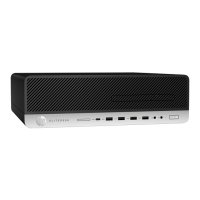
HP EliteDesk 800 G2 Specifications

General IconGeneral
BrandHP
ModelEliteDesk 800 G2
CategoryDesktop
LanguageEnglish

Related product manuals