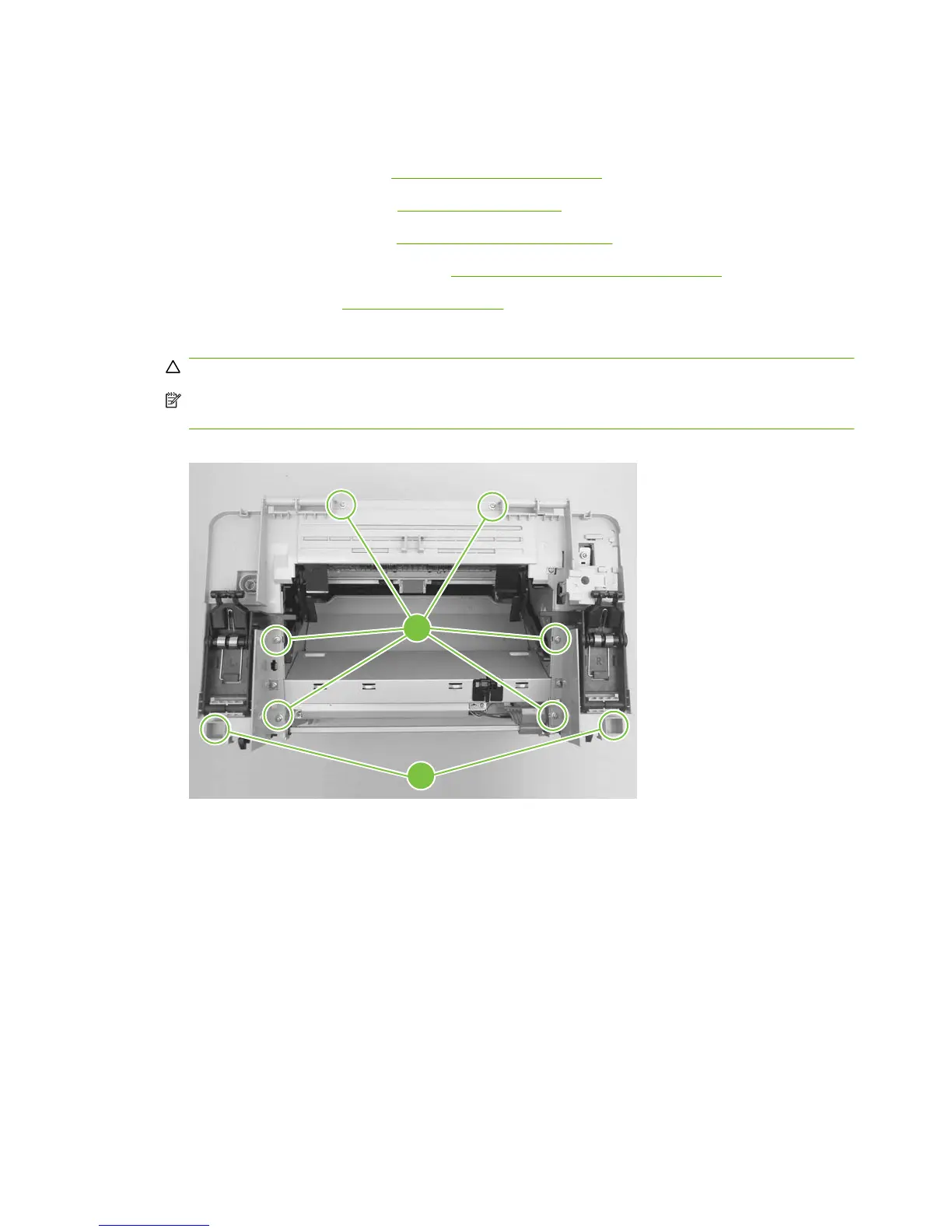
Scanner support frame
1. Remove the following assemblies:
●
Scanner assembly. See
Scanner assembly on page 60.
●
Right and left cover. See
Side covers on page 74.
●
Print-cartridge door. See
Print-cartridge door on page 76.
●
Rear cover and fuser cover. See
Rear cover and fuser cover on page 77.
●
Front cover. See
Front cover on page 79.
2. Remove six screws (callout 1).
CAUTION: Be careful not to drop any screws into the product.
NOTE: If you turn over the scanner support frame after you remove it, the two scanner cushions
(callout 2) might fall out and be misplaced.
Figure 5-58 Remove the scanner support frame (1 of 5)
1
2
86 Chapter 5 Removal and replacement ENWW



 To Next Page