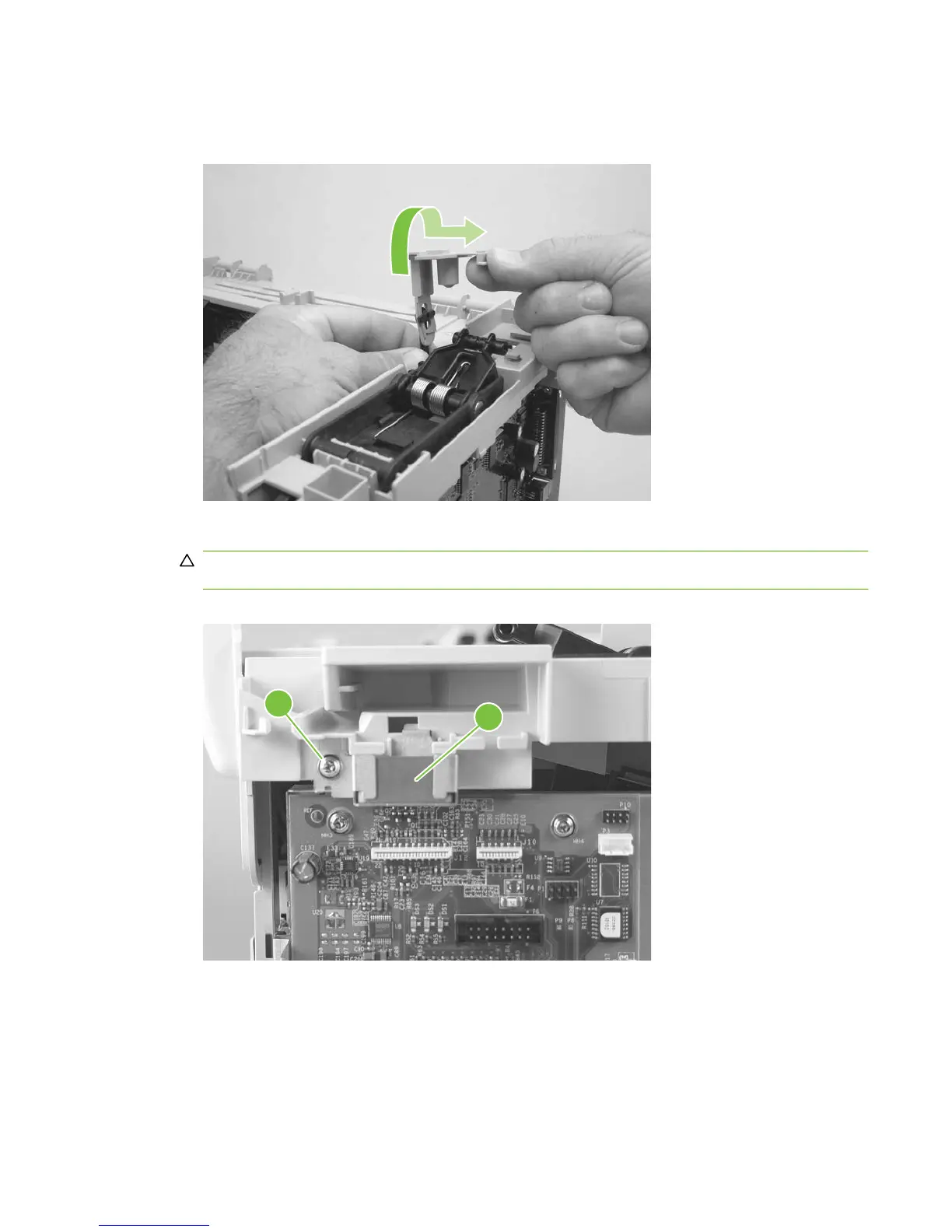
3. Rotate the gear-drive bracket until the retainer on the gear-drive arm aligns with the opening in the
bracket, and remove the bracket.
Figure 5-59 Remove the scanner support frame (2 of 5)
4. Remove one screw (callout 3) and the ferrite and bracket (callout 4).
CAUTION: The ferrite is not captive in the bracket and can be dislodged when you remove the
bracket.
Figure 5-60 Remove the scanner support frame (3 of 5)
3
4
ENWW Product base 87



 To Next Page