Drive-gear assembly and drive belt
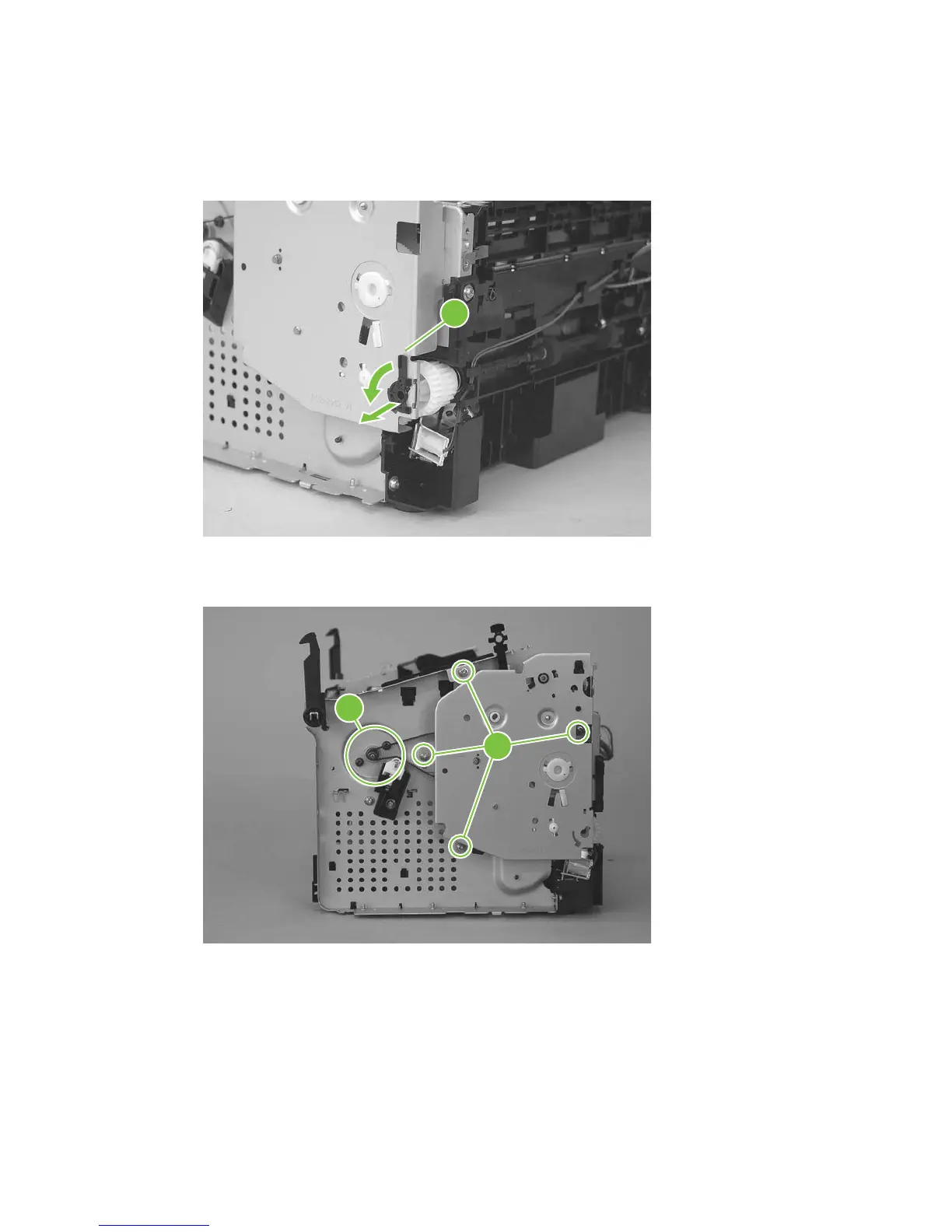
1. Release one tab (callout 1). Rotate the paper-pickup drive-shaft locking clip until the clip retainers
align with the holes in the chassis, and then remove the clip.
Figure 5-84 Remove the drive-gear assembly and drive belt (1 of 4).
1
2. Carefully slip the drive belt off of the motor shaft (callout 2), and then remove four screws (callout 3).
Figure 5-85 Remove the drive-gear assembly and drive belt (2 of 4).
3
2
ENWW Product base 103



 To Next Page